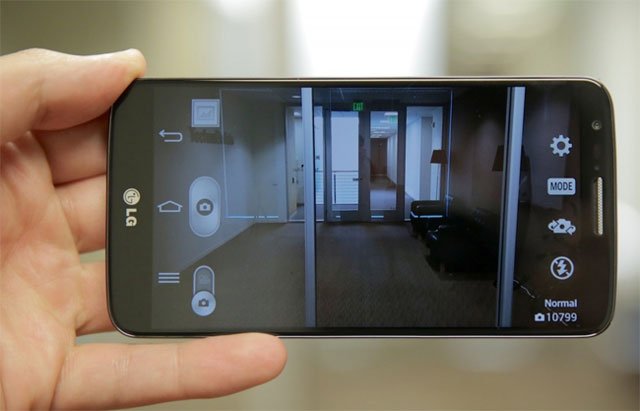
 The LG G2 is an awesome device with stunning hardware specs. It has been months since the device was released and even in this short period, G2 has gained much popularity. It has earned what LG had been seeking for a long time.
While the LG G2 packs a really good camera with decent output, it is felt that LG could have done even better to improve the camera picture quality. Actually, the problem lies somewhere the camera tuning. If you own an LG G2 or LG G Flex and feel that its picture quality is not as good as it should have been, we have discovered a working solution to improve LG G2 camera quality.
Jishnu Sur™ from XDA developers, who has already released a camera mod for the Nexus 5, has prepared another such mod that brings significant improvement in the camera of the LG G2. Jishnu has discovered the missing ideal configuration and perfected it to the best level possible.
Features of LG G2 Camera Mod
Jishnu Sur’s camera mod for the LG G2 has come a long way since it was first released. It has seen so many updates and the long list of its features alludes to that:
- Faster shooting of pictures
- 1080p videos are now shot @ 30MB/s
- 720p videos are now shot @ 20MB/s
- ISO option available in Settings
- Decreased the max ISO to 1200 from 1600 (the more the ISO the more the noise in the picture)
- Increased the sharpness from 90 to 95
- Increased the JPEG preview quality to 99 from 90
- Increased the minimum FPS of the 1080p video to 25 & Max to 40 FPS
- Adjusted ISO to Max 200 for face detection.
- Enhanced smooth zoom
- Decreased the bitrates of the videos as follows:1080@60 FPS : 20MB/s
- Video size: 1080@30 FPS : 30MB/s.
- Video size: 720@30 FPS : 20MB/s.
- Set JPEG Quality to 100% and JPEG compression to NIL
- Set sound Bitrate to 256Kbit/s like Nokia Lumia 1020
- Image sharpness increased to 99
- Video Sharpness increased from 20 to 22
- 60FPS video recording with better bitrate and quality
- Low light videos should have a stable 30 FPS constant
- 1080P & 720P Videos has HFR options.
- Back Camera Records 720P Videos @ 90 FPS
- Front camera records 1080P Videos @ 60 FPS
- Sharper pictures in both cameras
- JPEG quality increased to max
- Sharpness Increased for front camera
- The latest updated version of the mod for KitKat based ROMs features:
- 4K video recording
- 120 FPS video recording enabled
- JPEG Compression is zero
Another LG G2 Camera Mod
Enjoy 120 FPS and 4K Ultra HD Video Recording on LG G2
Requirements:
- LG G2 or LG G Flex (any variant)
- Root access
- CWM/TWRP Recovery
Also See:
How to Root and Install TWRP Recovery on LG G2 (All models)
How to Install
Having downloaded the camera mod from above, here’s how you can install it on your LG G2.
Instructions for Stock-Based ROMs
- Download and copy the ZIP file to your phone.
- Install a root file explorer app from the Play Store: [googleplay url=”https://play.google.com/store/apps/details?id=com.jrummy.root.browserfree”]
- Open Root Browser and navigate to system/app directory
- Find the following 2 files:
- CameraApp.apk
- CameraApp.odex
- Rename these files as:
- CameraApp.apk.bak
- CameraApp.odex.bak
- Now boot your LG G2 into TWRP/CWM recovery mode.
- Backup your current ROM before doing anything.
- Tap the Install option and select the camera mod zip file.
- Confirm the installation and then reboot your phone.
- If you do not have a custom recovery on your device,
- Extract the downloaded ZIP and copy the APK to phone.
- Open Root Browser and go to system/app.
- Find CameraApp.apk and CameraApp.odex and add a .bak extension to both of them.
- Now copy the new CameraApp.apk to system/app folder.
- Press and hold CameraApp.apk and select Permissions from the list of options.
- Now set the permission to rw-r–r– (0644). Read our detailed tutorial on setting file permissions on Android devices.
- Then reboot the phone.
- When your LG G2 boots up, you would be able to use the modded camera app on your phone.
Instructions for AOSP/CM Based ROMs
- Reboot in CWM/TWRP recovery.
- Backup your current ROM.
- Tap the Install option and select the camera mod zip file.
- Confirm the installation and then reboot your phone.
With a hope that the LG G2 camera mod by Jishnu brings a noticeable difference to the camera picture quality of your LG G2 or G Flex, we wind up our guide here. Do not forget to share your feedback and experiences with us. Cheers!


Do not work on CM 12.1, but no bootloop
Elaborate? Have you tried marshmallow or another mod?
Hi! I have CM 12 installed in my LG G2 and I would like to know the best camera app (mod, or any type) for my phone. Thanks!
Download link is broken? Where to get the mod for kitkat?
kindly update the link for KK rom please i really need
kindly fix download link For KitKat Based Stock ROM
will it work on G2’s optimus G3 rom???
Fucking bootloop! but i have a backup. Ufff!
phone wont switch on after installation
Is possible to make KK camera mode with 380 dpi ??
Will have to see to that.