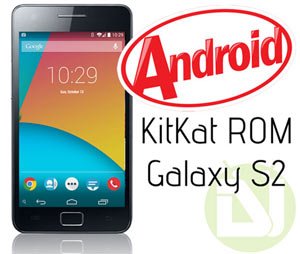
It’s has been more than a month now since Google launched the new version of Android with the Nexus 5. While most Nexus devices that have supported hardware have been blessed with the new flavor of the OS, there are still dozens of phones and tablets from OEMs like Samsung, HTC, LG, Sony, etc. that will have to wait for months before the Android 4.4 KitKat update to rolled to them. Besides, there will still be hundreds of devices that might never get the official KitKat update from their manufacturers. Install the Android 4.4 KitKat ROM on your Galaxy S2 to enjoy more features.
Thanks to the brilliant development community of Android that makes no distinctions between the old and new devices and keeps striving to distribute a new treat to one and all equally. That simply means that you can enjoy Android 4.4 ROM on your device even if it has been declared unfit or undeserving by the OEM. The only condition, however, that you have to fulfill is to have root access and a custom recovery like ClockworkMod or TWRP Recovery on the device you own.
For the last couple of weeks, we have been sharing Android 4.4 KitKat ROMs for a good bunch of devices. Continuing our mission, we have today come with some nice custom ROMs for the Samsung Galaxy S2 and its US variants that will give you the luxury of enjoying KitKat on your phone.
Since it’s still very early, not many ROMs are available currently for the device, and the available ones are in the development phase. All ROMs are in working conditions but do not get surprised if you notice a few minor bugs here and there. As the respective developers keep updating their work on regularly, always try the latest versions to get the fix for any bug that discovers after installing the ROM.
Devices
Now here is the list of Galaxy S2 variants for which Android 4.4 KitKat ROMs are available right now:
- Samsung Galaxy S2 GT-I9100
- Samsung Galaxy S2 GT-I9100G
- AT&T Samsung Galaxy S2 SGH-I777
- T-Mobile Galaxy S2 SGH-T989
Warning!
Activities, like rooting and flashing a custom ROM, are considered risky. While rooting voids the warranty of your phone, installing a custom ROM might endanger it. If you choose to try any of the ROMs listed below, do it at your own risk. We or the developers will not, in any case, be liable for any mishap. In case you get stuck at a certain thing or caught into a problem, all we can do is to help you fix things to the best of our capacity.
Requirements
- Rooted Samsung Galaxy S2
- Latest CWM (v. 6.0.4.4) or TWRP (v. 2.6.3.3) Recovery installed on the device.
To install the latest version of either of these custom recoveries, you can use either ROM Manager (for CWM) or Goo Manager (for TWRP).
[googleplay url=”https://play.google.com/store/apps/details?id=com.koushikdutta.rommanager”]Download Latest SuperSU
Download SuperUser Flashable Zip Here
How to Install ROM on Galaxy S2
- Important: Do not forget to backup your phone’s EFS/IMEI before.
- Make sure your Galaxy S2 is amply charged.
- Copy the downloaded ROM, Google apps and SuperSU zip files to your phone.
- Boot your phone in recovery mode. Here is how to do it: hold down the Volume Up+Home+Power buttons together for 4-6 seconds till the screen turns up and you see the recovery screen. Alternatively, you can enter recovery mode using these reboot apps.
- If you are using CWM, use the volume keys to scroll up/down and the power button to select files and options. TWRP users can simply touch the corresponding buttons to get a job done.
- Important: Before doing anything, do not forget to backup your current ROM using “backup and restore” option (in CWM) or “Backup” option (in TWRP) and check all items to backup.
- CWM Users: Go back to the main menu in recovery and select “wipe data/factory reset> yes”. Then go to“mounts and storage” and wipe data and system.
- TWRP Users: Just tap on “Wipe” button and select Data, System, and Cache.
- Now go back again and choose “install zip from sdcard> choose zip from sd card” option, select the ROM file in zip and choose “yes” when asked. If you have TWRP, use the “Install” button, select the ROM and swipe the slider to confirm the installation.
- When the ROM is installed, install the Gapps zip package just like you flashed the ROM in Step 9.
- Then install the ”UPDATE-SuperSU-v1.zip” file the same way.
- Finally, select the reboot system option.
When your Galaxy S2 boots up, go through the initial setup and after that, your phone will be ready to use. Enjoy the new taste of Android and do not forget to share with us your experience, or any bugs that you notice during using the ROM. Cheers!



same like JOHN problem’s
hello . my fon stuck in logo s2 . what should i do ? i cant open my fon!
Get into recovery mode, wipe data, system, cache and dalvik cache and flash it again or just restore your previous ROM backup.
hi there,i recently updated my Samsung galaxy s2 to kitkat but wen I done updating I lost the signal on my phone and all my apps are gone….I cant download google play store it says its already installed but cant find it
I successfully installed 4.4.4 kitkat rom on my samsung galaxy s2 i9100G version. However, After a day, it started troubling me. I wasnt able to receive whatsapp messages, dialing used to go to some other contact.
As far as apps are concerned, i found google camera app quite new. Apart from this, didnt find interesting apps though. The ROM is very fast and battery lasted for more than a day (with data on and off at regular intervals. Data was not ON for full day)
I searched for workaround and solution for whatsapp messaging issue, but with no luck. So I reverted back to stock JB ROM.
NOTE: The custom ROM installation works only with 6.0.4.4 CWM recovery and above. for versions smaller than the one mentioned above results in status 7 error message.
Hi! Can somebody help me? I tried updating my S2 with CM 11, but it says installation aborted. What will i do? Please help. Thanks.
The custom ROM installation works only with 6.0.4.4 CWM recovery and above.
i COULD ABLE TO INSTALL ONLY 4.2.2 NOT MORE THEN THAT
Dont forget to enable usb debuging
With dual boot you can boot into second rom ant try any rom out there
To avoid mistake, try dual boot using siyah kernel version 5.
I also tried to install CyanFox-2.0.2-i9100 from stock 4.1.2 Samsung Galaxy S2, also got message:
“Installation aborted (status 7)
set_metadata_recursive: some changes failed”
I read from Rakesh, here below:
” I already told you that you needed to update recovery in order to fix Status 7 error”
What does this mean? I installed latest ROM Manager from PlayStore.
Update your custom recovery to the latest, it’ll be fixed.
Now I realise what you meant. Update the Cyanogenmod Recovery ROM, not the ROM Manager app which came with CWM. Now fixed. Thanks fro your reply. Paul
Hi Paul, How to update the Cyanogenmod recovery rom?
Actually, he means ClockworkMod recovery. Use this app: https://www.droidviews.com/install-your-favorite-custom-recovery-cwmtwrp-on-rooted-android-device-with-a-single-click/
The problem was with the version of Cyanogenmod v11 that I installed. It seems that there was a problrem with it. In the end, I installed Cyanogenmod v10.1.3 (cm-10.1.3-i9100.zip) instead of v11 because v11 still seems to be somewhat buggy. Also be careful to install a matching version of google apps (gapps-jb-20130812-signed.zip)
thank you thank you thank you!!!
Paul, I too have the same doubt?
I tried to update my galaxy s2 3 times, but in vain.
I followed ALL THE PROCEDURES suggested by Rakesh, but I got STATUS-7 and 6 error.
Now I feel, this is waste of time.
Because I spent 750 Rs for restoration.
If Mr.Rakesh, come to Chennai, he may help me
Hi Ramesh, I already told you that you needed to update recovery in order to fix Status 7 error. If the new ROM did not install properly, you should have restored the older one, but you did not do that.
In my post I clearly stated that “I FOLLOWED ALL THE PROCEDURES suggested by Rakesh”.
After restoration, camera did not work.
is there not a sprint version?
Is the device also called Samsung Epic 4G? If yes, download and install this: http://download.cyanogenmod.org/get/jenkins/60846/cm-11-20140303-NIGHTLY-epicmtd.zip
Let me know.
Did anyone get the status 6 error ??
i installed cm-9-20121209-NIGHTLY-galaxys2.zip on my GT-I9100 and i get installation aborted Status 6 error
How to get CWM 6.x for SGS 2?
Any links?
My ROM Manager only installs version 4.x
https://www.droidviews.com/install-cwm-or-twrp-recovery-on-almost-all-android-devices-easily-with-recoverx/
so after reboot it comes to omni screen with an android head blinking and stops !!
Reboot into recovery mode, wipe cache partition and reboot the device.
When is install cyan fox is error occur (status 7) installation abourted please help me..
Update your recovery.
Hi Rakesh,
I tried your Cyanfox 2.0, but hooked. Everything was ok, except installation of ROM.
I got error msg said that “zip file has erro, and hence installation aborted””
And now my phone(galaxy s2) is hanging at SAMSUNG screen, what to do please help.
RAMESH, CHENNAI, jr.inbox@gmail.com
Restore the previous ROM.
https://www.droidviews.com/things-to-do-before-and-after-installing-a-rom-troubleshooter/
Ok. after restoration, Shall I try Cyanfox EXPERIMENTAL or NIGHTLY ROM?
Try the nightly version.
Would the new nightly version released on 08-02-2014, solve the Status-7 problem?
Status 7 error has nothing to do with ROM. It’s a recovery related issue. Update the CWM/TWRP recovery and try installing the ROM.
And one more thing Rakesh, how do I select the correct custom recovery program between CWM & TWRP for my galaxy S2? How do I know, that my mobile supports CWM or TWRP?
If a recovery is available for your device, it means it supports it.
Thanks Rakesh, as you mentioned, I got STATUS 7 – INSTALLATION ABORTED ERROR?
Will the NIGHTLY VERSION solve it?
Ok. after restoration, Shall I try your EXPERIMENTAL ROM, released on 14-01-2014?
Just added stable builds of the KitKat ROMs.
It gave an error during the installation process: bad file…on my AT&T variant S2 phone.
Hi. I install “http://www.cyanfox-rom.com/downloads/?folder=i9100/” in recovery mod. but i have problem with my wifi. please help me
HC1Gunnersame error Warning
no file_contexts for me too omni 4.4 I9100 G and still stucked in boot menu.
when i tried to update its showing error omni 4.4 and nw i have been crashed in recovery mode. pls help
PinchuPrakash To install a custom ROM, just rooting is not enough. You’ll have to install a custom recovery like CWM/TWRP first. To get KitKat, you must have the latest version of custom recovery.
tnx i av successfully rooted nw. so hw can i update to android 4.4? Galaxy S2 GT-I9100G
srivenr Try the latest version of PhilZ CWM recovery: http://d-h.st/users/philz_touch/?fld_id=0#files
hi,
The ROM manager, doesn’t help at all. Its not downloaded the new CWM 6.0.4.4. Can you please let me know any other way of getting the CWM 6.0.4.4 . I mean direct download or a manual way of getting it .
i cant choose language and log in to google account so on like u are buying a new phone.the screen stay blank.only battery and line icon on top.also i can scroll down the notification bar.tapping on back or menu button it have a vibrate.
HC1Gunner
well I used ROM Manager to put on RecoverWorkMod to install their latest recovery for my AT&T S2 SGH-I777, and it all went south from that point. I cant even boot into Recovery now, all I did was used the option to backup my current ROM, my phone rebooted and stuck on the Samsung logo, and on top of that they charged me $1.99 at Google Play
HC1Gunner Did you verify the MD5 sum?
crap the omni-4.4-20131203-i777-NIGHTLY starts to install then gives me this error below, and now I’m stuck in boot Loop, and I have went into mount/storage and did format/system, still stuck in boot loop.
Warning
no file_contextsThis package is for “i777, SGH-777, SGH-S959G” devices
this isa “” . E:Error in /sdcard/Downloads
omni-4.4-20131203-i777-NIGHTLY.zip Whats up with this error ? ? ?
Even download the file again to make sure it was no corrupt
I have the T-Mobile Galaxy S2. I like having the newest, shiniest software I can afford, but my question is SHOULD I upgrade to Kit Kat. I haven’t seen any articles outlining the advantages and disadvantages. If anyone could provide some I’d appreciate it.
gxgz0990 Sorry, but I could not understand what you want to say!
请问:三星I9220和I ask you: I9220 and Samsung GALAXY NOTE ROM can use this way? Or simply brush Nexus5 the ROM. Please advise.
does it support Arabic language ?/
Not pretty sure now but it should be there.
tried cyanfox (cwmr) and sabermod omni (twrp).
the prob i got with cyanfox is it is stuck in android app ugrading and a pop will show that “android system failed to optimize program” then it will return to upgrading apps.
sabermod omni on the otherhand, Gapss and other apps like (camera, browser and Gapps) are force closing.. but its understandable since those 2 are in a nightly status.. still waiting for cm10.2 and cm11 nightly for my gt i9100..
You should add ROM Installer to the app list for installing recoveries.. includes all latest TWRP and CWMR 😉
I will add that for sure. Thanks!