If you have a smartphone, then you must have heard about IMEI number. Every smartphone has one and it’s more important than you think.
What’s An IMEI Number?
The International Mobile Equipment Identity – or IMEI – the number is a unique numerical identification number that’s assigned to every mobile. This is done to differentiate one device from the other.
If you’ve ever tried selling or exchanging your smartphone on the internet, you must have been asked to input your device’s IMEI number.
An IMEI number consists of 14 digits and 1 extra digit for verification of the entire string. There’s also a 16 digit variation that includes information on the device’s software version. This is known as IMEISV.
How to Find IMEI Number of Your Device
There are a number of ways to find your device’s IMEI number. The most common approach is to use a USSD code. Simply, open your dialer app and dial *#06# and the number will be displayed on your screen. This method is universally applicable and can be used on both feature phones and smartphones.
Another way to find the IMEI is to head to the about section of your phone and tap on Status, and then on IMEI information. You can also find your IMEI number by looking on the retail box of your smartphone i.e. the box in which you got your smartphone.
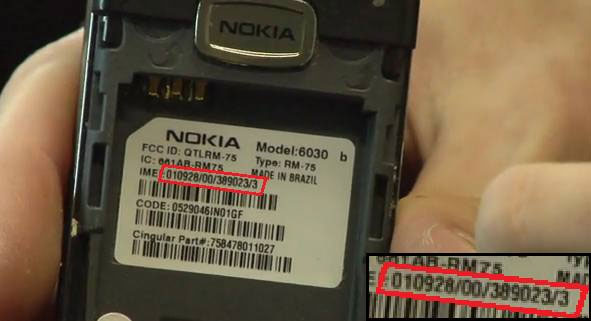
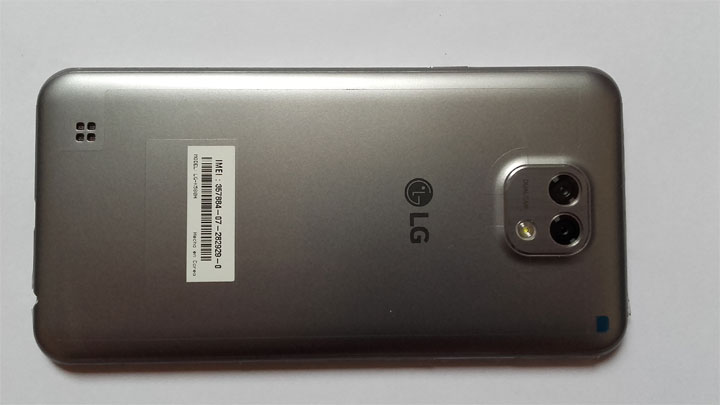
On most of the phones with a removable battery, the IMEI is printed on a sticker that is on the phone or under the battery. You can take the battery out to see yours. IMEIs are hard-coded into the devices, making it nearly impossible to change them.
One thing to note is that if you have a single SIM device, you’ll see one IMEI number. If you have a dual SIM device, you’ll see two. When you insert your SIM card for the first time, your network providers capture the number and enables the service. Note that the SIM number and IMEI number are not the same.
Why It’s Important?
It’s important to note down your IMEI and keep it somewhere safe. In case you lose your mobile, you can contact your network provider and ask them to block their services. This will prevent the device from connecting to a network, rendering it useless. And, if you feel like registering a complaint about the stolen phone, the police, too, would require the IMEI number to process further.
There you have it, a brief piece of information on what and why of IMEI numbers.


Join The Discussion: