• Skip to primary navigation
  • Skip to main content
  • Skip to primary sidebar

DroidViews

  • Apps
  • Downloads
    • Android Apps
    • Themes
  • Guides
    • Root
  • ROMs
  • Reviews
  • Wallpapers
  • About Us
  • Sponsored Posts

Top 5 Android Apps Worth Checking Out This Month

Ayaz AbdulKhader | 07 Aug 2017 | Android Apps/ Reviews

Top 5 Android Apps

If you are regular to our website and had read my last post from a couple of days ago, I had brought to you 4 best Android apps you should be using right now. I emphasized how apps have become an integral part of our lives and that they pretty much cover all our needs and wants. Moreover, I also mentioned that apps, in general, simplify our mobile experiences and lives and that selection of apps are what would provide with even much simpler experiences. OK, now let me get to the point of this article. For you all the DroidViews readers out there, today I have with me are top 5 Android apps worth checking out. So yeah let’s get started then.

1. AppSales: Paid Apps Gone Free & On Sale

As the name suggests, this neat little app lets you know which all apps at the Google Play Store are currently for sale at the moment and which all have gone free. This app has a feature called Watchlist which allows you to add apps to your personal watchlist to monitor prices of apps and get notified about app discounts, price drops and eventually know which apps have gone free. Please go through each of the screenshots below and read the captions of the screenshots to know more.

Must Read: 5 VR Apps for Android to Get You Started
AppSales: Paid Apps Gone Free
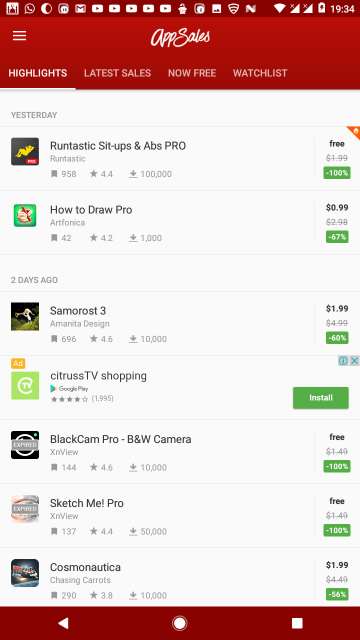
HIGHLIGHTS tab shows certain good apps which have become either free or discounted recently. This is also the main screen after you launch the app.
AppSales android app
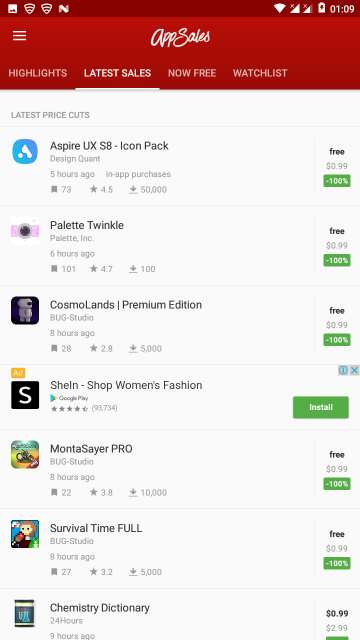
LATEST SALES tab shows all the apps which are free or discounted at the very moment.
AppSales now free apps
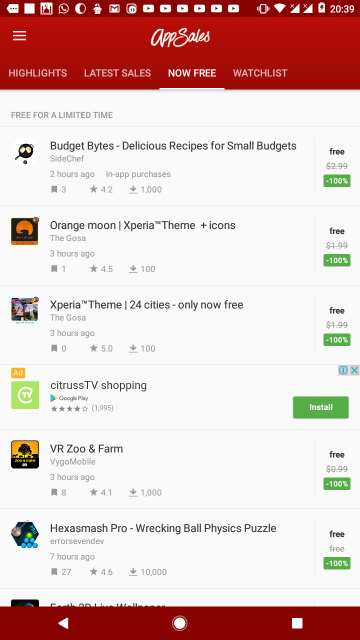
NOW FREE tab shows you apps which are currently free of cost for a limited period of time.
top 5 android apps
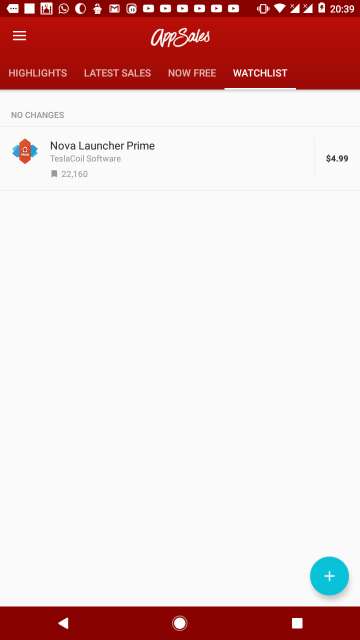
WATCHLIST or your personal watchlist tab shows you the apps you have chosen to monitor and get notified of price drops, discounts or when an app becomes free.

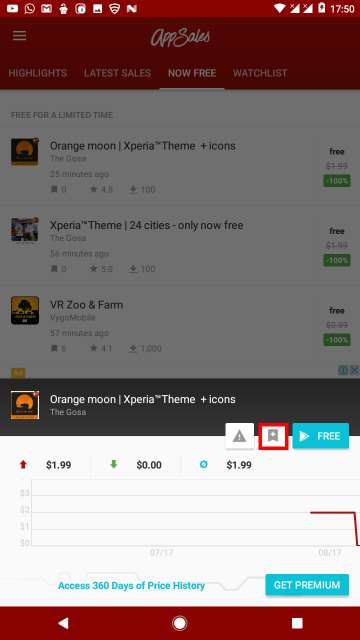
To add apps to the Watchlist, just tap on any app from any tab and hit the bookmark button as shown below.
AppSales bookmark watchlist
Tap the bookmark button as highlighted.
AppSales settings
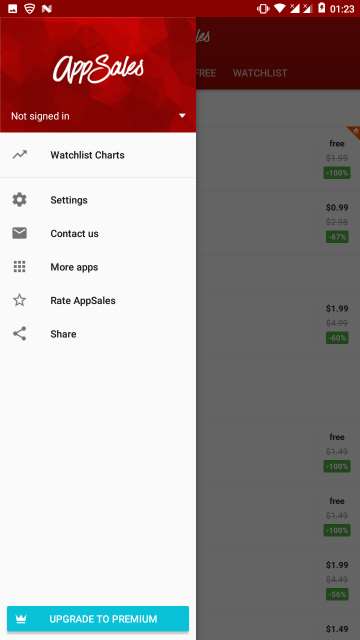
Access the hamburger menu for options by swiping from the left edge of the screen and tap Watchlist Charts.
AppSales: watchlist charts
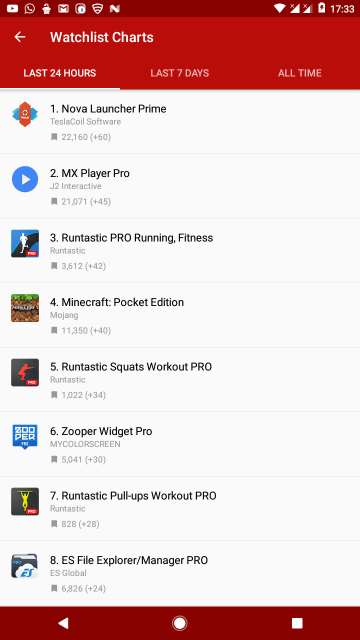
Watchlist Charts are grouped into three tabs (LAST 24 HOURS, LAST 7 DAYS and ALL TIME) shows you trending apps and overall best-paid apps.

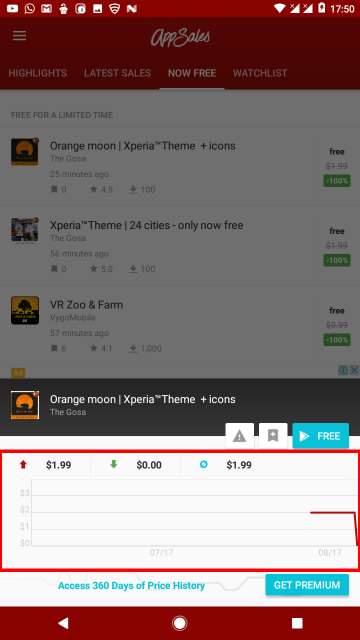
Price history for the last 60 days (last 360 days in the Premium Version) also shown for an app, just tap on an app to show it. Price history highlighted in the screenshot below.
AppSales: Paid Apps price history
Price history.

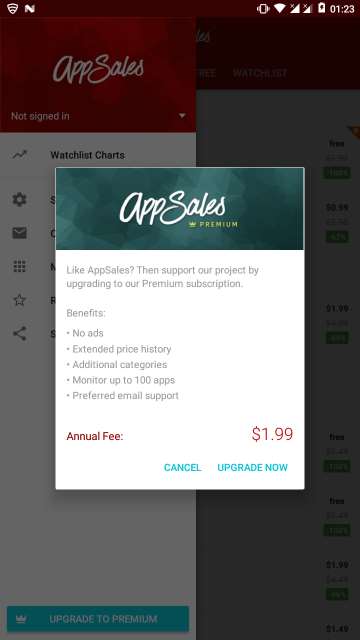
Premium version gives you more features, only for just $1.99/year. Refer to the screenshot below.
top 5 android apps
Premium Version has more features.

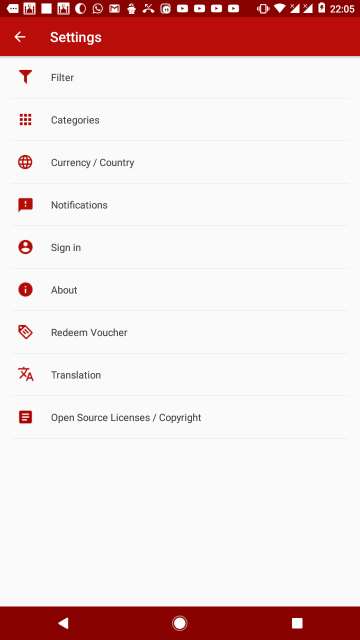
Access the hamburger menu or the side menu by swiping from the left edge of your screen and tap Settings for options available which are self-explanatory.
AppSales app settings
Settings.
AppSales app price filter
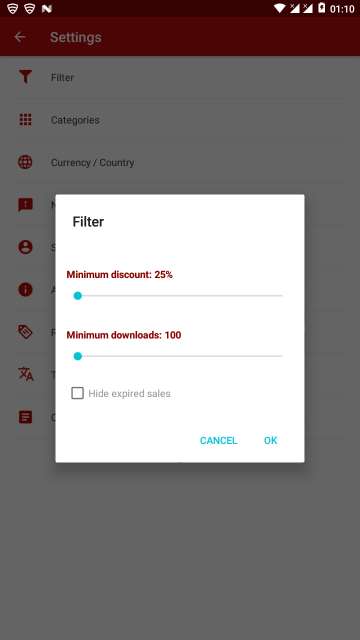
Filter apps.
AppSales app category
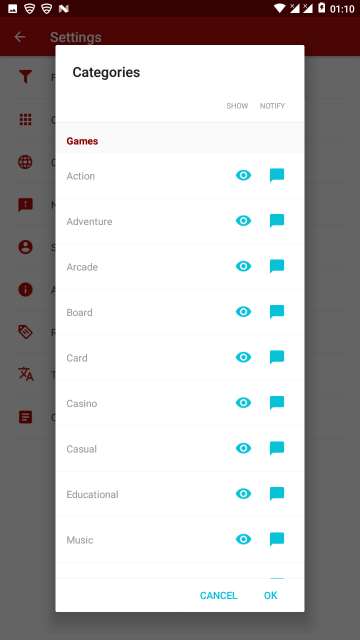
Category settings (premium version gives you more categories).
App Sales notifications
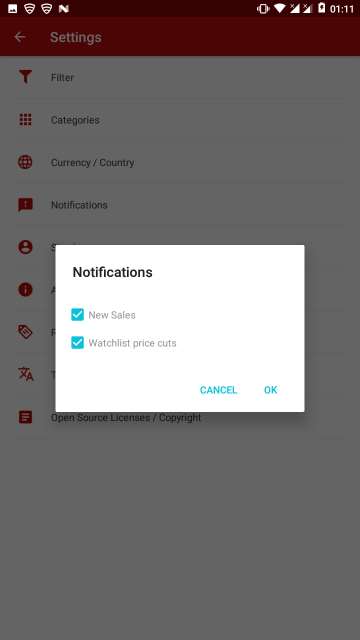
Notification settings.
AppSales sign in
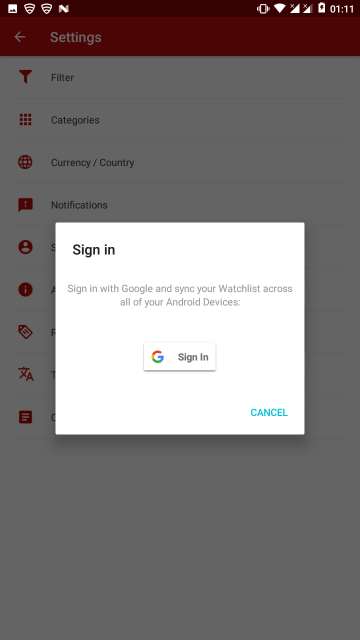
Sign-in with your Google account to sync your Watchlist across all your devices.

AppSales is really a great app and that’s why it has earned a place for itself in our list top 5 Android apps for this month.

[googleplay url=”https://play.google.com/store/apps/details?id=net.tsapps.appsales”/]

Don’t Miss: 5 Best Xposed Modules for Android Nougat

2. Look Up – A Pop Up Dictionary

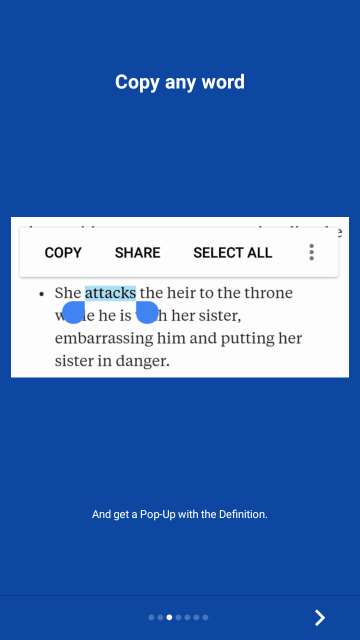
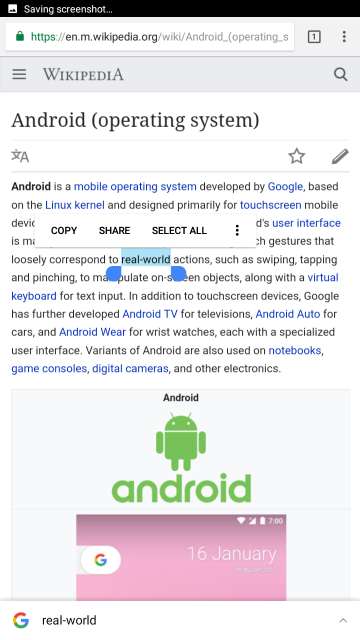
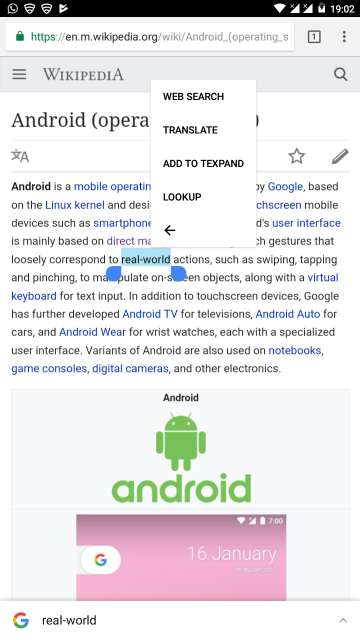
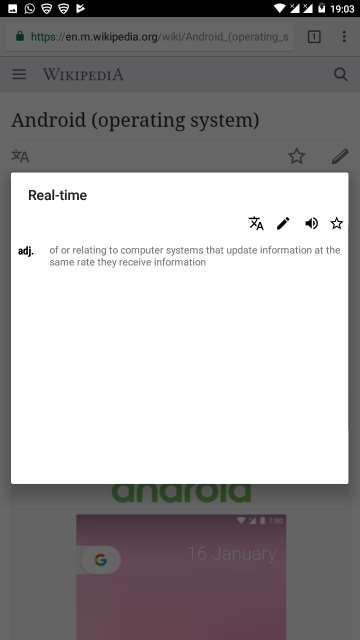
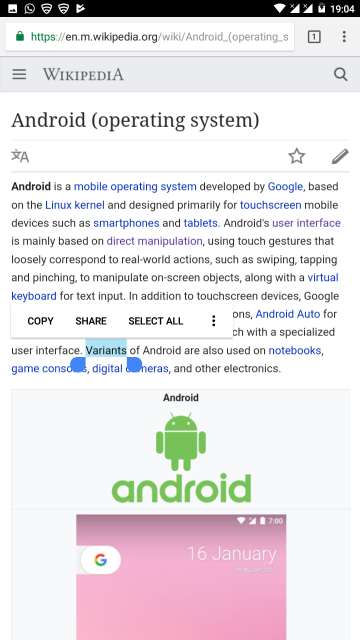
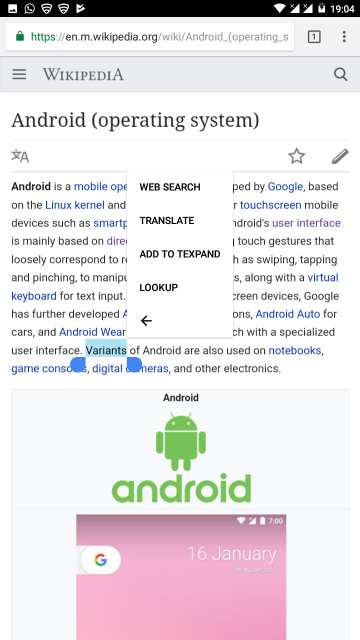
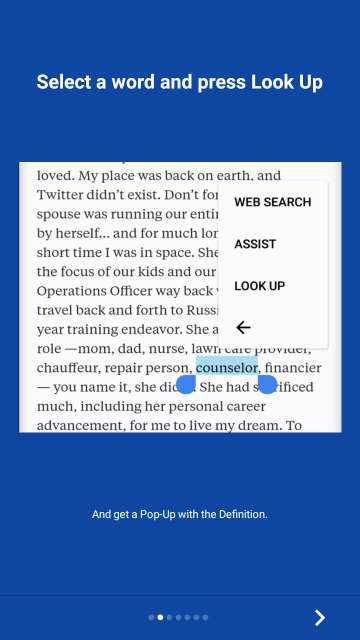
This app is worth your consideration. As the name implies, this app provides you with the ability to have a dictionary on your phone on the go, that also completely offline. You don’t have to go and search on Google anymore for word meanings. From any app highlight a word by long-pressing it, locate and tap the three-dot button and then hit LOOKUP and then a pop-up window will appear with the desired word meaning. This is most handy while web browsing and you want to check the word meanings while reading articles which would contain words, not in your vocabulary. Refer carefully to the screenshots below to know more.
top 5 android apps
Lookup
Look Up dictionary
How to check a word meaning
Look Up dictionary night mode
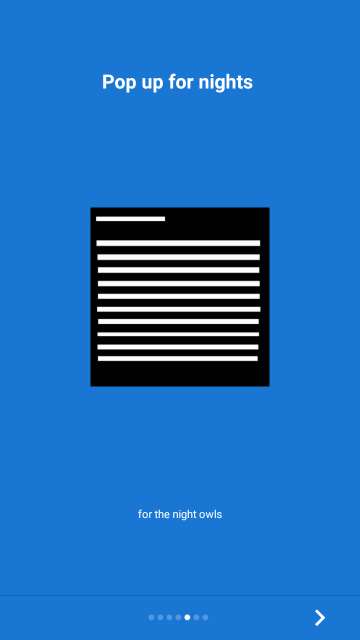
Night mode for the pop-ups available, Day mode enabled by default.

Look Up dictionary copy word

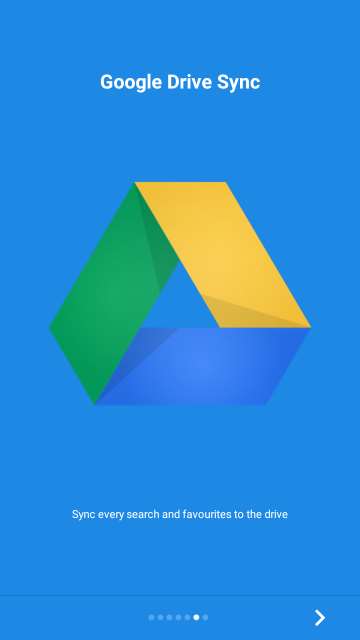
Look Up dictionary google sync
Google Drive sync (Paid feature)
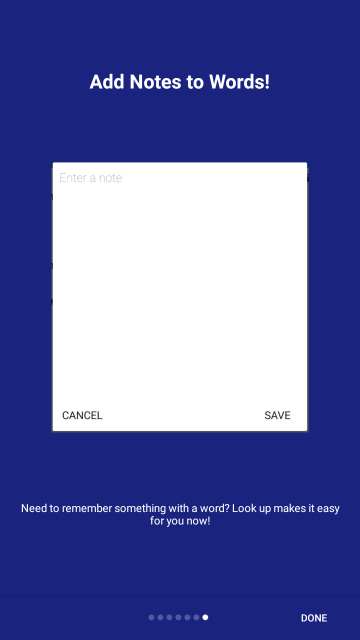
Look Up dictionary add note
Add notes to words ( paid feature)
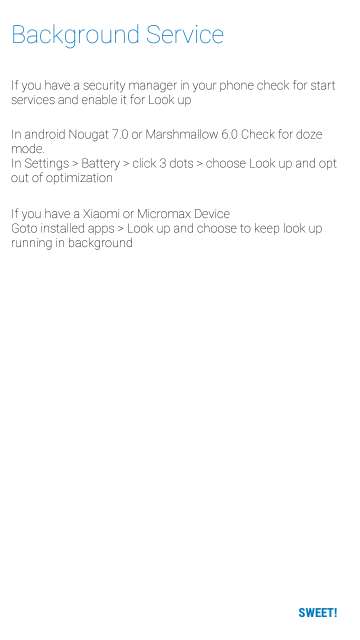
Look Up dictionary optimization
Follow the instructions for opting this app out of battery optimization
top 5 android apps
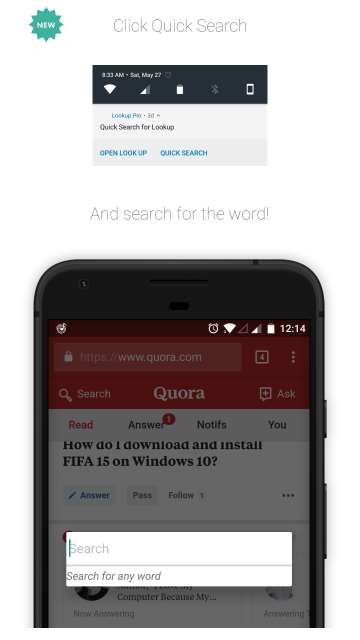
Quick search from the notification bar itself.
Look Up dictionary settings
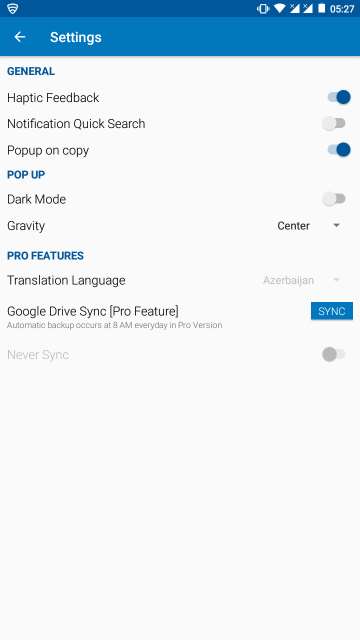
App settings
Look Up dictionary words search
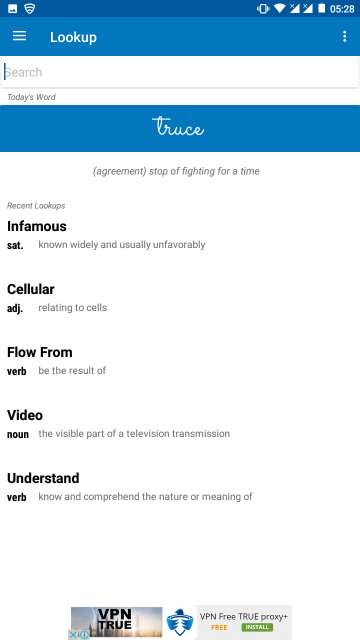
See all your recent lookups of word meaning from the app itself.

Look Up dictionary wikipedia

top 5 android apps

Look Up dictionary real-timeLook Up dictionary wikipedia

Look Up dictionary pro version
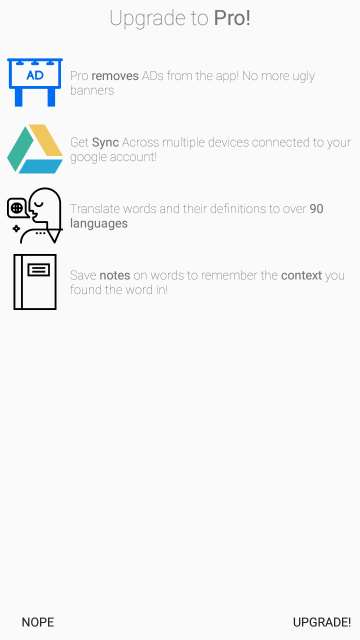
Buy Look Up Pro for more features.
[googleplay url=”https://play.google.com/store/apps/details?id=gaurav.lookup&hl=en”/]

3. Geometric Weather

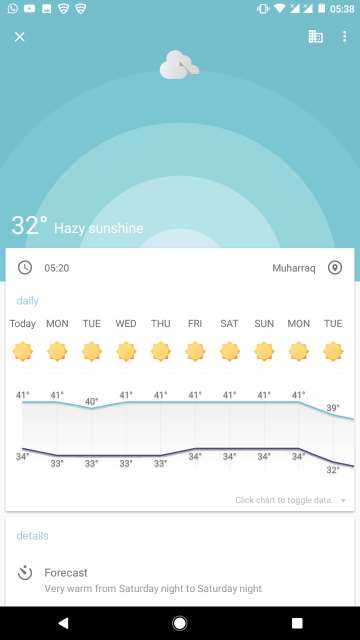
Yes, when it comes to weather forecast apps, there are countless of them available on the Google Play Store. The main purpose of all these apps is to show the weather forecast and its details, but their usability and experience may vary from one another. Check out this app called Geometric Weather that features a clean no-nonsense clutter-free UI and does the job. Screenshots below at your disposal.
top 5 android apps
Geometric Weather features a material design user interface.
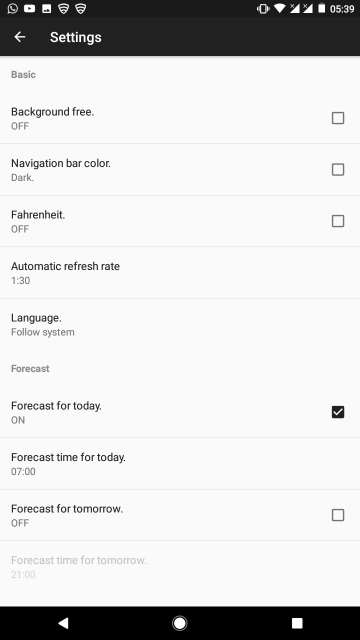
geometric weather settings
Various settings to fine-tune your weather experience.
[googleplay url=”https://play.google.com/store/apps/details?id=wangdaye.com.geometricweather”/]

4. My Device

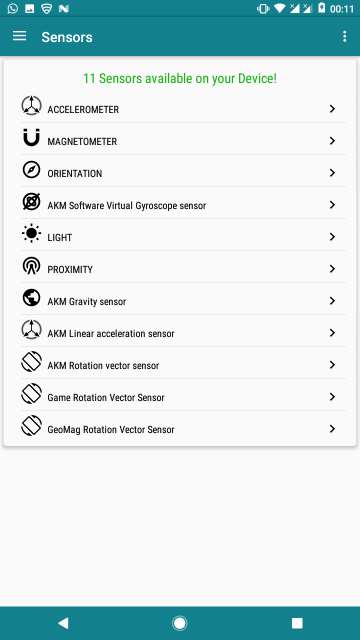
This one is a must-have for all those who are into specifics of their device, those tech-oriented ones who love to know each and every bit of their device. This app gives full-blown details about each and every hardware component in your device, the available sensors, the manufacturer of hardware components complete with software information. Sure, there a lot of apps that are similar to this one, but this is by far the best app for the most detailed and comprehensive device information.
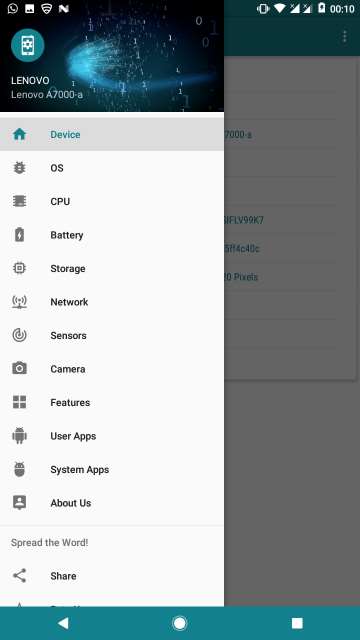
top 5 android apps
My Device.
my device app options
Various device-specific categories to choose from.
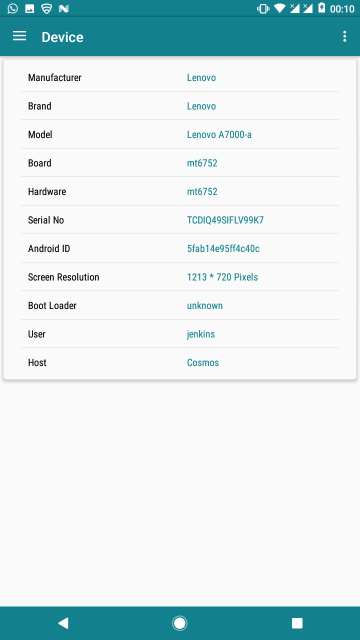
my device app phone specifications
Device information.
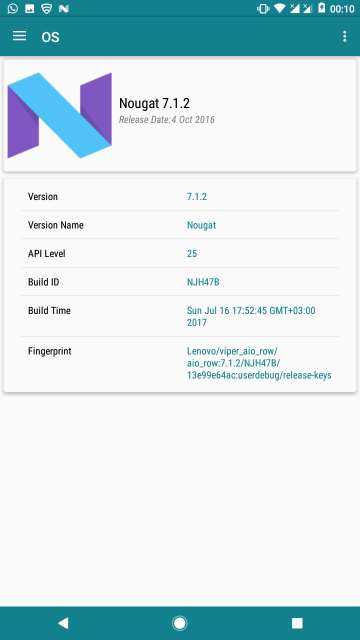
my device app software information
Software (OS) information.
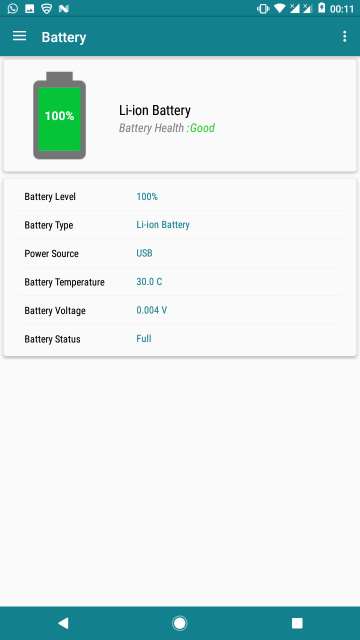
my device app battery details
Battery info.
my device app sensors details
Sensors available on the device.
[googleplay url=”https://play.google.com/store/apps/details?id=com.anu.main.myandroid”/]

5. Camera Roll – Gallery (Early Access App)

Amidst all the beautiful gallery apps available for Android on the Google Play Store, this little app is a delightful one to use. It features an elegant and intuitive user interface, beautiful transition animations, speedy performance. One of the best features of this app if not the best is the ability to view and edit EXIF data of any of your pictures. For those who don’t know what is EXIF data, it contains information of your pictures such as the resolution, camera used to capture the picture, shutter speed among many others.

Moreover, you can view the hidden folders on your device and even a file explorer to view, move, delete or copy media to and from your device storage or SD Card. And by the way, this app is in its early access stage or beta, so you may encounter bugs but it works fine on my device. Your mileage may vary. Explore more features from the screenshots below.
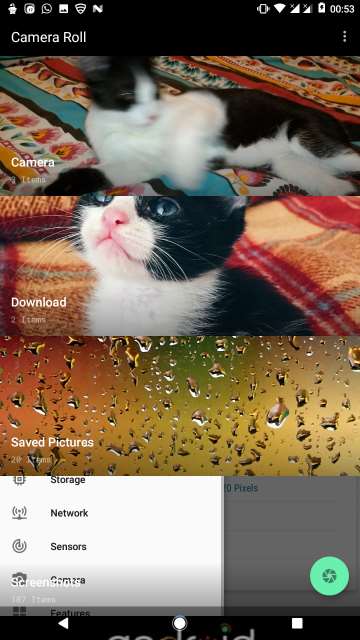
top 5 android apps
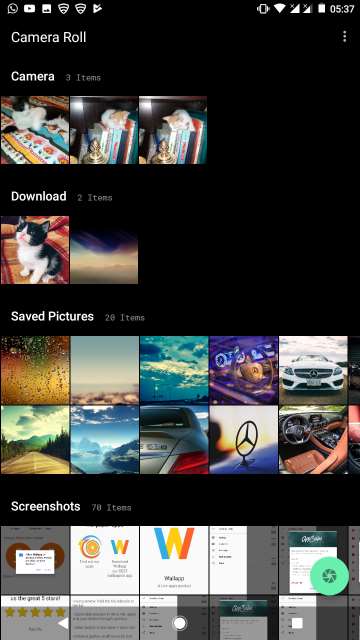
Camera Roll app main albums area.
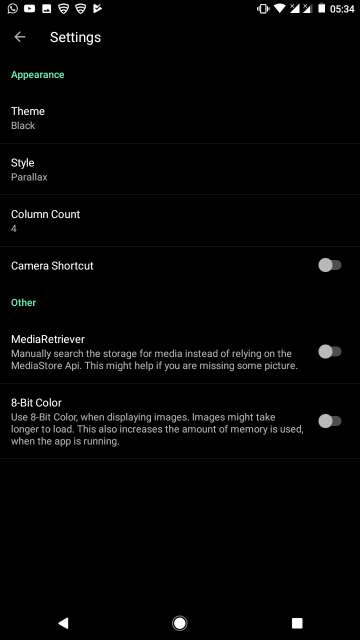
camera roll gallery app settings
Settings.
camera roll gallery app theme
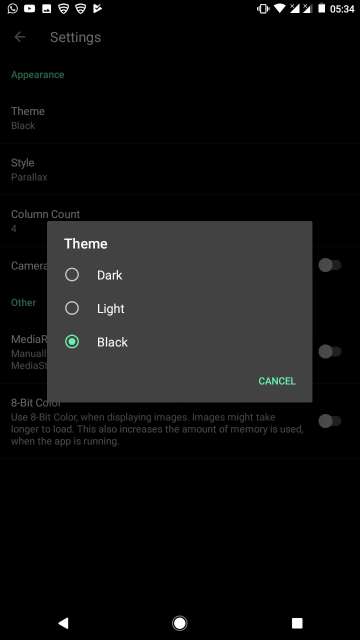
Choose a theme: Dark, light or black.
camera roll gallery app styles
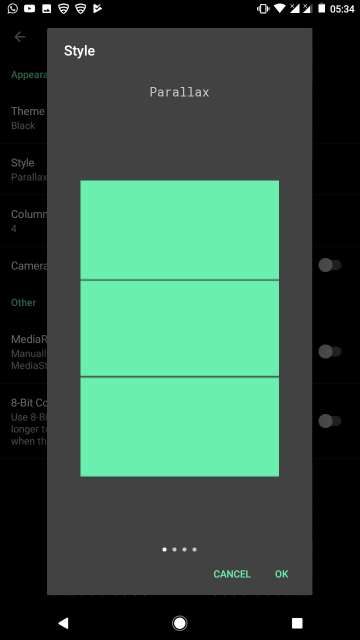
Choose a style for the main albums view: Parallax.
camera roll gallery grid
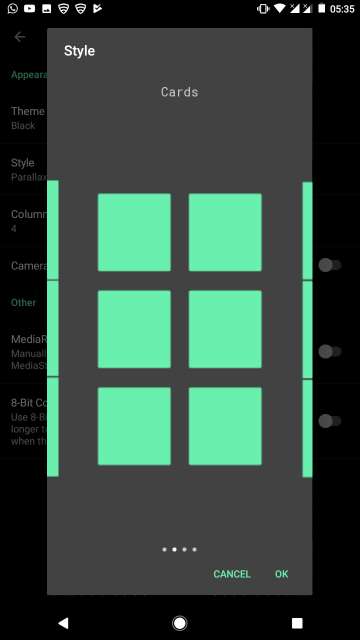
Cards style view.
camera roll gallery display styles
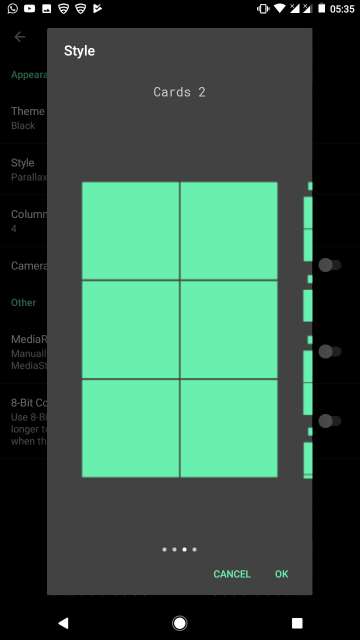
Cards 2 style view.
camera roll gallery view
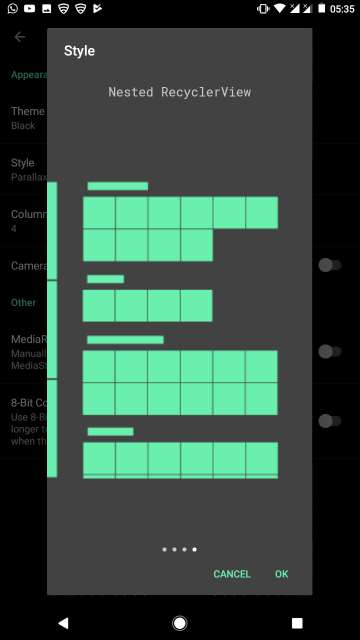
Nested Recycler view.
camera roll gallery app
Nested RecyclerView styled albums.
camera roll gallery saved pictures
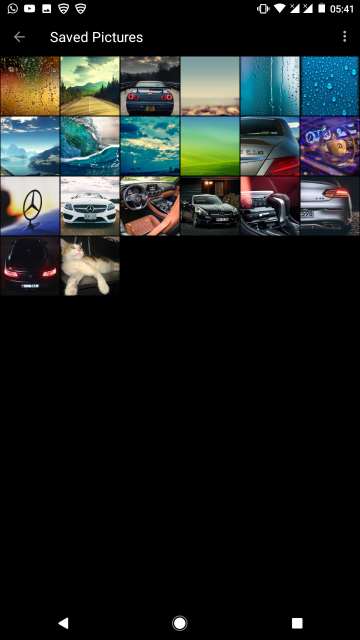
An album opened.
camera roll gallery album
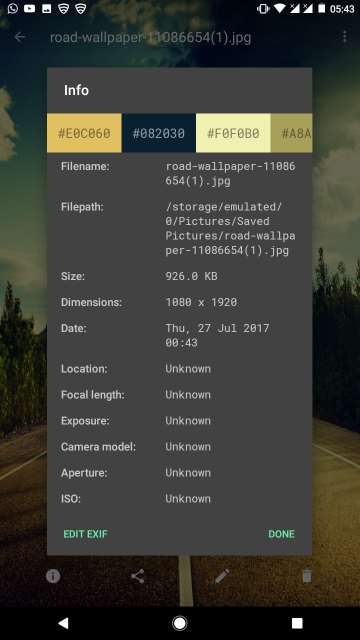
Viewing a picture. Tap the info button to see and edit the EXIF Data.
camera roll gallery image exif data
EXIF Data for any picture. You could also edit the EXIF Data if you wish to do so.
camera roll gallery options
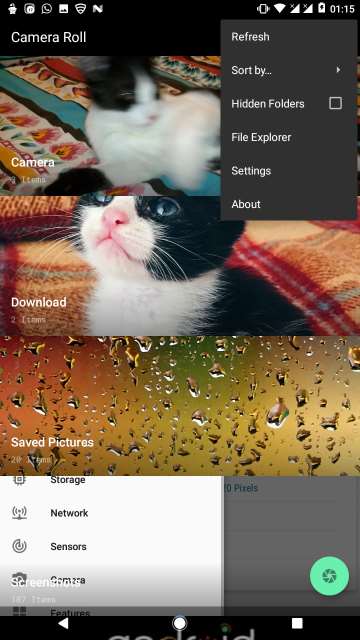
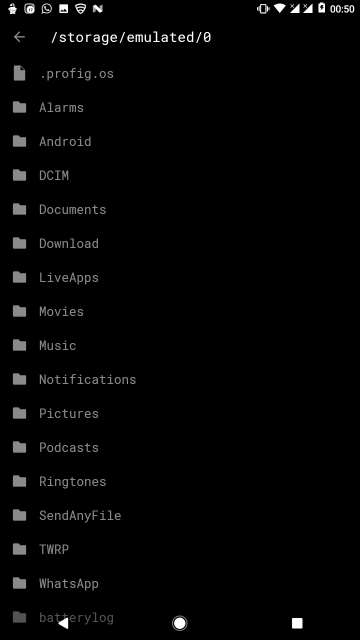
Tap the three dot button and then tap File Explorer to copy, move or delete photos.
camera roll gallery storage
File Explorer.
[googleplay url=”https://play.google.com/store/apps/details?id=us.koller.cameraroll&hl=en”/]

Also Read: 5 Instagram Tips and Tricks You Should Know

So that is it guys, on my take on the top 5 Android apps worth checking out. I recommend all DroidViews readers out there to try these apps. Let me know in the comments section below on your experience with these apps. May peace be upon all of you.


Tags: Android Apps App Review Best Android Apps Downloads Free Android Apps How to Guides Tips and Tricks

Related Posts

drawing apps android

7 Best Drawing Apps for Android You Must Try

best english learning apps

10 Best Apps to Learn English on Android

Screen share in Samsung

How To Access Screen Share Discord on Android

Reader Interactions

Join The Discussion: Cancel reply

We never share our visitor/user details. For more info, Please read our privacy policy before submitting your comment.

This site uses Akismet to reduce spam. Learn how your comment data is processed.

Primary Sidebar

Footer

  • Apps
  • Downloads
    • Android Apps
    • Themes
  • Guides
    • Root
  • ROMs
  • Reviews
  • Wallpapers
  • About Us
  • Sponsored Posts

Privacy Policy | Terms & Conditions
© 2026 · DroidViews