Google Maps is probably among the best map apps, both on the Android as well as iOS platforms. A major reason for the same could be attributed to Google’s continuous effort towards improvement and the addition of new features. And now, Google Maps has received another update v10.30, welcoming two pretty useful additions. The first one is the presence of Incognito Mode and the second update allows you to edit and modify your Google Maps profile. Let’s have a look at both of these features.
Google Maps Incognito Mode
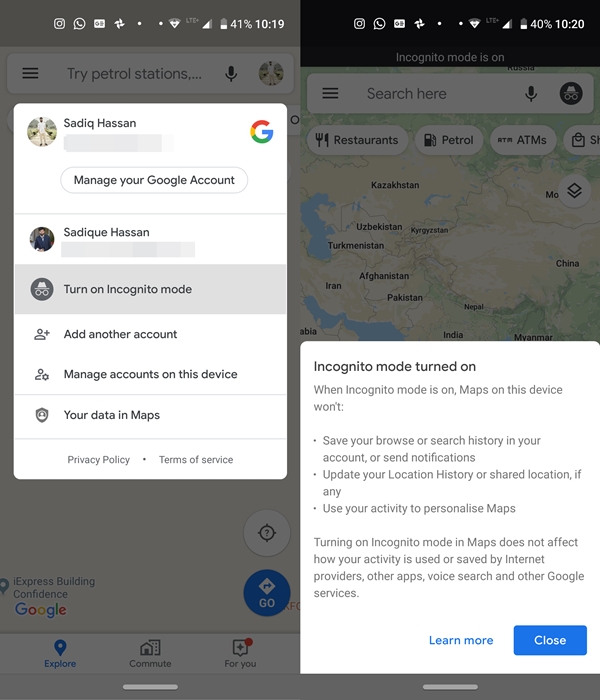
The first of the two Google Maps update is the introduction of Incognito Mode. By default, Google Maps stores your location history to keep a track of places you visited. It also helps Google recommending places based on your interest. Although a useful feature in itself, no one loves the idea of getting their location tracked at each and every step. Beginning with Google Maps v10.30, you could turn on the Incognito Mode and use Maps privately for that time period. Turning on this mode, however, wouldn’t have any effect on the app’s usual functionality of routing to the desired directions.
You might have one question in mind. That is, rather than using the Google Maps’ new update feature, couldn’t you just log out of your Google Account? Well, you may achieve success, but count it as a ‘half won victory’. Even if you aren’t logged in, Google will still give suggestions based on your recent searches. Moreover, you wouldn’t be able to share your location if you aren’t logged in with a Google ID. This, on the other hand, is possible when the Incognito Mode in Google Maps is turned on.
Edit and Modify your Maps’ Profile
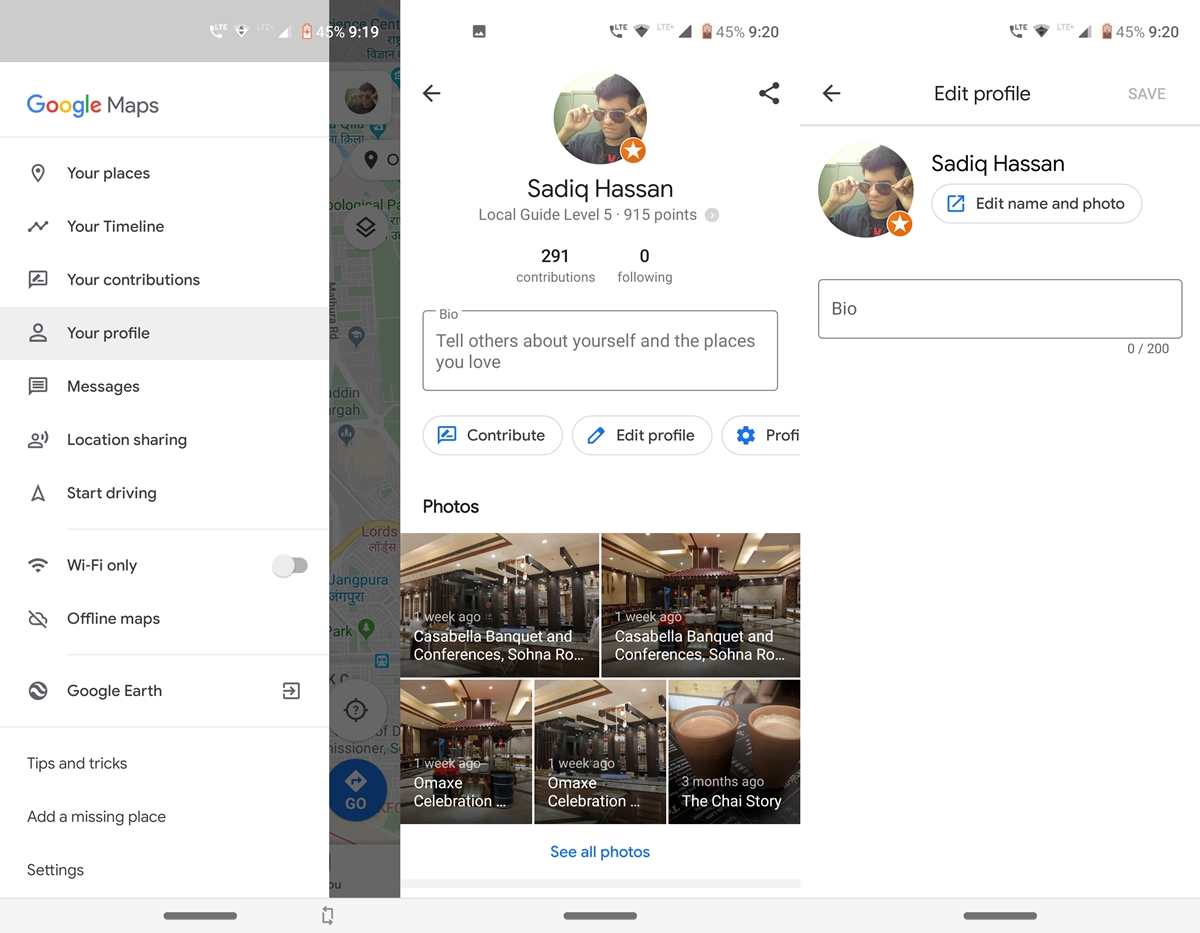
Apart from Google Maps getting the Incognito Mode feature in the latest update, it also bought about the ability to edit your profile. This is possible right from the app itself. You may edit your name, add a bio about yourself, change your profile picture among others. To do so, follow the below steps:
- Open Google Maps and tap on the hamburger menu present at the top left.
- Next, tap on the Your profile section.
- Tap on the Edit profile option and make the desired changes (i.e give your profile a bio, a new display picture, etc). All this option has only just been added to Google Maps after receiving the latest update.
- To make changes to your personal contents, tap on the Profile settings tab. Under that section, you may turn off location history, delete your history, show or hide contributions on your profile, among other things.
So this was all about Google Maps’ latest update and features introduction. Apart from this, Google also introduced a shortcut of switching between your accounts. Rather than tapping on your avatar and then switching to your other account, you could now simply perform a downward swipe on your avatar. Not that much of importance, but worth mentioning nonetheless.
- Read next: How to Enable Dark Mode in Google Play Store



Join The Discussion: