The audio quality of a smartphone is one of the determining factors users keep in mind while buying a device. The greater amount we spend on a phone, the greater are our expectations from it. Unfortunately, most Android device manufacturers fail to give their users the ultimate audio experience even in their ultimate superphones. Low sound output and no-up-to-the-mark audio quality seems to be glued to Android. You would hardly find users who feel content with the quality and intensity of their phone’s audio.
Thanks to the adventurous nature of Android community that keeps digging into beneath the layers of the system files of Android devices to come with a working compensation for some lacking feature or a solution for an existing issue that has been overlooked by the OEM. If you own a Galaxy device, you must be well familiar with the low sound and poor audio quality of your device. And, keeping in mind that most of us prefer to listen to music on our phones, the desire to have better and louder audio becomes a reasonable wish.
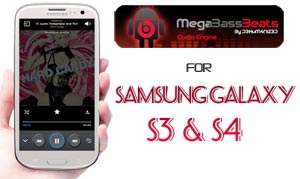
In the past, we have shared several audio mods and workarounds to enhance audio quality on Android devices from Samsung like the Galaxy S3, S4, Note and Note 2. Today, we bring you another good audio mod called MegaBassBeats that significantly enriches the sound quality on the Galaxy S3 and S4. This mod has been made by DeHuMaNiZeD from XDA and is reported working on the following models:
- Samsung Galaxy S3 GT-I9300
- Samsung Galaxy S3 GT-I9305
- Samsung Galaxy S4 GT-I9500
- Samsung Galaxy S3 GT-I9505
- Sprint Galaxy S4 SPH-L720 (should work on other US and Canadian variants too)
Here are the features of the MegaBassBeats mod that you’ll be able to enjoy after installing it on your Galaxy S3/S4-
- Louder audio output in headphones and speaker
- Bass enhancement
- Crispier and clearer sound
- Good audio quality without using DSP Manager
Look for the following files on the source page:
MegaBassBeats Mod Galaxy S3: MegaBassBeatsV2_Sgs3.zip
MegaBassBeats for SGS3 on Android: mbb4.3.zip
MegaBassBeats mod Galaxy S4: mbb_s4_v1.zip
How to Install MegaBassBeats Mod:
Please not that it is a custom mod and therefore it requires root access on your device. Besides, your phone must also have either CWM or TWRP recovery installed on it. In case you are still waiting for a good reason to root your device, head over to our easy and detailed rooting tutorials below:
Root and Install CWM Recovery on Galaxy S3
How to Root Samsung Galaxy S4 and Install Custom Recovery
Okay, here are the steps to install this amazing audio mod on your Galaxy S3 or S4:
- Download the appropriate mod zip file from above and copy it your phone’s internal or external storage (do not unzip).
- Turn off your phone and boot it into recovery mode by holding the Volume Up + Home buttons simultaneously and then by keeping the Power key pressed for about 3-4 seconds till the Samsung logo with device name blinks followed by the CWM or TWRP recovery menu.
- The first thing you should always do before installing any custom ROM or mod is to backup your current ROM using backup option in recovery. For safety reasons, always backup ROMs to the external file manager.
- Now go to install option, navigate to the mod zip file and select it.
- Confirm the installation.
- When the file is installed, get back to main menu in recovery and wipe cache partition and dalvik cache.
- Then go to Advanced options and select “fix permissions”.
- Finally reboot the device.
When your device boots up, open music player app and play a song or tune. You should be able to notice significant difference in the audio output quality with louder volume. Enjoy!


i tried this one and now i have an app on my phone, DSM manager. it won’t open at all. also, none of my music plays thru the app that originally came with the phone. only google music works and so that’s what i’ve been using. 2 things i noticed that differed from your instructions:
1. under “advanced” i saw nothing that said “fix permissions”. i did however see #2
2. under “advanced” tab is where i found the option to “wipe dalvik cache”
so i never found anything to fix permissions. buti really eed my music app to work, as this is what i use with my tv/surround sound at home.
Did you backup your ROM before trying the mod? If yes, you can restore it back.
As for the issues you are facing, it might be due to a newer firmware. The fix permissions option has gone from the latest versions of CWM, but if you have TWRP, it’s still there.
yes i did do a back up the first attempt. the second time i thought i had did something wrong, so i didn’t create the back up. but it still should be on my sd card so i’m okay.
i was thinking that i’ll just have to do a restore and then wait for something new to come out that does work. until then i’ll just watch your site and see what i can/can’t use for my Sprint Galaxy S4
Yes Kenneth, you are right.
actually now i’m getting a weird message that says “MD5 Mismatch” :/ confused
Md5 mismatch during restoring?
Where’s ‘fix permission’ on CWM?
See under “advanced”.
“‘t’s total placebo these days. I wrote it for dealing with the silly things that happen when we used to put apps on SD before Android supported it. Since then, it’s been something of a sugar pill that magically fixes all problems without actually doing anything.’
posted by Steve Kondik”
This pack will replace/change something on CM?
No, it will add.
work with CM?
Not tested myself but it should work. Try this version made for 4.3: https://dl.dropboxusercontent.com/u/84115590/mbb4.3.zip
Do not forget to create a backup first.
Ok, thanks. I will test on my I9300
Hi
now I’m stuck in the boot screen.
pls help me.
My ph is sgs 3 i9300
4.1.2
Pull out and reinsert the battery, reboot device into recovery, wipe cache partition and reboot again.
how do you uninstall a mod from the S4?? because i want to install another beats mod!!!
Restore the backed up ROM.
now after install the mod, when I open the music player crashes
Open settings> sound> Effects and select DSP
i’ve done but still crashes
Hmm, then restore the previous ROM and wait for a workaround. Which phone do you have?
Now how do I stop DSP Manager from crashing each start up? I followed the list verbatim, and yet, it still crashes, and my cell hangs up on reboot? it is the att sgsIV btw. Thank you!
Does your phone is still stuck on bootscreen or you are able to access the device?
it is usable, sorry for leaving that part out!
is it possible to instal it using mobile odin?
thanks
No, my friend. Mobile Odin is used is used only to install official roms and updates. Download Goo Manager and install TWRP on your device.