
Instagram is the go to app for millions of people when they need to share photos to their social network. Instagram became so popular among people that Facebook felt vulnerable and bought the company for whooping $1 billion. Here is an Xposed module to enhance your photo viewing experience on the Instagram app on Android.
‘Zoom for Instagram’ is an Xposed module, so you must have Xposed Framework installed on your device. That also means, you must have a rooted device. In case you are not familiar with Xposed or don’t know how to install it on Android devices, please jump to the following tutorial:
The Instagram Android app does the job well for most of us. But there are few things I think are missing from the app i.e. the functionality to view an image in fullscreen mode and zoom them. Developer pixeltech.dev also felt same and hence he developed an Xposed module ‘Zoom for Instagram‘ to overcome this missing function of the Instagram app. The module adds a small zoom button (as shown below) right next to the comments button which when pressed opens the image in fullscreen. Pinching in/out the image in full screen zooms in/out the image.
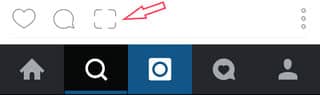
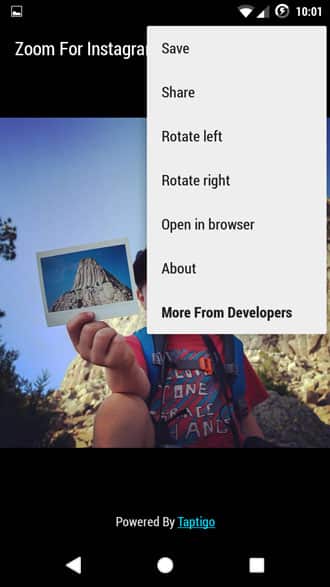
The module also adds following features:
- Save image: Lets you download the image to your device
- Rotate an image Right/Left
- Open in browser
- Share
Screenshots:

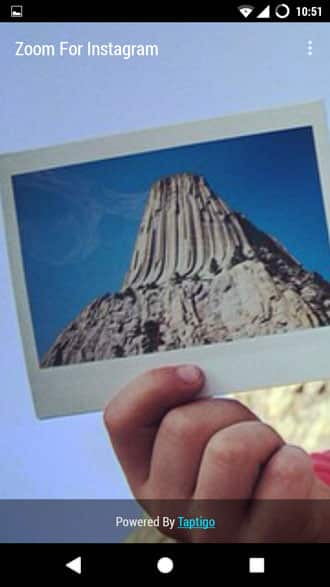
Above image has been zoomed using Zoom for Instagram.
Install Zoom for Android Xposed module:
- Download the module from here and copy it to your device.
- Go to Settings> Security and enable Unknown sources option on your phone.
- Open a file manager, navigate to the Apk file and install it.
- Open Xposed Installer application. Go to modules section check mark ‘Zoom for Instagram’.
- Reboot your device.
- Open Instagram and Enjoy.
Definitely a must try for all the Instagram users who need the added functionality of zooming images on their feed and even save them to their device.



Join The Discussion: