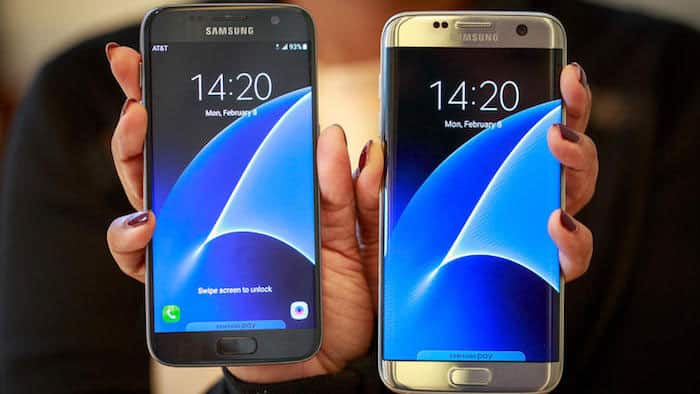
Samsung Galaxy S7 and S7 Edge may have top of the line specs, an unmatchable camera and an incomparable display but they fall short when it comes to sound department. They come with a single speaker that is placed at the bottom of the device that provides not so good multimedia experience. This article will help you make your sound experience better by installing a mod on your Galaxy S7/S7 Edge. Well, the experience would not match as with the device with the front facing speakers, but it would be definitely better than stock speaker settings.
The mod is developed by XDA Senior member zubi182. There are two versions of the mod, the first one is a volume boost mod and the second one is a dual speaker mod. To install this mod you will need a rooted Galaxy S7 or a Galaxy S7 Edge. Also, your device should have a custom recovery like TWRP. If you don’t have root or TWRP follow the guide linked below.
Read:
- How to Install TWRP and Root your Galaxy S7
- Install TWRP Recovery and Root Galaxy S7 Edge (SM-G935F)
Features
Dual Speaker Mod
The dual speaker mod enables the handset’s earpiece as a speaker along with the bottom speaker giving you a surround sound effect. Other features included in this mod are:
- Activate dual speaker when playing media
- Increase in-call volume
- Increase handsfree volume
- Increase multimedia playback volume
- Increase Bluetooth multimedia playback volume
- Increase Bluetooth in-call volume
Volume Boost Mod
This mod gives a volume boost to the speaker while playing media as well as when you are in a call. Other features included in this mod are:
- Increase in-call volume
- Increase handsfree volume
- Increase multimedia playback volume
- Increase Bluetooth multimedia playback volume
- Increase Bluetooth in-call volume
Note: You need to flash only one of the mods listed above. As features of the volume-boost mod are included in the dual speaker mod.
Things You Will Need
Steps To Follow
Step 1. Download any one of the mods for your device model from the links given above and transfer it to your device’s storage.
Step 2. Reboot your device to recovery mode. To do so press and hold Power and a Volume Down buttons for few seconds.
Step 3. Make a backup using Backup option of the TWRP recovery.
Step 4. Once you have created a backup go back to the home of TWRP. Then select Install option of the TWRP recovery and browse for the mod you downloaded in Step 1. Then swipe to start the installation.
Step 5. Now Reboot your device and Enjoy.
Congrats! you have successfully installed the dual speaker mod or the volume boost on your Galaxy S7/S7 Edge.
For some reasons if you want to restore to stock speaker settings, you can install the revert to stock.zip. You will have to follow the same steps listed above just use the Revert to stock.zip instead of the mod.
Need help? Leave us your queries in the comments section below, we will try our best to resolve your issues. Also, tell us how the mod works on your device.



I think it’s doubtful this mod will improve sound quality all that much, considering that the S7’s main speaker is pretty horrid as is. Taking calls on speakerphone is not a good experience. Voices sound shrill and harsh, even at only 30% volume.
can u please reupload the files, i can’t download it since its removed from XDA. Or could u send the direct link of de XDA page of the topic?
S6 edge ? does it work ?
Try this one: Boost Headphone and Speaker Volume on Galaxy S6 & S6 Edge