
Not many apps have seen such an unprecedented rise to fame as TikTok. The app lets you create short lip-syncing videos across different genres. Apart from that, you could even download your favorite videos onto your device. And now, the app has taken it one step further. You could now even set any of the downloaded TikTok videos as a Live Wallpaper. If you are interested in knowing how to do so, well then here are the steps to be followed. Also, have a look at the steps to turn on parental controls on the TikTok app.
Converting TikTok Videos to Live Wallpapers
In order to carry out the above steps, you’ll have to download an additional TikTok plugin from Play Store. So either do it at the beginning itself, or you could also do the same in between the steps, as and when TikTok notifies. With that said, here are the instructions to convert TikTok videos to live wallpapers.
- Head over to the TikTop app on your Android device.
- Search for the desired video that you need to set as the live wallpaper.
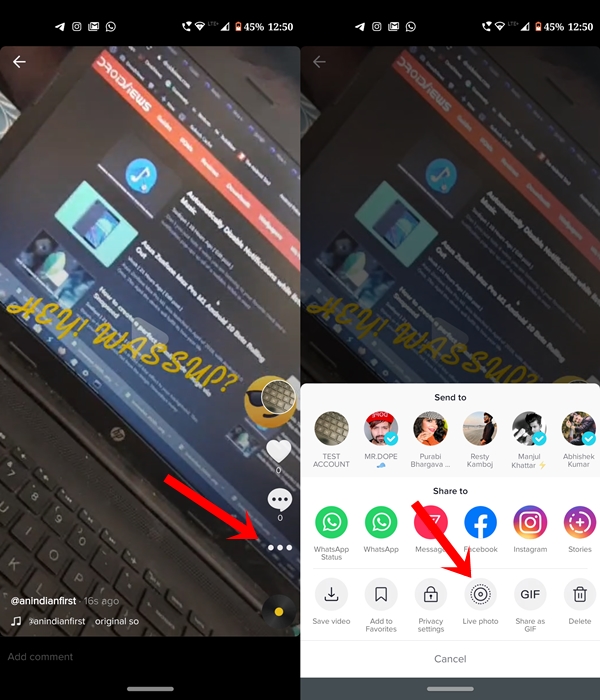
- Tap on the three horizontal dots and select the Live Photo option.
- Now, if you haven’t yet downloaded the plugin, the app will notify you to do so. Therefore, head over to Play Store and download the TikTok Wall Picture app.
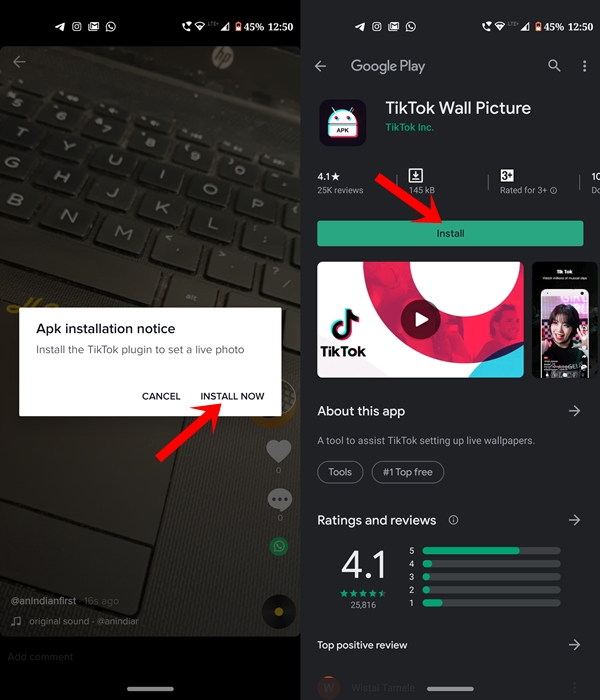
- Once done, head back to the app and again tap on Live Photo. This time you will directly be taken to the Wallpaper app. Just tap on the Set Wallpaper app.
- Next, decide where you wish to apply it, at Home Screen or both the Home and Lock Screen.
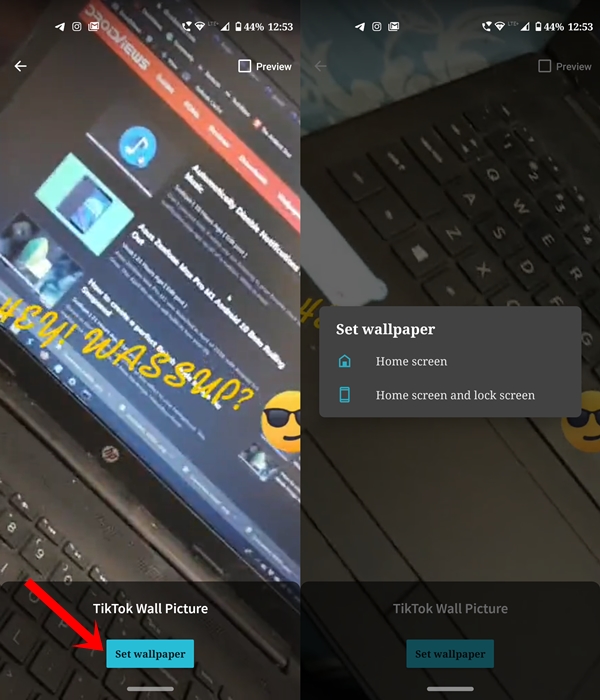
That’s it. The TikTok video will now be successfully applied to your device as a live wallpaper. Although it definitely quite impressive, but it might lead to an excessive battery drain. So decide accordingly. Moreover, you could download multiple videos as live wallpaper and keep it stored on the TikTok wall Picture app.
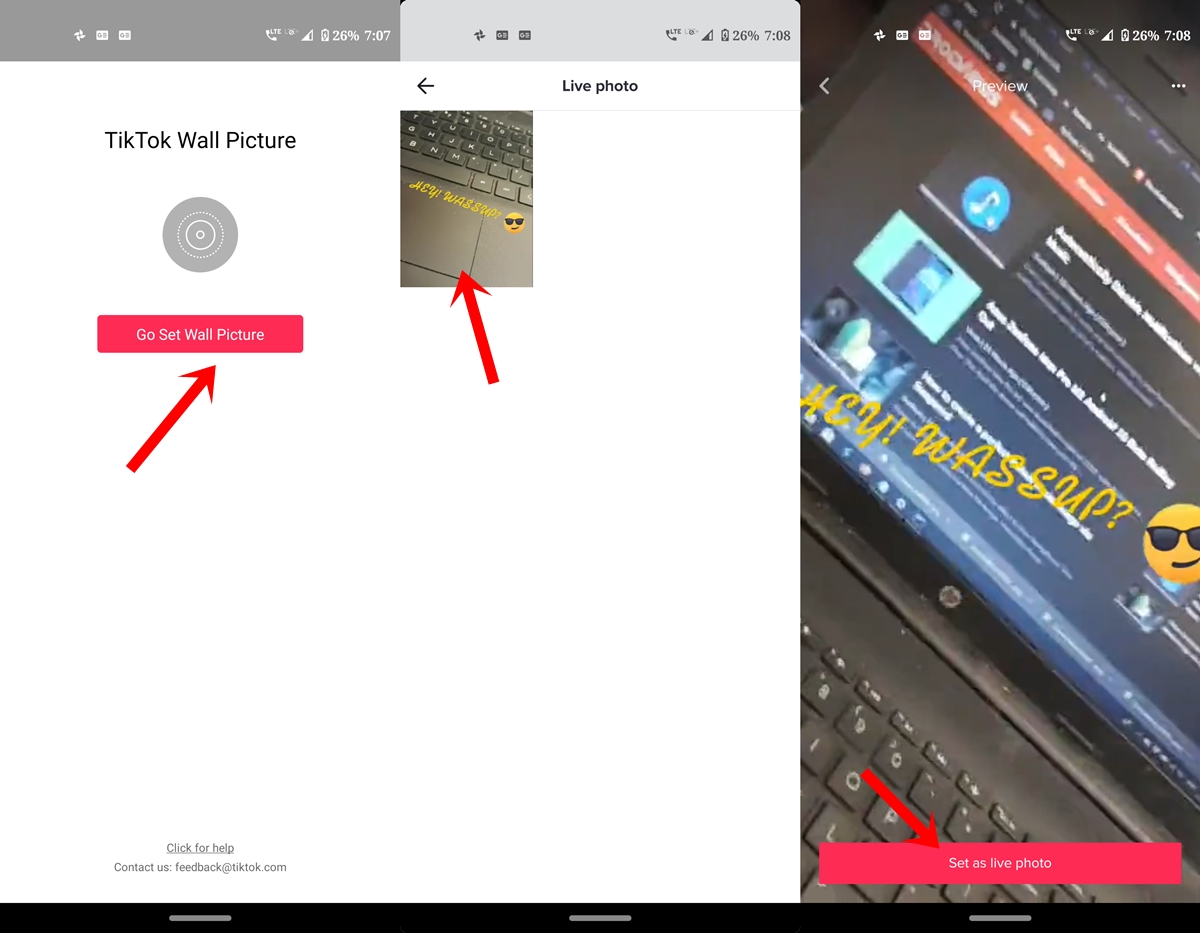
Next time just head over to that app and tap on Go Set Wall Picture. Then you’ll be presented with all the live photos. Select the desired one and tap on Set as a live photo.
With this, we conclude this guide on how to set TikTok videos as a live wallpaper. What do you think of this feature? Do let us know your views in the comments section below.



Join The Discussion: