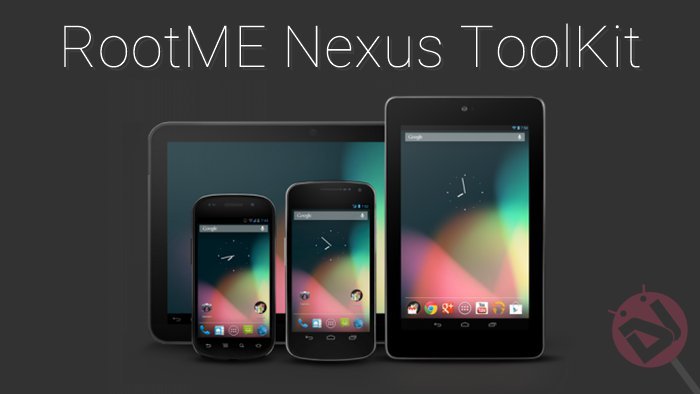
Android is the most popular open source mobile operating system in the market so far, giving way to wide possibilities of tweaking the core system and kernels. It’s always a puzzle to me why few people still go for the proprietary operating systems like Apple’s iOS and the Microsoft’s Windows when there is a popular platform where you can turn things upside down if you wish. Android is a great platform to take the full advantage of software & the underlying hardware. Well, if you can imagine Android as a castle, then rooting is just like the key to unveil the bounty behind the doors.
Rooting an Android device would definitely kick start a lot of possibilities for the user, let’s say changing the color of the status bar to extreme hacking. Nexus devices are the tricky ones in terms of rooting as some devices crack open very easily while the others leave bitter disappointment to the conventional methods. But thanks to the wonderful developers out there, each and every Nexus device out there got at least one rooting technique. The Nexus 6 and Nexus 9 were the tough ones so far, thanks to the Android Lollipop and 64-bit chipset. But lucky for us, they were also successfully rooted even though there were a few hiccups in the path.
If you’re searching for a Nexus rootkit, then sure to check on the RootMe tool from Cryten of XDA who gathered all the root methods for the Nexus devices and packaged in a single tool. The tool is compatible with Windows 7 or later and requires .Net 4.0 framework on the PC. As any other rootkit, this is a one-click root tool where you need to select your device and punish the start button. You can also lock or unlock your bootloader from the tool and then simply root it. The tool is just too simple and you don’t need to learn rocket science to use it but anyhow follow the below process to root your Nexus device.
Rooting Instructions
- Download the latest version of RootMe tool: Click Here →
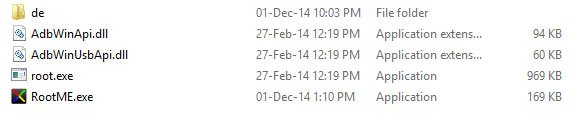
- Unzip it on your PC to get the similar files:
- Connect your device to PC after enabling the USB debugging on your device.
- Double click on the RootME.exe file and select the device model.
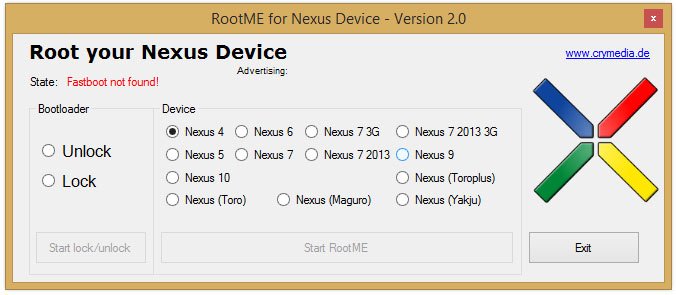
- Click the start RootME button once the device is detected.
- Profit!!!
See, it’s that simple. Share if you found any issues with the tool in the comments section below.


Savvy discussion – For my two cents , if one is interested in merging of two images , my colleagues found post here