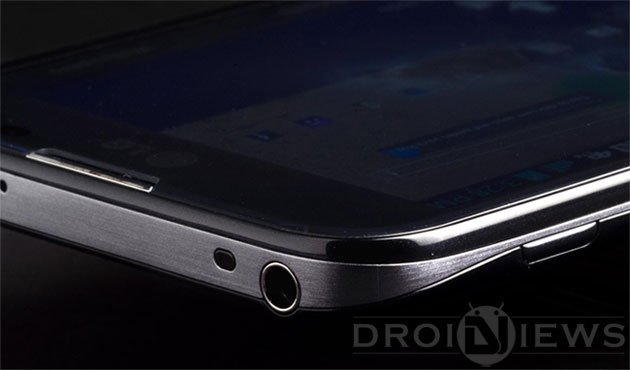
The LG Optimus G Pro (E980) started receiving the official Android 4.4.2 KitKat update via OTA just a couple of days ago. If you have not yet updated your Optimus G Pro to KitKat, you can manually request it from Settings> General> About> Software update. And, if you have already received the new update, you might be looking for a working method to root your device on the latest version of Android.
The very possibility of gaining root privileges over system files of a device, that lets the user modify and customize it to his preferences, is probably the best things about Android. Having rooted your phone, you’ll be able to root apps and custom framework like Xpose and its modules to get better performance and tweaking. The good news is that rooting the LG Optimus G Pro on the KitKat firmware has now become possible as a one-click root tool is now available.
If you want to root LG Optimus G Pro on KitKat (Android 4.4.2), you can download the tool from below and root your device very easily in a matter of seconds. The root tool has been tested and found working on the international, Korean and the US variants of the LG Optimus G Pro.
Warning!
The rooting procedure described below has been verified working on the LG Optimus G Pro, yet we do not hold any responsibility. Follow the guide at your own risk. The method is safe as long as you do things carefully.
Prerequisites:
- Download the one-click root toolkit for the LG Optimus G Pro: roottool.kitkat.zip
- Download and install LG USB Drivers on your computer.
- Turn on USB Debugging on your Optimus G Pro. If you do not know how to do so, read our guide on the topic.
Root LG Optimus G Pro on KitKat
Having made the preparation, now here comes the easiest part of the procedure.
- Extract the roottool.kitkat.zip file that you downloaded from above.
- Connect your phone to computer via USB cable.
- Now run the batch file named StartRoot.bat.
- When the command window is launched, just press any key on your keyboard.
- Your phone will reboot into recovery mode.
- When it gets into recovery mode, highlight the Sideload option using the volume keys and select it by pressing the Power button.
- Then select install from zip> install zip option to flash the root.zip package from sideloading.
- When the installation is finished, go back to the main menu in recovery and reboot your device.
When your LG Optimus G Pro boots up, open Play Store app, and install Chainfire’s SuperSU app:
- [googleplay url=”https://play.google.com/store/apps/details?id=eu.chainfire.supersu”]
- After installing SuperSU app, open it and complete the SU setup.
Done! Your LG Optimus G Pro running Android 4.4.2 KitKat firmware has been successfully rooted. To verify root access, you can install any app that requires root and run it.
Root LG Optimus G Pro without Computer
If you do not access to a computer or you just want to root your LG Optimus G Pro more easily, you can use Geohot’s TowelRoot exploit.

Hello iam new in forum
I bought a used Lg E80 at&t
It have many apps diable
even address book and system updater apps
How to fix it plz someone help
Try enabling the disabled apps.
I wish i could
These are system apps
I just have my LG Optimus Pro E980 20h rooted by the first method
here (by Stump Root method). I got it rooted a 2nd try. 🙂 So I don’t
need to try TowelRoot method yet and I believe it will work as well 🙂
Thank you Rakesh for your help.
Hello,
I am new to this forum. Please redirect me if I should be asking this in another place. I have an LG Optimus G Pro E980 that Boots to LG Security Error and then shuts down. It will boot to USB Download mode and shows up under device manager
Flash the stock firmware.
I am using LG Optimus G pro E980 and i want ROOT my phone. Since its Unlocked Phone i am getting the below error.
“There is a temporary network problem that prevent the enablement of the Mobile Hotspot function. Please retry later”.
So i cant ROOT with LG PC suit because i am not able to enable USB Debugging when it connected to PC.
Can you please help me.
Uninstall the pc suite and install the USB drivers
I have tried to root an LG Optimus G Pro running 4.4.2 and it won’t root. I run the startroot.bat file and the phone just sits there and won’t reboot or anything. Can someone please explain what I am doing wrong?
It might be because LG patched the old root exploits. Try this instead: https://www.droidviews.com/root-any-lg-device-easily-with-stump-root/
or this: https://www.droidviews.com/root-att-and-verizon-galaxy-s5-without-voiding-knox-warranty/
I have another question that I hope you won’t mind me asking. I have another Optimus G Pro that I have no problems with. The one I asked you about won’t allow me to send or receive MMS. One of the settings is greyed out under the APN. What could be causing that and will rooting the phone fix the problem?
Look, rooting is not a direct solution to anything. It just opens the system gate for custom modification. You should try to clear app settings for Settings and messaging apps.
I just have my LG Optimus Pro G E980 20h rooted by the first method here (by Stump Root method). I got it rooted a 2nd try. 🙂 So I don’t need to try TowelRoot method yet and I believe it will work as well 🙂
Thank you Rakesh for your help.
Hi Sideload option is not available after reboot on my LG optimus G pro , any other way?
TY.
Try this: https://www.droidviews.com/root-any-lg-device-easily-with-stump-root/
or
https://www.droidviews.com/root-att-and-verizon-galaxy-s5-without-voiding-knox-warranty/
Thank you, looks like the easiest method i have come across for starters.
P.S I got it rooted with other method.
has anyone got cwm or twrp on their pro for att running on 4.4.2
hello can i use this method for my LG Optimus G E975
my LG running on kitkat 4.4.2
thanks
Use IOroot tool from here: https://www.droidviews.com/root-lg-g3-using-one-click-root-tool/
hello, with my lg975 the sideload option isn t available after reboot and with ioroot it s blocked at “now send the package…” help..
You should better try the newer root tools: https://www.droidviews.com/easily-root-lg-devices-using-the-one-click-root-script/
and
https://www.droidviews.com/root-any-lg-device-easily-with-stump-root/
thanks 😉
after reboot, there is no install from zip on 7 step,
only apply from adb ,cache ,sdcard or wipe data.
lg g pro e988 (4.4.2 kitkat).
thanks.
Try the easier method: https://www.droidviews.com/root-lg-g3-using-one-click-root-tool/
Thanks, but this is for lg g3, is support my device model (lg g pro e988) ?
Oops, mistake. This one: https://www.droidviews.com/root-att-and-verizon-galaxy-s5-without-voiding-knox-warranty/
It’s work perfectly ! thanks alot .
Glad to know!
You can try the ioRoot tool too given on the LG G3 page.
Thanks! Worked like a charm.
One thing to note though, I was first running the ‘StartRoot.bat’ file as administrator and the phone would not get detected. I ran the file normally and it worked.
I have used this one click tool and now I can’t access recovery options…help needed
What happens when you try to get into recovery?
It doesn’t show any boatloader or recovery options and gets pas it reboots to OS straight up, do you think if I flash factory OS using kdz tool would it bring back its recovery/ bootloader?
If your phone is rooted now, try this app: https://play.google.com/store/apps/details?id=com.jc.rebootmanager
I tried but no good it reboots just like restarting without even any blink i’ve tried supersu and freegee as well same results