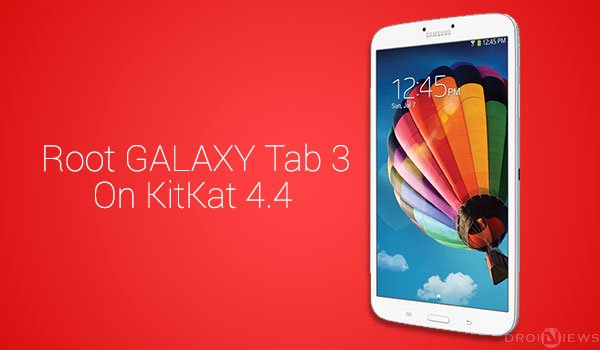
The Galaxy Tab 3 8.0 is the 3rd series of Samsung’s tab collection supporting a brilliant Exynos 4212 Dual-Core 1.5 GHz CPU, Mali 400 GPU, an 8” HD display with Dolby Surround sound. Android 4.4 KitKat is around the corner to reach out almost every worthy device and so it has made its way to the Galaxy Tab 3 8.0, we have already covered a guide on how to Install Android 4.4.2 KitKat Firmware on Galaxy Tab 3 8.0 SM-T310.
Having this latest Android version running on your tab, it could literally reach sky high with its new performance and enhancements. But, you could always do a lot more when you have your device rooted, doing so is pretty easy if you have the right instructions and we are here to do that for you. So today, we are going to guide you to Root Galaxy Tab 3 8.0 SM-T310 on KitKat 4.4.2 using Chainfire’s CF-Auto-Root method and flashing it using the famous Odin flashing tool.
Warning!
Rooting voids your Tab’s warranty and trips the KNOX counter. DroidViews or any of its members do not encourage rooting, understand the risk and perform everything on your own will. We shall not be held responsible for any damage to your device.
Preps Before Rooting
- Install USB drivers: Click here
- Charge your Tab 3 above 60% battery level to be on the safe side
- Backup everything, this includes your internal storage, SMS, contacts, calendars, etc.
- Enable USB debugging.
- Download the full CF-Auto-Root package for Galaxy Tab 3 8.0 SM-T310: Click here
Root Galaxy Tab 3 8.0 SM-T310 on KitKat 4.4.2
- Extract the downloaded CF-Auto-Root package to a suitable location. Double-click on Odin3-v3.07.exe to open the Odin program.
- Make sure Auto Reboot and F. Reset Time are checked and everything else is not.
- Power off your Tab 3. Press the Volume Down + Home + Power buttons altogether until you see a warning screen asking for your confirmation.
- Press the Volume Up key to enter into Download Mode.
- The ID:COM port will display the device ID which means the device has been connected properly. If it doesn’t, make sure to install the drivers properly.
- Click on the PDA tab, browse to the location of the package and select CF-Auto-Root-lt01wifi-lt01wifixx-smt310.tar.md5.
- Click on Start to begin the flashing process, which might take a minute or so.
- Once done, you will be displayed with a PASS!! message.
The Tab will reboot itself into Rooted KitKat 4.4.2 firmware. Be sure to take the initiative of the latest Android version on your Galaxy Tab 3 8.0 SM-T310. Get back to us via comments and share your thoughts on the latest rooted Android 4.4.2 KitKat firmware on your Tab 3.
Source: XDA



My tab 3.8. Got softbrick, pls help me to unbrick
Install the stock firmware: https://www.droidviews.com/install-stock-firmware-on-samsung-galaxy-devices-using-odin/
Sorry for the late reply!
Worked for SM-T310 4.2.2
like a charm! great guide!
It says the link above for the Drivers is invalid. My ID:Com is not populating. Please help
Here’s the link: https://www.droidviews.com/android-usb-drivers-samsung-motorola-sony-lg-zte-htc-asus-huawei-acer/
I can’t seem to get my tablet rooted. I’ve followed the instructions and Odin 3.07 says PASS but when I go to check it with Root Checker is says it’s not rooted.
Open SuperSU app and try updating the SU binaries.
That worked. But I still don’t have root access. I followed all of the steps but Root Checker says no and when I try to use apps I’ll get a warning saying that I need root access for this app.
thanks a lot. it’s working!
Once sm-t310 is rooted, can i install xposed framework and (for example) wanam xposed?
Yes.
if i use this guide, the knox counter will be always 0?
In case of problems i can restore the official release of samsung and don’t have problems with the warranty?
Thank you.
my device ID did not show up on the id com
Reinstall the drivers, reboot phone and PC and try again.
I’ve tried this numerous times and it does not work for my Tab 3
What Odin version is there inside the CF-Root package? Is its version 1.85?
your steps say use Odin3-v3.07 which was inside the zip file
Okay, what version of Odin brought successful result?
Seems like every version gets a successful result. Last night I tried both 3.07 and your mentioned 1.85
stuck on the samsung galaxy tab 3 screen
In Odin Should the Id:com say 0 and the port number? When my Tab 3 is Hooked up I see 0:4 in the Id:com
Same for me.
Followed the steps to the letter but didn’t work. Said Pass on Odin but the device is not rooted. Tried numerous times.
Thanks very much it seems it works!
I didn’t set out to root but I noticed the external SD card had become Write-Protected since ‘upgrading’ to 4.4.2 , I could no longer store any files to my extSDcard!
Seemed the only way to regain write access was to root, and now everytime I copy a file to the extSDcard I get a message that SuperUser was granted access blabla something like that.
A lot of hassle to get it fixed but at least I can use my extSDcard again.
Upon completion of the operation I got a popup notification on the tablet that said :
“KNOX Counter detected, would you like to disable Knox?” (something along those lines).
So I chose YES and it said: “KNOX successfully disabled”.
Seems a nice extra.
Is there any way to check if this is indeed correct or if it’s bogus?
Thanks again for the tutorial.
done mine successfully following the steps above. thank you!!!
mine said fail
Show me the Odin log.
Hi, I’ve flashed CM 10.2 on my Galaxy tab p1000, and that brought the version up to Android 4.3. I have seen a few youtube tutorials where they have flashed even 4.4 Kitkat on the p1000, but those CM builds caused my device to boot loop, and I had to downgrade. Could you please let me know if you or anyone you know has come across a working CM 11.x 4.4 kitkat ROM for the p1000 (Galaxt tab), thanks in advance!
I have a working CM 11 on my P1000…no problems other than battery and getting a bit hot on the back….over clocks to 1.2Ghz…but can now run current clash of clans and xmodgames…
THANK YOU!!!!!!
perfect 🙂 thanks
Thanks for your feedback?
succeeded afer second attempt. Needed to install supersuser before it worked. Txs!!
After rooting the device id like to have a vanila version of android. Is there a rom you would recomend ?
You can try this unofficial CM port: http://forum.xda-developers.com/showpost.php?p=48192133&postcount=1