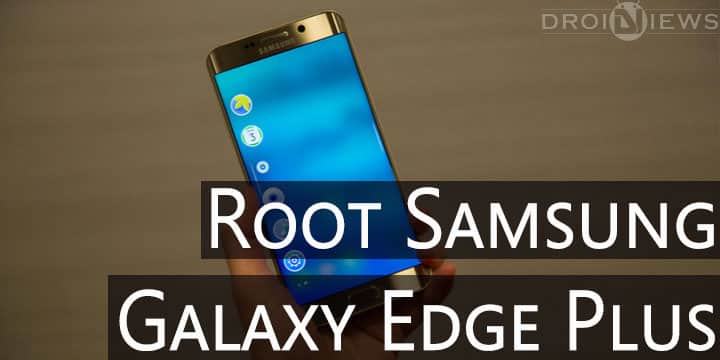
Samsung’s S6 Edge Plus is another phablet introduced recently along with the Galaxy Note 5. S6 Edge Plus is similar to S6 Edge in most of the departments, some may say it is supersized S6 edge as indicated by the ‘Plus’ notation used by Samsung and the device itself. You get a 5.7-inch quad HD display with dual edge displays. S6 Edge Plus is powered by the same Exynos 7420 present in the Galaxy S6 & S6 Edge and is coupled with 4 gigs of RAM.
The device has been successfully rooted by the efforts of the Xda member Arter, who has developed a custom Philz Recovery which can be flashed to your device using Odin. The dev has also developed a custom kernel which is needed to be flashed using this recovery to support your rooted system.
WARNING: Rooting your device following this guide will Trip the Knox counter and you will lose your warranty and thus render your device unusable for upcoming security-reliant services like Samsung Pay.
Read This: Why To Root Your Android device and Why you Should not
Supported Models:
Only the models listed below are supported for now:
- SM-G928C
- SM-G928I
- SM-G928S
- SM-G928K
- SM-G928L
Things You Will Need:
Steps To Follow:
To root the Galaxy S6 Edge Plus you need to flash a custom recovery on your device using ODIN and then flash the SuperSU zip using the custom recovery installed. Follow these steps to root your device.
- Download the required files. Ensure that you download the kernel and recovery files for your device model only.
- Enable Oem Unlock in the Developer Options through Settings app on your device. To do so go into Settings >About Phone and tap build Number several times, until it says ‘You are a Developer’. Now go into Developer Options and enable the option to Oem Unlock.

- Boot your device into Download mode:
- Power off the device.
- Press Volume Down + Home + Power ON button at the same time and hold them.
- With buttons pressed, wait few seconds for warning screen (with a yellow triangle with exclamation mark inside).
- Read the warning screen.
- Press Volume Up to continue to Download mode.
- Download mode is advertised by red text in the left upper corner.
- Now open ‘Odin3 v3.10.7.1.exe‘ on your PC and connect your phone to your PC via USB cable.
- Odin should detect your device and change the color of the first box. If Odin does not detects your device, try installing USB drivers on your PC.
- Now choose AP and browse the file ‘arter97-recovery-g928skl-3.6-philz_touch_6.59.0.tar.md5‘ that you downloaded (select the file for your model). In the Options tab of Odin only check mark ‘F.Reset Time’.
- Once the file is added, click on Start (Check the screenshot before clicking Start, your’s should look similar).
- Once the process is complete, Odin will flash Pass and turn the box Green. You could also see the log to check what process is going on.

- Once the process is complete Reboot your device into Recovery mode by holding Power +Volume Up+ Home key for a couple of seconds.
- Now in the Philz Recovery select install zip and browse the arter kernel zip file. Install this zip file then install SuperSU.zip while you are in the recovery.
- Reboot Your device and Enjoy.
Enjoy rooted Galaxy S6 Edge Plus by following this guide. Do report your device performance after installing the custom Arter kernel on your Galaxy S6 Edge Plus. Also drop your queries regarding installation process in the comments section below.
I have model G928I and cant find the .md5 file
Hello,
The file downloaded on the link is NOT a .md5 file.
I can download the the file arter97-kernel-g928ci-3.6. After the DEZIP I can see 3 files: boot (IMG file 28Mb), busybox (List file 1.5 Mb) and busybox (file 2Ko) but ODIN can’t open none of these files.
Would you please help to find the correct .md5 file to root my galaxy S6 Edge+ G928C.
I’m looking for your support.
Thanks a lot.
is root available for edge plus on tmobile? i found one that works online but everytime it connects to the tmobile network it reboots. only way it wont reboot is if airplane mode is on. i turn that off and its back to bootloop.
i have the galaxy s6 edge plus model G928G is this model supported? Thanks
I have T-mobile model, G928T
And not showing on the list
I have the Galaxy S6 Edge + on Sprint. The device model number reports G928P. I don’t see that listed. Is this phone not supported yet?
Yes, your model isn’t supported. You need a custom kernel to enjoy root on your s6 Edge+. But sadly there is no custom kernel available for your model number as of now.
Not showing T-mobile G928T
How about now?