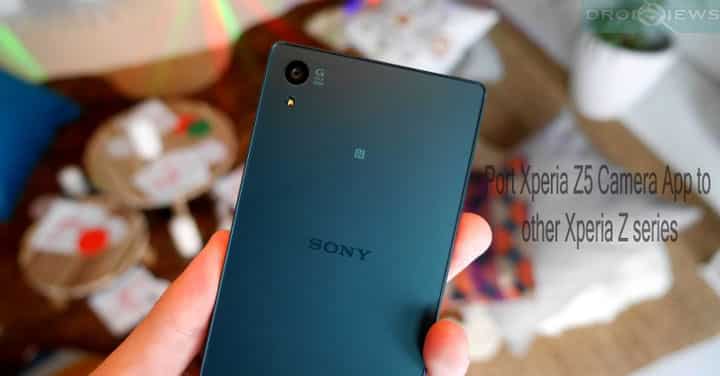
Xperia Z5, the newest flagship phone from Sony comes with a new camera 2.0 with many new features and the most remarkable thing about it is the refreshed user interface. The UI is simple and smooth with tons of new features. The older devices like the Xperia Z1, Z2 or Z3 are still stuck on the old camera app. However, there is a way to port this exciting new camera app to other Xperia devices.
Courtesy of Team EXR and Team HS, the new camera port Ver2 is now available to other devices in Xperia Z series. The compatible devices include Xperia Z1, Z1C, Z2, Z3, Z3C. The camera has successfully been ported exclusively to all Xperia devices with 20.7 MP G Lens Camera. The camera has been tested and confirmed working without any major bugs.
To install the camera app, you will need to flash it through a custom recovery like TWRP. It comes in a form of script and just needs to be flashed onto the stock firmware. As stated earlier, the mod works on CAMERA with 20.7MP G Lens Xperia devices and for other devices, this may or may not work as it has not been tested.
For Xperia Z3+ users like Z4, you can directly download the original Z5 version of the Camera2.0 instead of the ported version, since the port won’t work on Z4.
The mod works great except for a minor bug using the front camera. While using the front camera, when you turn SA (Superior Auto) to manual and turn it back to SA, the camera will FC. However, this won’t affect other functionalities.
For further updates, stay tuned.
Warning: Warranty may be void if you install custom packages on your device. We at DroidViews won’t be liable for any damage to your device whatsoever. We won’t be held responsible if you brick or damage your device. Reader’s discretion is advised.
Downloads
- Xperia Z5 Camera 2.0 port for Xperia Z1,Z1C,Z2,Z3,Z3C
- Xperia Z5 Camera 2.0 Version 2: Z5-Camera2.0-for-20.7MP-Ver2.zip
Requirements
- The listed Camera 2.0 port is compatible with Sony Xperia Z1, Z1C, Z2, Z3, Z3C devices only. Do not try it on any other device or variant.
- Make sure you have TWRP recovery installed on your device.
- You must have device drivers installed on your PC so as to transfer the ROM and Google apps to your device’s storage.
- You must fully charge your device or at least to 60%, as the process may take a while.
Backup your Apps and Data
Before you proceed, make sure you backup all your data. A full backup or nandroid backup is recommended. Also backup all your internal storage files just in case anything goes wrong. Take a nandroid backup from the custom recovery before flashing the file.
Port New Xperia Z5 Camera 2.0 on Xperia Z1, Z2 and Z3 Series
- Download the Camera 2.0 port file from the download section.
- Now transfer the zip file into your device’s internal storage. Place the zip file where you can easily locate it.
- Now reboot into Custom Recovery (like TWRP). To boot into TWRP, first turn off your device and then press and hold volume down and power keys at the same time. If you see the TWRP logo, that means you have successfully booted into the recovery.
- It’s highly recommended that you perform a nandroid backup. To backup your ROM, tap on backup option in TWRP and select all the partitions including System, Data, Boot, Recovery, EFS and swipe right where appropriate, to back up.
- Now go back to the TWRP main menu or home screen and tap on the install option. Navigate to the Port file and select it.
- Swipe the confirmation button to proceed with the installation. The ROM will be installed.
- Once installed, reboot to system.
Once your system boots up, you can now enjoy your new camera app. If you come across any boot loop or face system errors, you can always restore your previous ROM from the backup.
Also See:
Port Sony Xperia Z4 Camera App for Wiko Rainbow
For queries, comment down below. Like and share us on social platforms. If you need help with other devices, let us know.



Would it clash/work along with the cyberian mod? I mean would they conflict with each other?
will this work on a Z3 running CM12.1 version of Android?