Android has billions of users and this big community falls into different groups according to their Approach to their device. First, there comes the biggest group that buys a good device, tries apps from the Play Store and enjoys it as it comes to them from the manufacturer. They are either unfamiliar with the existence of a term like “rooting”, or if they know, they are not willing to get into such things. Then there is another group that is passionate about the device they have and want to make the most out of it. Such people can’t live a day without root access on their device.
Rooting helps a lot in improving the performance of an Android phone or tablet and customizing it the way we want. If you own the AT&T Galaxy Mega SGH-I527 and want to take advantage of root access on your Mega phone by installing apps that require root and cleaning bloat apps, we have discovered a working and very useful rooting tool for you. The Kingo One-click Root Tool is an easy to use and risk-free utility that works on a Windows PC.
It is a one-click root tool in the true sense of the word. Let’s see how you can root your Galaxy Mega SGH-I527, SGH-I527M and other variants of the device using Kingo Root Tool.
Preparations:
- Download the latest Kingo One-click Root Tool
- Install Samsung USB Drivers on your computer: Download
- Enable USB Debugging on your Galaxy Mega. You can do it from Settings> More> Developer Options. If this option is unavailable on your phone, use this guide to make it Developer Options visible.
Using Kingo Root Tool:
There is nothing geeky about this root tool because it is one of the easiest rooting utility for Android I have ever seen. Just install it on your PC and connect your phone using USB cable.
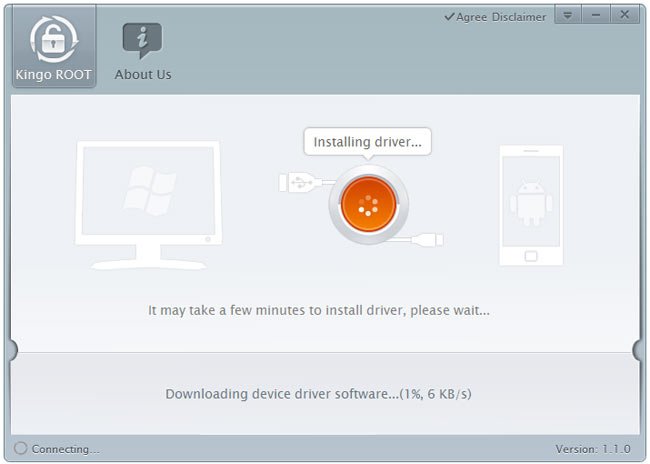
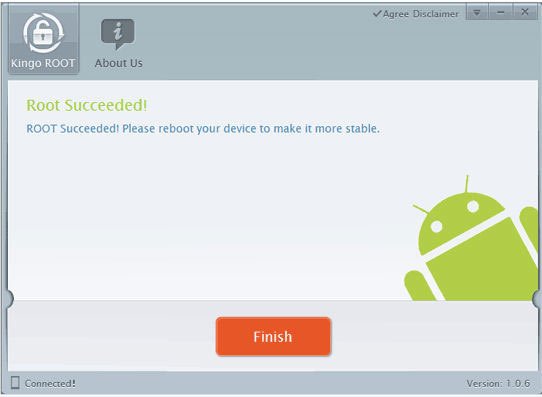
The tool will check for device drivers on your computer and install if it does not find it. When the drivers are installed, you will see ROOT button. Just click it and wait till the tool runs rooting scripts, install SuperSU on your device. Finally, when the procedure is complete your device will reboot automatically and you’ll have root access on your Samsung Galaxy Mega.
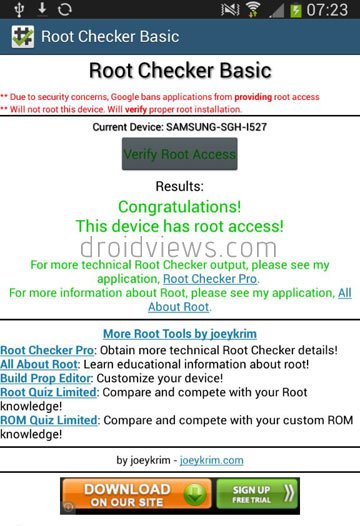
To verify root privileges on your device install the Root Checker app from the Play Store and run it.
See Also: Fix Red Frame/ Border Around Screen Issue on Android Devices



yeah this doesn’t work on 4.4.2…. i’ve tried!
gave it several tries.. & bang!! got it baby!
easy as pie as long as you have patience to keep retrying!
So, it finally worked! What error did you get on first attempts?
can more than one device be rooted on same computer?
Yes.
I just tried this app x on my computer to root my Samsung Mega I527 AT&T and it also failed. The message was “NOTSUPPORT” What to do?????
Try this: https://www.droidviews.com/root-att-and-verizon-galaxy-s5-without-voiding-knox-warranty/
I just tried this app 4x on my computer to root my Samsung Mega 6.3 AT&T and every single time it said FAIL. UGH!
I know SOME have had luck to root, but I have not. Mine says I527UCUBNE7
Also try this: https://www.droidviews.com/root-att-and-verizon-galaxy-s5-without-voiding-knox-warranty/
and this: http://forum.xda-developers.com/attachment.php?attachmentid=2760984&d=1400951117
Guide: https://www.droidviews.com/root-verizon-galaxy-s4-sch-i545-on-android-4-3-vruemk2/
I read about the TowelRoot thing but my device (Galaxy Mega 6.3) is not listed….
Any recovery and custom roms for the I527?