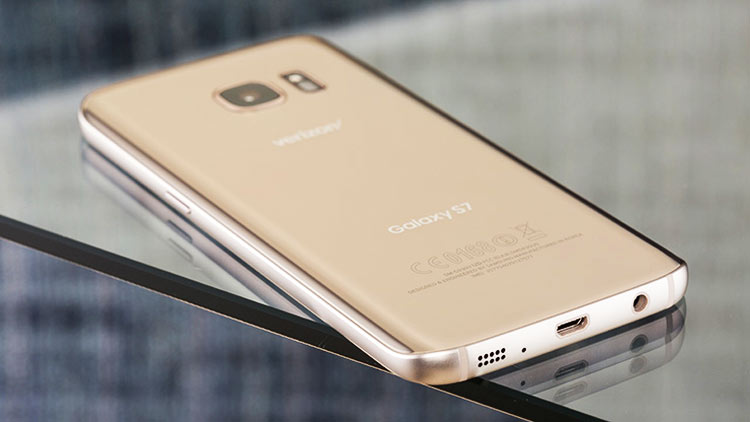
The official Nougat for the international Galaxy S7 and S7 Edge is out for a while now but it’ll still take a while before the newest update is out for the Verizon S7. However, you are impatient enough not to wait for the official Nougat to make its way to your phone, you can enjoy it on your Verizon Samsung Galaxy S7 right away by installing the Nougat Beta update. Well, this update is for the Verizon S7 flat model. Since this is an OTA update there will be no loss of data. Moreover, the users will still be able to receive the future Nougat updates.
It would be likely to mention that is a beta update but still, there are no major bugs. However, the update being in beta has made the device incompatible with gear VR. This sure means that Gear VR will not work on this firmware.
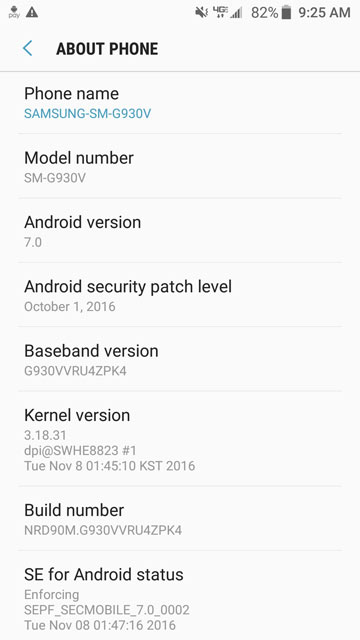
Note- Make sure your device is not rooted. You need to be on Stock firmware for this update to work. This method is only for the Verizon model SM-G930V, please don’t try this on any other models. Also, the Nougat package OTA zips we have shared are official Beta releases. The good thing is, they work flawlessly and smoother than marshmallow.
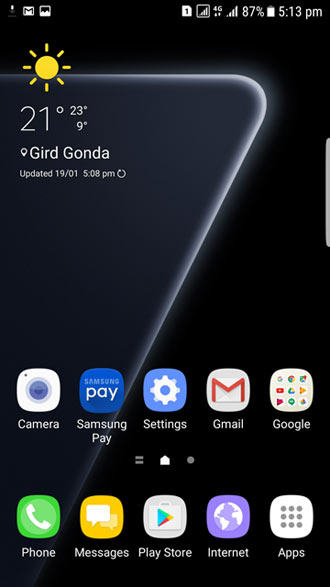
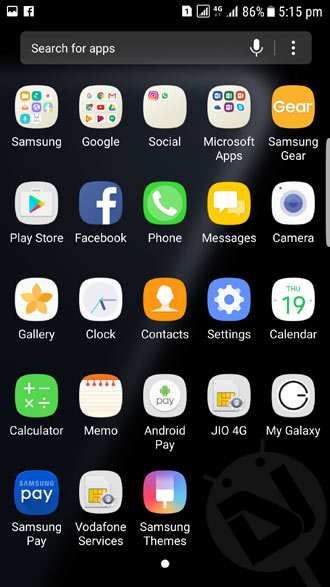
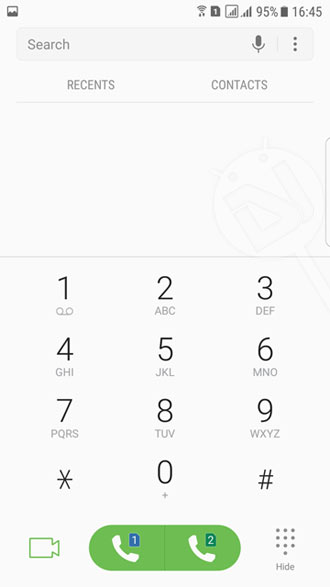
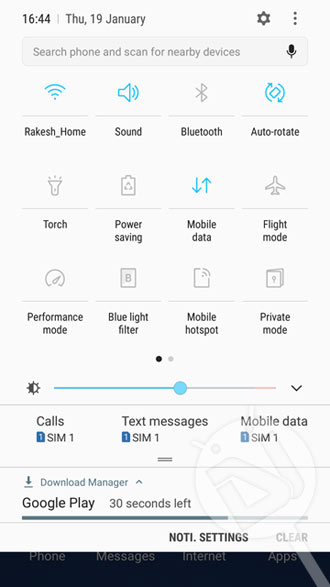
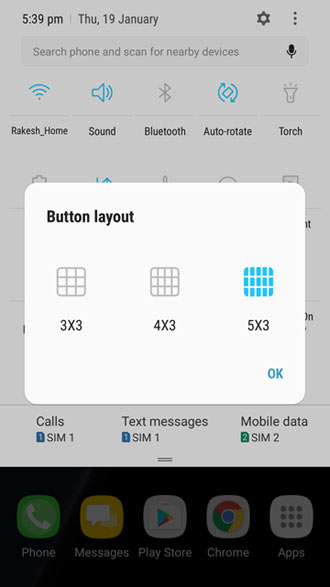
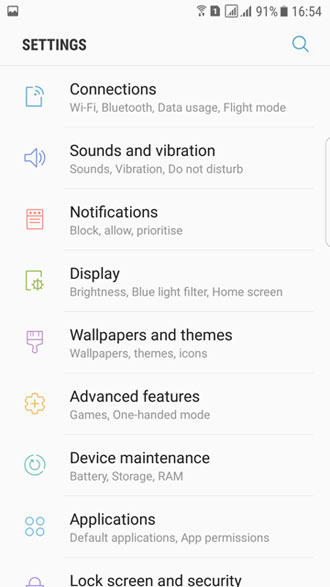
Screenshots:

Prerequisites
- Make sure external SD card is decrypted before proceeding with this method.
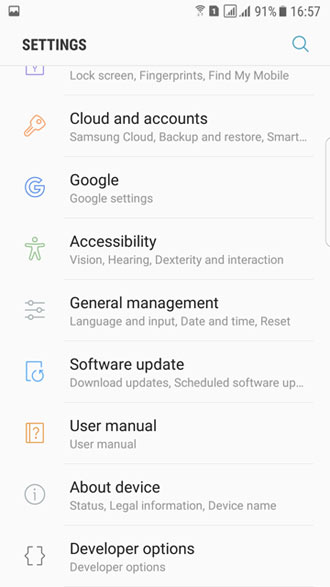
- Go to Settings> About device and check your current firmware version.
- If you Verizon S7 is running on the G930VVRS4APH1 firmware, download S7Nupdate.zip and rename it as “update.zip”.
- In case your phone’s firmware version ends with PI3, download PI3_PK4update.zip and rename it as “update.zip”.
- If your S7 is on the PK4 firmware, download S7Nupdate2.zip and rename it to “update.zip”.
- Go to Settings> About device > Software info> Build number and tap it 7 times to enable Developer options. Then go back to Settings> Developer options and enable USB debugging and OEM unlocking.
Note: Then, scroll down and there will be listed the build number. In case your SD card is encrypted check the method below to decrypt it.
How to Decrypt SD card
- Navigate to Settings> Security> Encryption.
- There is an option Decrypt device and Decrypt SD card.
- Click on the Decrypt SD card option.
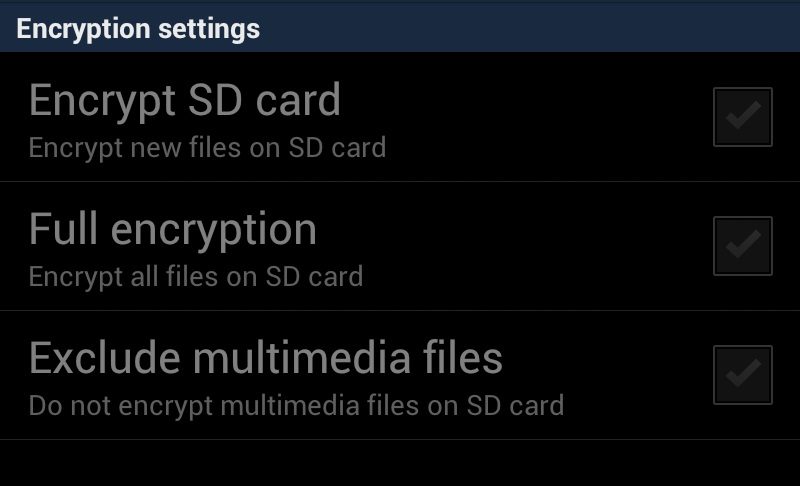
- Finally, uncheck all the boxes in the next screen (For more details check the image below).
Warning: We, at DroidViews, will not be responsible for any data loss or damage you incur to your device. However, this is an OTA update so until and unless you’re a true amateur nothing can go wrong. Make sure to follow the steps correctly and carefully.
UPDATE:
Now you don’t need to flash the OTA packages as the full stock Android Nougat firmware is available. Please head to the following link:
Install Nougat Firmware on Verizon Galaxy S7/S7 Edge (SM-G930V/G935V)
Steps to Install Android 7.0 Nougat on Verizon Galaxy S7
- Power off your device.
- Then, press and hold Volume Down + Home + Power button at the same time until the warning alert screen.
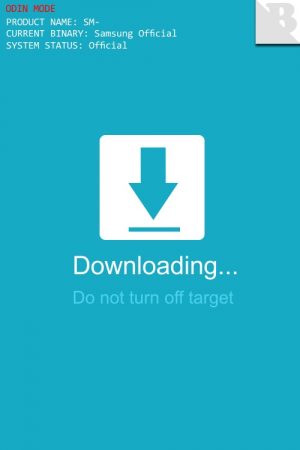
- Next, press the Volume Up button to boot into the Download Mode.
- After that, make sure in Current Binary it says Samsung Official and in System Status it says, Official. In case it doesn’t say “Official”, download the PH1 firmware and install it using Odin v3.11.1. (While installing the 4-file firmware package, add the file that starts with CSC in its name to the CSC field and leave the HOME_CSC file.)
- Then, reboot your phone into the System. To do so hold the Power button for 10 seconds and the device will reboot.
- Next, rename the Nougat update zip file you downloaded earlier to update.zip.
- After that, create a new folder in the root directory of your external SD card and rename it to fota.
- Copy the update.zip file to the fota folder you created earlier.
- Finally, power off your device.
- Reboot into the recovery mode. To do so, press and hold the Volume Up + Home + Power buttons at the same time until you get into the stock recovery.
- When in recovery mode, select Apply update from SDcard (use the Volume rockers to navigate and the Power button to select).
- Then, navigate to the fota folder on your external SD card and select the update.zip file.
- Finally, click Yes to apply.
If you followed the steps correctly then wait for a while and it will surely get updated to the Nougat firmware. Just wait for the process to be completed. Then, boot normally into the System by selecting the Power off option and then holding the power button again to reboot.
Troubleshooting
- If you are on PH1 then you will need to download and install all the three updates. You must do this in the consecutive order of PH1> PI3> PK4 (Ist beta)> PK4 (IInd beta).
- If you get an error of “E: footer is wrong” further followed by “E: signature verification failed” then decrypt your SD card and try again.
- The users, whose current binary and System Status are not official, will have to use Odin to flash the PH1 firmware using the PIT file and the full CSC. If you guys are having trouble finding the PIT file, check this link for the Verizon Galaxy S7 PIT file.
Screenshots
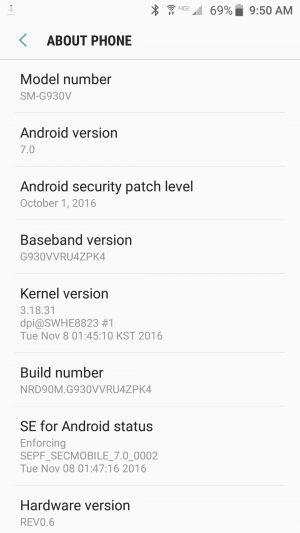
That’s it, guys. If you still don’t get your answers or have any queries related to this post then make sure to leave a comment below. I will reply as quickly as possible.
How to root Samsung Galaxy S7 Verizon SM G930V TWRP recovery
Since there’s no method available for unlocking the bootloader on the VZW S7, you can’t install a custom recovery on it. However, you can get root privilege. See this: https://www.droidviews.com/root-galaxy-s7-s7edge-snapdragon-variant-on-android-nougat/
Hi
I have followed all the instruction but my phone is posting the following mistake on recovery screen https://uploads.disquscdn.com/images/becac7010e342bd7faa0877f702910f8fc5b892bb3c6fa878caf99933fa2379a.jpg
Install the full Nougat firmware from here: https://www.droidviews.com/android-7-0-nougat-firmware-on-verizon-galaxy-s7-s7-edge-sm-g930v-g935v/
hi raj, i bought a s7 us version (g930v) unlocked. can i install us nougat firmware from sam mobile through odin? will it work fine? will my device remian unlocked? i am kinda new in this help me out bro. thanks in advance.
Hi Twinkle, installing the stock firmware doesn’t affect SIM-lock/unlock status.
thanks rakesh. so can i install verizon US nougat firmware? currently i am on ph1 6.0.1.
I already told you can install the Nougat firmware.
Install the Nougat firmware: https://www.droidviews.com/android-7-0-nougat-firmware-on-verizon-galaxy-s7-s7-edge-sm-g930v-g935v/
Yeah bro this is what i am talking about. i was confused and you made it very clear. Thanks bud.
Hi Twinkle, I haven’t tried the latest Nougat firmware so I’m not sure whether it will work or not. We will update this guide after trying the latest firmware only if it works.
Till then stay tuned.
About that, i know a guy who bought a S7 edge US Verizon (G935V) unlocked and he flashed US latest nougat version. It worked. Check this out https://uploads.disquscdn.com/images/bd49d18a2f418f6467683ae6bacbdf0e8addf1d333b50aa062d6cee31a1c57fe.jpg https://uploads.disquscdn.com/images/64da987dc374221ddd37fd2927187b2d66db7d03c7d62c485467b94c8a975193.jpg
Bro my fone is on ph1 and i did try ur way to update i have formated my sd crd decryt it twice but nothing happen just getting error… Can i flash the latest firmware from sammobile for my s7 smg930v using odin??? If i will does my fone get bricked??? I hope u wil reply thanks
What error are you getting? Provide details. A screenshot can help.
If i go with latest firmware on sammobile wil it brick my fone bro just give me the solution becoz i realy want to update my fone to nougat
Any solution bro???
have u get any fix?
The best fix is here: https://www.droidviews.com/android-7-0-nougat-firmware-on-verizon-galaxy-s7-s7-edge-sm-g930v-g935v/
Decrypt SD card again.
“Go to Settings> Personal> Lockscreen and security> Find my mobile and turn off Reactivation Lock.”
No such setting on my Verizon S7
What gives?
(Build number P13)
Just proceed without doing that. Just edited the steps.
Thanks Rakesh!
btw … any instructions around for the S7 Edge?
It’s not yet available for the Vzw S7 Edge.
Now that the oficial Update is available I get the following message when trying to download:
“Sorry , we werent able to download this update. Check your network connection or connect to a charger and try again.”
Any ideas? I’m connected to my wifi network here at home.
Connect your device to the charger and then try again. Make sure to cross check you network.
did both – it’s a no go so far
Error code 400
Make a backup of data and do a full format using TWRP. Then, try updating. Let me know if this did the trick.
I am not familiar with this app so I need some further clarification.
Is this different than doing a factory reset?
In the app I see these two options:
1. TWRP Flash
2. Backup Existing Recovery
When I try backup it tells me it needs root access, it allows me to select a folder and that is about it. I don’t see an option to continue after selecting the folder.
I also don’t see an option to do a full format.
how did you resolve this?
I flashed PH1 firmware to my device. All four parts. (The part I hadn’t been flashing, the result of the error, was the PH1 bootloader). Then proceeded with the nougat update.
i’ve got the same error..
Go to Settings> Personal> Lockscreen and security> Find my mobile and turn off Reactivation Lock.
Try again.
i can’t find find my mobile and reactivation lock?
You’ll find my mobile option only after logging in to your Samsung account.
already login my samsung account, still there’s no find my mobile option, hiks..
Did you install the CSC or HOME_CSC file while flashing the firmware?
i’ve just bought this phone, it’s a used phone, and i’ve tried your method above right away, perhaps i should flash the firmware again?
there’s an update via ota, but everytime it finishes its download, software update always fails..
Flash the PH1 firmware. Don’t forget to backup your apps and data before installing using Smart Switch. Then try again.
ok, i’ll try it, btw thx a lot for your quick reply, much appreciate..
Also try formatting the external SD card.
rakesh, i did it, turns out all i need to do is just re flash my ph1 stock rom, after i just used 1 of your update file, after it automatically upgrading to nougat, nice, thx again mate.. cheers..
Glad to know! 🙂
i had my verizon galaxy s7 verizon rooted, so i odined to ph1 firmware, then followed this guide. but the update failed? i followed everything right i think
do i need to flash the pit file thing, if so how?
You don’t need to flash the PIT. Try a data factory reset via recovery and try again. Make sure to flash the zip/s in correct order.
ok thanks i got it all setup and running thanks
Enjoy and keep visiting! 🙂
do i also need to flash the bootloader from ph1? or just ap, cp, and csc?
Flash all 4 firmware files or the OTA zip will fail to install.
I am very much an amateur at this, so forgive my silly questions: does this process work entirely through our phone, or do we need to connect it to a computer to download the zip files? Also, how do I create the fota folder in the root directory of the SD card? Thanks!
You may or may not use a PC. If you download the zip files to the PC then connect your S7 via data cable and transfer the files to your device. On the other hand, if you download it in the phone storage itself then there won’t be any need of the PC. However, to create a fota folder on your SD card, make sure you have an external SD card in your device. Then, open the file manager, click on SD card (External). This is the root directory. Now, create a New Folder here and rename it to fota. That’s it, hope this solves the issue.
Thank you…everything worked out perfectly!
We’re glad it did? How’s the experience?
If I install this to update to the beta version, will i get the update from beta to official release as though i was in the beta program? I guess my question is…..will this confuse the official update when it comes through since i didnt officially sign up to have beta on my phone?
Does it really matter? If you get the OTA updates then it is good, no issues. However, if you don’t get the OTA updates then you can always grab a .zip file and update the device manually. A quick Google search will tell you that the beta program has ended and been wrapped up by Samsung. Probably, you should be able download the official update for your device directly via OTA.
Thanks for the reply. I know the beta has ended which is why i was asking. I have just recently come back to android and unsure how updates work and how easy it would be to get the full nougat once verizon drops it.
Oh I see. I’m happy you found your answer.
Yes, you’ll.
Thanks. just wanted to keep current while wanting to update sooner than later.