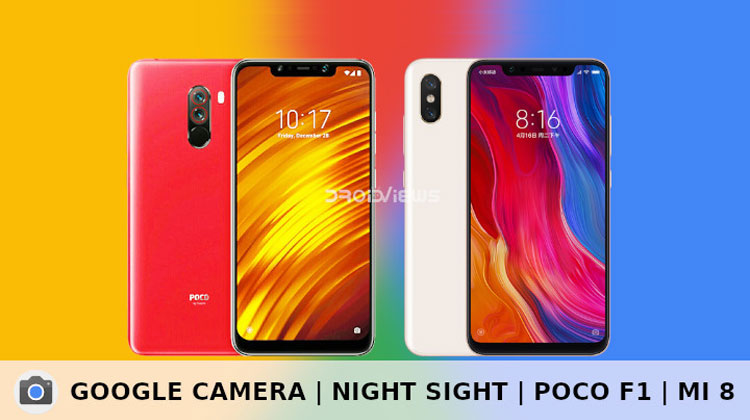
Google Camera with Night Sight is now available for the Xiaomi Poco F1 and Xiaomi Mi 8. You can download the Google Night Sight Camera APK from below and install it.
With the first Google Pixel, Google introduced us to the amazing and magnificent HDR+. Almost everyone that saw it was immediately a fan of it. HDR+ was the camera tech every Android enthusiast wanted to try. Eventually many did get to try it thanks to the various Google Camera ports. This year with the third generation Pixel devices, Google showed of Night Sight. A feature that uses machine learning to make sense of what the camera is seeing and produce a well-lit image accordingly. The results are way more impressive than they are with the conventional LED flash.
Keeping the shutter open for a longer exposure time allows more light in. This produces a better low-light image but this is not a new process. Several Huawei phones have done this before and perhaps even some other devices. But Google’s Night Sight takes much less time in comparison. The only other night mode worth comparing is OnePlus’ Nightscape. It takes pictures in a similar time frame but even with that, the results aren’t as impressive or consistent. We’ve actually done a comparison between the two when we shared the Google Camera port for the OnePlus 6 and OnePlus 6T.
Before the feature even became officially available for the Pixel 3 ports of it were already available for the Google Pixel and Pixel 2 lineup. Several other non-Pixel devices such as the Essential Phone too got an early taste of Night Sight including the Razer Phone 2. Night Sight has been impressive so far on every device it has been ported to. We only expect the feature to get better over time due to the machine learning aspect of it. Thanks to B-S-G from the 4PDA forums, a Google Night Sight Camera port is now also available for the Xiaomi Poco F1 and Xiaomi Mi 8.
What works
Since this is a port, not everything works right now but we can expect them to work with more updates. For now, as we already know, Night Sight works fine. The other sought-after features, i.e. ZSL HDR+ and also HDR+ enhanced, both work as well. Portrait mode works on both the front and the rear camera as well as Photosphere and Panorama. Video recording works including 4K video recording up to 30fps and 240fps slow motion at 1080p.
What doesn’t work
While video recording does work up to 4K, the port has issues with focusing while recording video. The video quality using slow-motion video is also not quite fine. As of the current update, the slow-motion recording also happens in slow motion, i.e. it lags. If you’re using a custom ROM, not based on MIUI, EIS does not work either.
Download Night Sight Camera APK
The port was originally developed for the Xiaomi Mi 8 since that’s the device the developer owns. However, due to rather same internal hardware, the port also works just the same on the Xiaomi Poco F1.
How to Install Google Night Sight Camera on Poco F1 & Mi 8
Installing a Google Camera port is simple most of the times. Simply download the APK from the link provided above and install it like you would install any other APK.
If your device is running MIUI Beta 8.11.7 or above based on Android Pie your job is done. But if your device isn’t running an Android Pie-based version of MIUI you’ll have to download either the Magisk or TWRP fix, whichever you prefer. After that, you can install the Magisk Fix using the Magisk Manager just like you would install any other Magisk module. If you went with the TWRP fix, simply reboot your device to TWRP and flash it. Users running a custom ROM on their device will also need to flash the fix. Flashing the fix obviously requires root.
Check out the source link below for newer versions and to discuss your issues with other Poco F1 and Mi 8 users.
Read next: Understanding Smartphone Specs: The Camera

Join The Discussion: