Now that the Android 10 is approximately four months old, most of you might already be knowing about its core features. In fact, some of you might even be using it and well acquainted with it. However, there exists a certain ‘feature’ that the majority of you might not be aware of. No, we aren’t talking about the easter egg associated with the Android version. That existed since the first launch of Android and everyone knows about it. Android 10 has taken this a step further and incorporated a hidden game in the OS. However, it requires a little bit of effort unlocking it and that’s where the fun lies. So here are the steps to unlock and play the hidden Android 10 game. Also, check out the steps to get the Pixel 4 Live Caption feature on Any Android 10 device.
Unlock the Hidden Android 10 Game
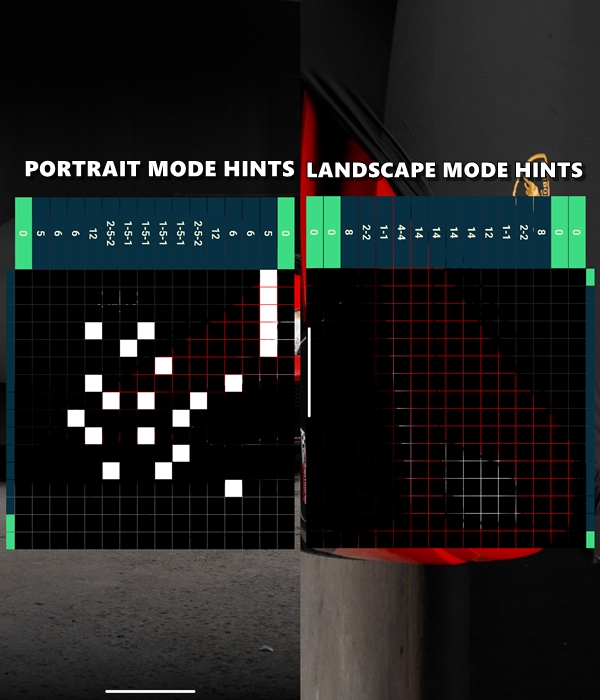
Back in Android 5 Lollipop, Google introduced a Flappy Droid game, which by the way you could still play on Android Pie 9.0. This time Google has added Picross as the hidden Android 10 game. This genre of game has recently been made famous thanks to Pokémon Picross and Mario Picross. Similar to these games, the Android 10 game also requires you to fill in the boxes based on the hint given in the rows and columns. This will ultimately reveal an image.
However, you can’t see the entire content of the game (or rather hints) at one go. By default, it shows you the row hints. Once you are done with that, auto-rotate your device to landscape mode and take the hints from the column section. Filling the boxes as per the given rule will ultimately lead to the creation of an image. Sounds interesting enough? Well then, here are the steps to unlock and play the hidden Android 10 game on your devices.
Don’t Miss: Get Pixel 4 Launcher with Overview Text Selection on Android 10
Steps to Follow
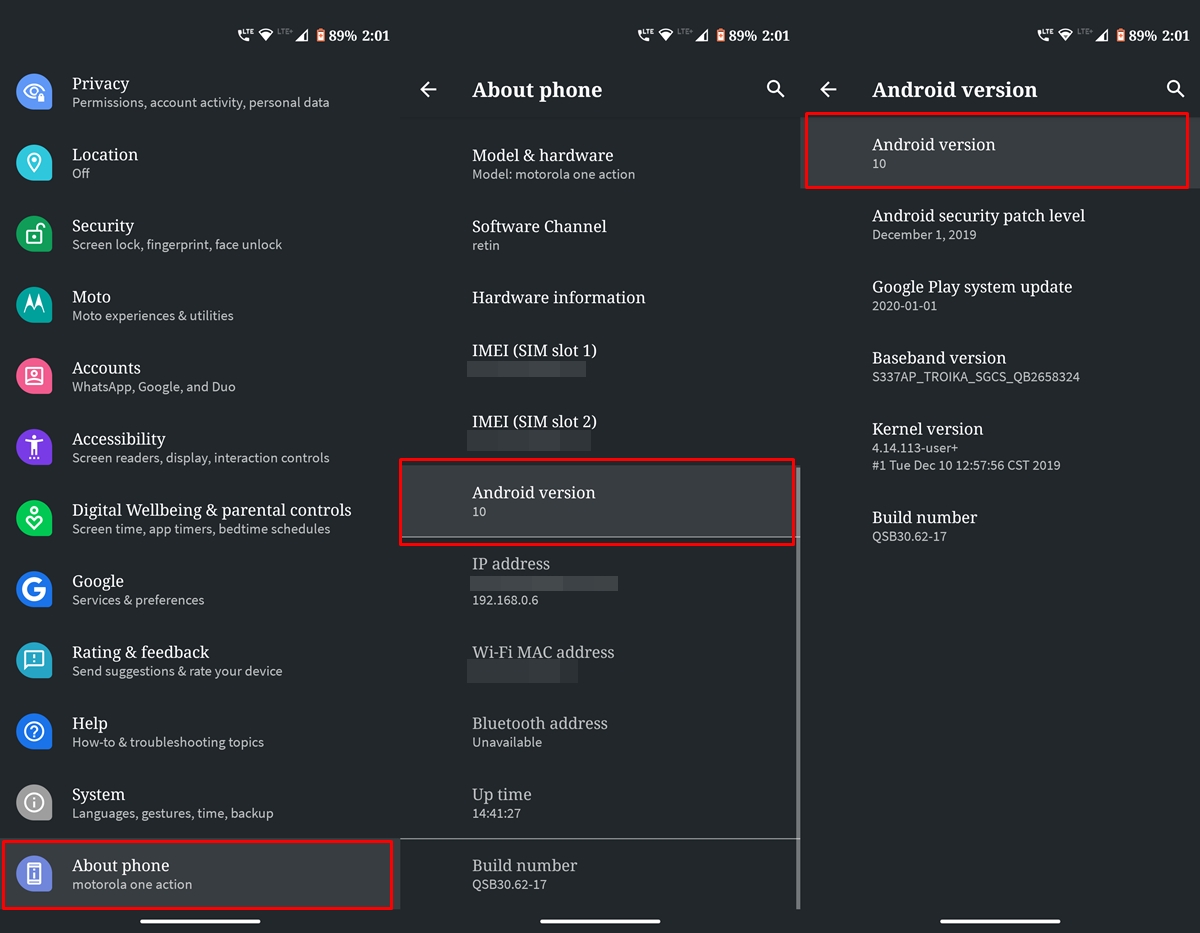
- Head over to Settings on your Android 10 device. Then go to About phone > Android version.
- Continuously tap on the Android version to reveal the first easter egg. Well, this is something that most of you might well be aware of, so nothing much of interest here. But it is through this screen itself that you could unlock and play the hidden Android 10 game.
- Start by dragging the 1 inside the o. Now double tap 1 and keep on holding it so that it starts revolving. Release the hold once it places itself in such a manner that the alphabet Q is made. For that, you will have to place the number 1 in a rightward titled position and stick it to the left of 0. See the right-hand side of the below image for reference.
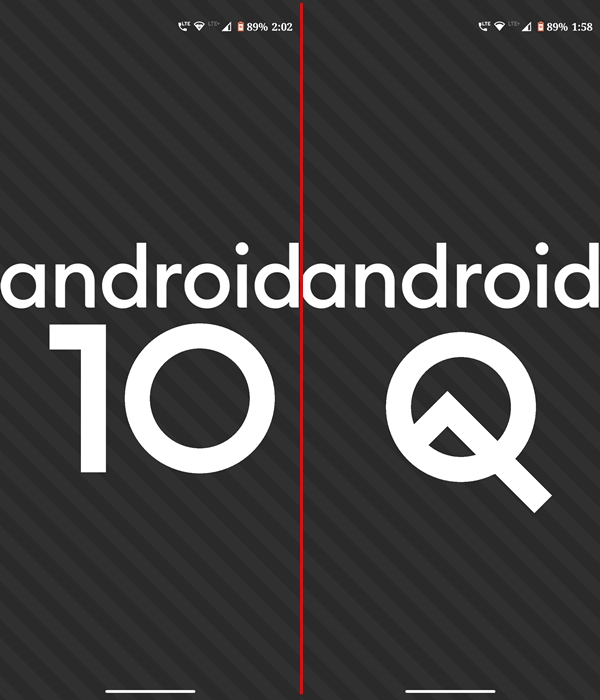
- As soon as you do so, the black and grey bar in the background will start moving. In this instance, keep tapping the Android keyword until the hidden Android 10 game is revealed.
- If everything went well, you’ll see the picross game with the hints given at the rows. As mentioned before, you’ll have to rotate your device to landscape mode to reveal the other half of the hints. Now just start filling up the boxes and reveal the hidden image.
With that, we conclude this guide on how to unlock and play the hidden Android 10 game. Do let us know your views on this game and what image did you manage to reveal, in the comments section below.
Read next: 10 Best Strategy Games for Android in 2020



Join The Discussion: