
• Skip to primary navigation
  • Skip to main content
  • Skip to primary sidebar

DroidViews

  • Apps
  • Downloads
    • Android Apps
    • Themes
  • Guides
    • Root
  • ROMs
  • Reviews
  • Wallpapers
  • About Us
  • Sponsored Posts

How to Unlock Facebook Messenger’s Hidden Basketball Game

Pushpa | 31 May 2016 | Android Apps/ Guides

Don’t we all just have that secret liking for the hidden games that are buried deep down in either our favorite apps or in the entire operating system itself?

From the jumping dinosaur game in Google Chrome’s  offline mode to the android Easter egg of Flappy bird which has been there since android lollipop, we all just love hidden games and as Facebook finally decided to update their official messenger with material design , they even added a nifty little game to it too.

So let’s directly jump on and see how we can unlock that hidden basketball game implemented in its messenger by the social networking giant. Screenshot_2016-03-17-15-23-44
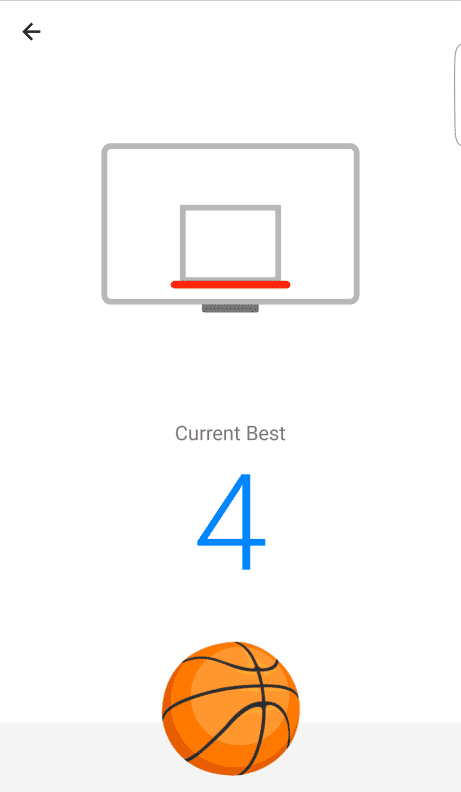
Here are the required steps

  1. Turn on your Facebook messenger. (as simple as that :P)
  2. Open any chat and send your friend a basketball emoticon.
  3. Press on that basketball icon in the chat window.
  4. That’s it you’re done, have fun and score well 😉 (Who saw the next NBA star coming 😛 )

Tags: Android Games Facebook Messenger

Related Posts

5 Games like Diablo Available on Android

10 Best Games to Play with Friends on Android

5 Best Farming Games On Android In 2020

5 Best Farming Games On Android In 2020

Reader Interactions

Join The Discussion: Cancel reply

We never share our visitor/user details. For more info, Please read our privacy policy before submitting your comment.

This site uses Akismet to reduce spam. Learn how your comment data is processed.

Primary Sidebar

Footer

  • Apps
  • Downloads
    • Android Apps
    • Themes
  • Guides
    • Root
  • ROMs
  • Reviews
  • Wallpapers
  • About Us
  • Sponsored Posts

Privacy Policy | Terms & Conditions
© 2026 · DroidViews