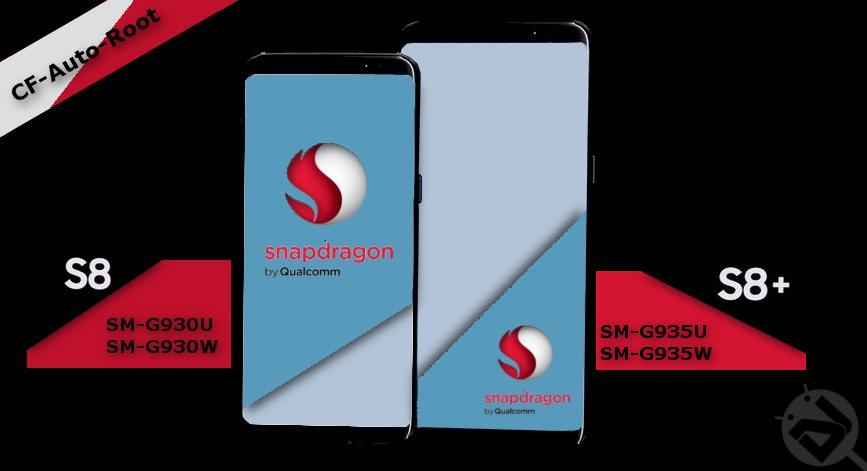
The Samsung’s latest flagship the Galaxy S8 and the S8+ are a breeze to look at. The design language and software is as fluid and powerful as the processor which Samsung has put under the hood. As we all know that the Samsung Galaxy S8 and S8+ comes in two variants. One which is powered by the Exynos processor which Samsung is manufactured by Samsung itself and the other type which is powered by a Snapdragon processor.
It is not like there is any difference between the two, both are equally power efficient and powerful to make the device operate smoothly. The consumers will feel no difference when using either of the devices. However, the developers are the ones who struggle.
The current generation is all excited and hyped up about rooting and flashing custom mods and kernels. Since the devices have two types of processors the rooting and flashing method and files that work on the Exynos variant will not work on the Snapdragon one. Hence, this post.
Don’t miss: How to Enable Dual Speaker on Samsung Galaxy S8 and S8+
Verify the Processor Under the Hood
Navigate to Settings» About Device to check your device’s model number.
Exynos Variant
Samsung Galaxy S8
Samsung Galaxy S8+
Snapdragon Variants
Samsung Galaxy S8
- SM-G950U
- SM-G950W
Samsung Galaxy S8+
- SM-G955U
- SM-G955W
In case if you happen to have an Exynos variant of the Samsung Galaxy S8 or the S8+ and want to root or install TWRP on your device then click on the link below.
How to Install TWRP and Root Samsung Galaxy S8 and S8+ (Exynos Variants)
Downloads (CF-Auto-Root Files)
Samsung Galaxy S8
Samsung Galaxy S8+
Prerequisites
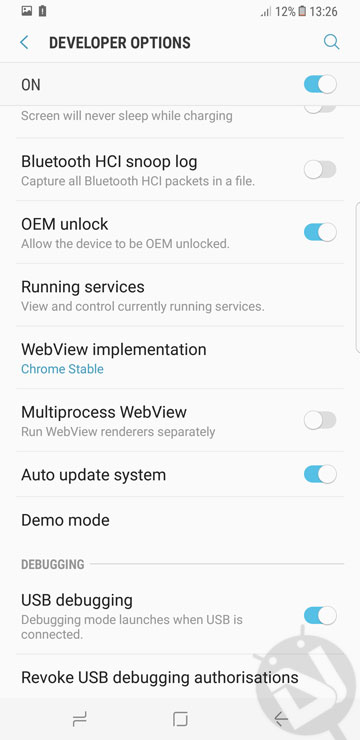
- Navigate to Settings» Developer options and enable USB Debugging.
- Install latest Samsung drivers on your PC – Here
- Make sure to have the latest version of Odin installed on your PC – Here
Must read: Install Viper4Android on Samsung Galaxy S8 and S8+
Root Galaxy S8 and S8+ on Android Nougat
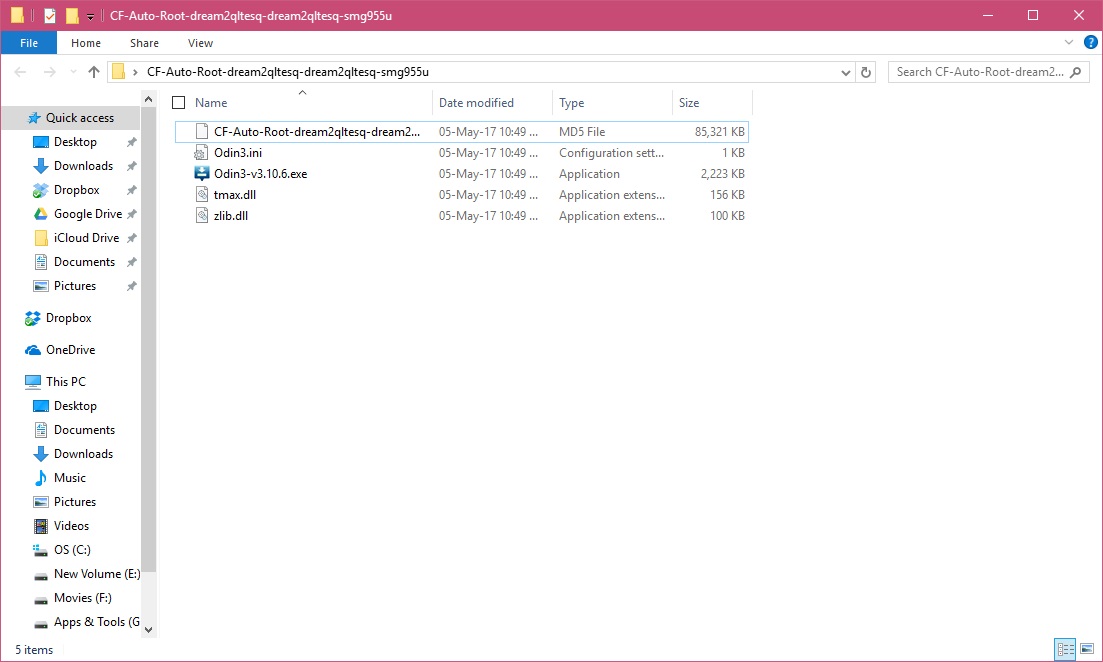
- Make sure you have downloaded the correct CF-Auto-Root files from the link given above. Extract the [.zip] file and you will see either a .tar or a .tar.md5 file.
- Next, power off your S8 or S8+.
- Then, boot the device into Download Mode (To do so hold Home + Volume Down + Power until screen flashes). If you happen to have an S8 then hold Bixby + Volume Down + Power.
- After that, run Odin on your PC with administrative rights. To do so, right-click on the Odin [.exe] file and click Run as administrator.
- Connect your device to PC with a USB cable (The ID:COM port in Odin should turn blue).
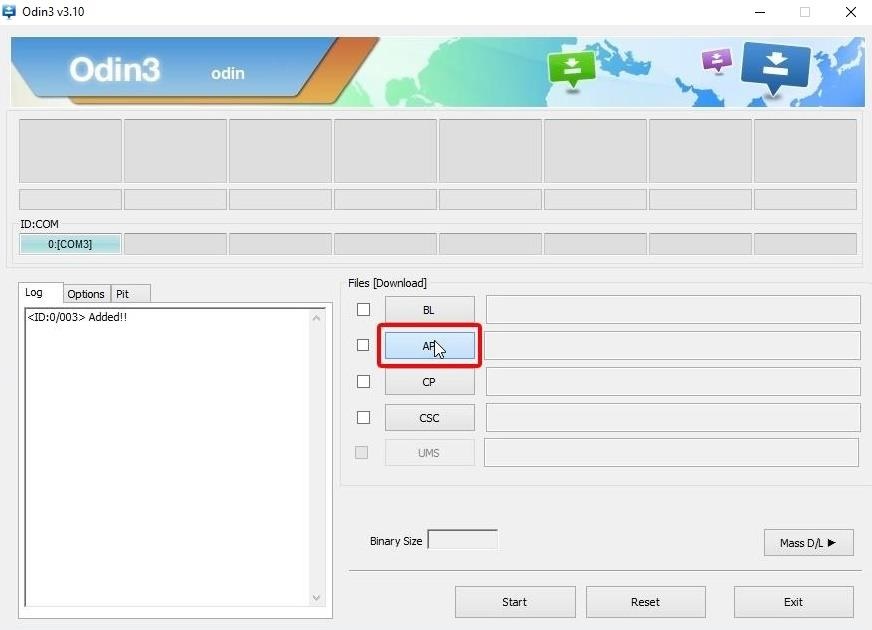
- Next, click on the AP button and navigate to the directory where you extracted the .tar or .tar.md5 file. Select the file and add it.
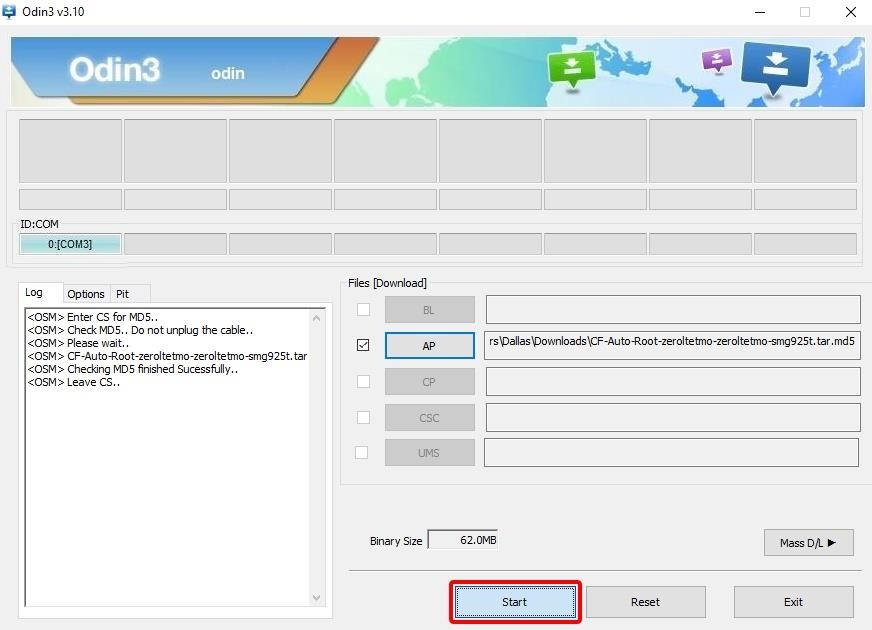
- Then, click on the Options tab and make sure that only Auto Reboot and F. Reset Time are selected.

- Finally, click on the Start button.
That’s it, this will root your device. Just wait for the process to finish. Once it’s done Odin will display a message PASS! The device will reboot automatically. The first boot may take a while, have patience. If you have any questions or queries related to this post then do let me know in the comments below. I will be happy to help.
Do you have the Exynos variant of the Samsung Galaxy S8 and the S8+? Do you have any other Samsung Galaxy smartphones that you want to root using CF-Auto-Root? I have provided a link to root almost any Galaxy line up using CF-Auto-Root. Click on the link to learn more.
Root Samsung Galaxy Devices on Android Nougat with CF-Auto-Root
That’s it, guys! If you have any questions or queries related to this post then do let me know in the comments below. I will be happy to help.


Hey. I tried this with my G950U and I’m getting a FAIL! SHA256 is invalid.
How can I get passed this?
I am unable to root my SM-G950W, which has no OEM Unlock switch.
Did you actually succeed in doing what you are posting, on this specific device?
Hello. I’m still getting this: http://prntscr.com/fuijka
Any ideas how I can fix this?
Is yours an AT&T variant?
still getting a fail on my 955U https://uploads.disquscdn.com/images/a8afe68be59905acbaf9188849d8fe6a1cdf32e28c06f775ba676d5095cd1198.png
there is no “oem unlock” in the SM-G950U developer options. it can’t be rooted yet. 😛
Then skip that part.
you cant skip it then it wont work
Damn you do not even have basic knowledge and you are maintaining an Android based website. the least you can do is do some research before posting it not just copy pasta :/
“Then skip that part.”
LOLOLOLOLOLOLOLOLOLOLOLOLOLOLOLOLOLOLOLOLOLOLOLOL
wow!!! you are a simple minded creature
Actually it’s rootable you have to flash twrp then use twrp to flash supersu zip
It’s not yet rootable. Only the international version with exynos processor is rootable.
I am 100% certain the sm-g950u is a US variant with Snapdragon processor and is NOT rootable. Yet.
There is no comparable TWRP for it. Yet.
There is no OEM unlock. And you cannot skip that part.
it worked for me on ios 6.0 and 7.0 fully rooted
You rooted an iPhone?
I would recommend that nobody follows the guide here.
Please check the xda forums for help.
no android has ios to but you are right cf auto root dont work anymore for no s8 in us
but i did root a s8 and 8+ to unlock it
Can u please explain to us how you rooted it? I need urgen to unlock mine.
>android has iOS
Uhhhhh
omfg you’re fucking dumb! do research, go to school, or simple GOOGLE what the FU@# you just wrote…ughg!!