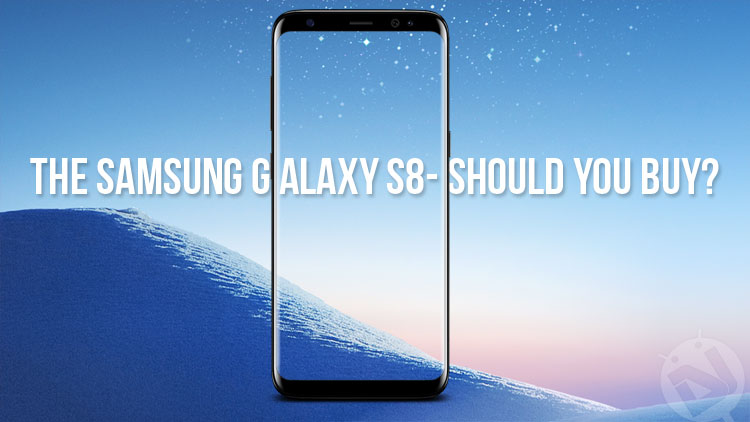
Samsung released the Galaxy S8 back on the 31st of March this year, and you will be able to buy one in 2 days. So perhaps now is the time to really decide whether you have to buy one. In this post, I will be comparing the Samsung Galaxy S8 and S8+ to the main flagships out there, as well as it’s predecessors, highlighting the best phones in each department.
Firstly, should I upgrade to the Galaxy S8 from its predecessors?
The short answer depends on which phone you are talking about. If it is the S7, yes, if it is the S7 edge, you can wait. Same goes for the S6 lineup. These new Galaxy’s offer great specs, but the main reason for an upgrade is the design. So now is the time to choose whether the upgraded specs are worth your money. The S7 edge offers an amazing display, as well as performance, even by 2017 standards. The same could be said about the S6 lineup. However, in order not to feel dated, one of the edge variants is there to keep you company. In other words, if you have an Edge phone in a good condition, hold on to it until the Note 8.
Also read: Why do Most APK or Android App Package Names Start with ‘com’?
Secondly, why should I choose the Galaxy S8 over the competition?
The answer here is can be either obvious or complex, depending on which phone you are considering, and what you are looking for. So, here is a list of the things the phone excels in:
- Display: The 5.8″ or 6.2″ 1440p Super AMOLED displays on these phones are simply the best displays of 2017 so far.
- Design: The phone has the most futuristic design of all phones, on par with the Xiaomi Mi Mix.
- Additional Features: The phone comes packed with many unique specs and features in it. Those include the Iris Scanner and Facial Recognition Sensors, and the AKG earphones included in the box.
- Performance ( when compared to other Android Devices): The Qualcomm Snapdragon 835 provides the best performance you can get from an Android Device.
Don’t miss: 10 Tips to Make Your Phone’s Battery Last Longer
Lastly, why shouldn’t I choose the S8 over the competition?
These phones are great, but as with all phones, this one has some imperfections. The main ones are the awkward placement of the Fingerprint Scanner and the bad speaker on the bottom. There are also some other things, such as the fact that you are stuck with the Bixby button, even if you don’t actually use it. The button can be remapped by using 3rd Party applications, such as bxActions, but there really is no official support from Samsung just yet. In order to make this easier, here is a list of common phone specs, and which phones are best at currently.
- Camera: The Google Pixel. Arguably the best camera of 2016.
- Battery: The Huawei P10. Offers Great Battery life and very fast charging speed.
- Design: The Galaxy S8. The best looking phone so far.
- Audio: The LG V20. Offers excellent DAC and speakers.
- Software Experience: Google Pixel. Completely Stock Android.
- Performance: iPhone 7. Has great performance at low specs.
- Durability: The Galaxy S8. No flex, scratch resistance and Gorilla Glass 5.
- Value For Money: Oneplus 3T. Best phone for $400
- Extra features: Galaxy S8. Has the most extra features.
Hopefully, I have made your decision easier. Make up your mind on which of the above specs you need most, and choose the phone accordingly.
Verdict
In conclusion, the Galaxy S8 and S8+ are great phones in all areas apart from audio. They are surely not the best in all these departments, but they offer a very compelling complete package. Thank you for taking the time to read! If you disagree with my choice of phones, make sure to tell me in the comments below, and I will be sure to reply to you as quickly as I can!


There has been multiple reports over the past few days that Samsung has pushed an OTA which makes it impossible to remap the Bixby button to anything else (even with 3rd party apps). Bad move, Sammy, bad move. BTW, good man, cheers!
I have heard about that too, but i doubt that the amazing developers of Android apps won’t be able to do something about that. That would be great, unless such apps get banned from the play store