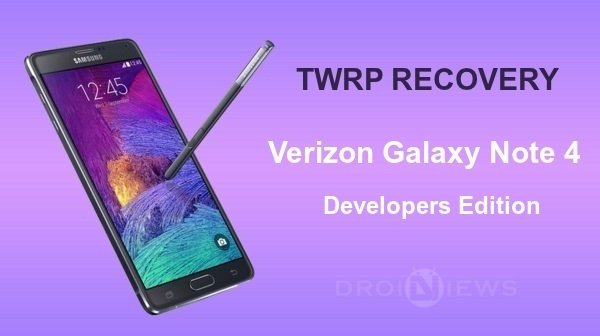
Verizon released the Galaxy Note 4 Developer Edition just a few weeks ago with the model number N910V. This variant of the Note 4 is a slight different compared to the other Note 4 variants given that the device comes with an unlocked bootloader which makes it an open playground for the developers to work their magic.
The Verizon Note 4 got a quick root support from the famous developer Chainfire, you can find the rooting guide from the link below:
Root Verizon Note 4 Developer Edition N910V
Once the device is rooted, the Note 4 users will automatically look out for a working recovery. As you’re holding a powerful and popular beast in your hand, you don’t need to rely on unofficial recovery builds as TeamWin team had released the official TWRP for the Verizon Note 4. The TWRP recovery comes in the 2.8.1.1 version which supports MTP mode even in recovery, so no more side-loading zips if you forget to copy them to internal storage.
Download the required files and follow the instructions to flash the TWRP firmware using the Odin flashing tool.
Warning
This guide is intended only for the Verizon Note 4 Developer Edition N910V, not for any other device of Samsung. Be extra cautious when you choose the firmwares as flashing wrong firmwares might result in a bricked device. You alone are responsible for any consequences that might occur during the process, we shall not be held responsible for any damage to your device.
Prepare Your Device
- Charge your Galaxy Note 4 above 60% battery level to avoid shut downs during the process.
- Enable USB Debugging: Link
- Install Required USB Drivers: Link
- Backup your device storage, Contacts, SMS etc. using Google Sync service or any third-party app.
Downloads
Odin v3.10.6: Download Link
Latest TWRP recovery: Download Link
Install TWRP Recovery on Verizon Note 4
- Download the TWRP firmware package from the download link provided above.
- The download file provided is in the .tar format which is an Odin flashable file format.
- Now simply follow our dedicated Odin firmware flashing Guide → Click Here
Share your views of the TWRP on your Note 4 in the comments section below.

Do I need to root with chain fires auto root first or will installing twerp recovery root the phone?
Please provide OSX joy
You guys share soooo many good guides..Thank you!
Thanks for the appreciation!