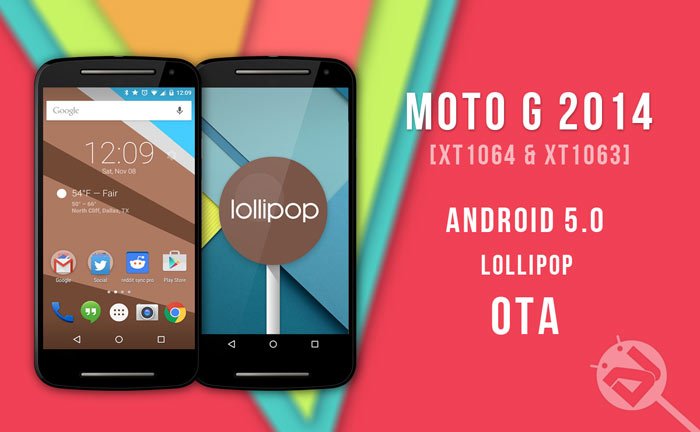
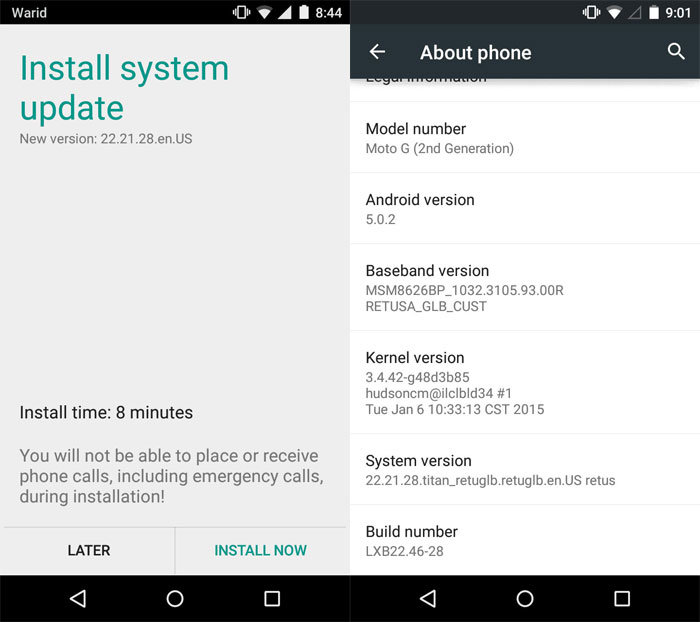
Moto G users will be all smiles when they get wind of this news, as theirs is the latest device to join the Lollipop movement. But it will be sour grapes for some users as this update, at this time, is only supported by devices with the model numbers XT1063 and XT1064. The update process also requires your phone to be in a stock state, so unrooted and still locked, in order for it to work or you risk bricking your device if you proceed.
For users who have already rooted or unlocked their devices, there is hope! Following this guide will allow you to return your device to a stock state and allow you to be able to flash the update too. However, note that unrooting and locking the bootloader does not guarantee success.
Warning
This guide should be followed very carefully and patiently. Any deviation could lead to a bricked device. Make sure to read each step completely before proceeding and allow ample time for the processes to be completed. Furthermore, this guide does not guarantee the process will be successful and all risks are taken solely at the user’s discretion. This guide is intended only for the Moto G 2014 devices with model numbers XT1063 and XT1064 only! Other variants of Moto G or other devices are not supported. Flashing incorrect files might result in a bricked device so double check that your device is supported. You alone are responsible for any consequences that might occur during the process, we shall not be held responsible for any damage to your device.
Getting Started
Here’s a little checklist of things to do before you start.
- Ensure your battery is charged to above 60% this will avoid a dead battery from corrupting the process
- Remember to backup all files, contacts and other important data
- Also, double check your model number, this process is strictly for XT1063 and XT1064
- You can download the OTA file for XT1063 or XT1064. (Do a search on Google)
- Lastly, you need to copy the downloaded file to your internal SD Card
So without any further delays let’s dive in.
Install Android 5.0 OTA Zip on Moto G 2014 XT1063 & XT1064
- Power off your Moto G completely and wait a few seconds
- Press the Volume down, Volume up + Power keys altogether until you see the boot mode screen
- Using only the volume down key, scroll and highlight Recovery. Select it by pressing the Volume up
- A warning Android logo will be displayed in the middle of the screen
- Press the Volume Up and Volume Down buttons for around 5 seconds. Now while holding those two, press and release the Power button
- Your device will now be booted into stock recovery mode, displaying Android System Recovery <3e> text at the top of the screen
- Next, choose “apply update from sdcard”.
- Navigate to the downloaded file and select it
Congratulations! If all has gone well you’re now well on your way to experiencing the latest version of Android. Remember that the first boot usually takes a little longer than normal and you just need to be a little patient.
We hope that you all enjoy the OTA update and have a pleasant experience following this guide. Let us know what you think about the update in the comments section below and to the users who have unsupported models, don’t forget to check back often as we’ll be sure to let you know when your device can join the Lollipop movement too.


the download link just brings me to the mega app which then says “file link not found” am i doing something wrong?
Hi, the file for XT1064 has been removed by the uploader.
So do I just need to wait until my carrier releases the update, or is there anther way to get it. Evey other site sends to bring me to the exact same file.
I’ll look for the file and let you know if I get it.
Here’s the 5.0.1 OTA zip file: https://drive.google.com/file/d/0BwsiWWvGFo4TZ2RpV1R5LW9zd2s/view
And here’s Android 5.0: http://d-h.st/dUo
I got a bootloop instaling Cyanogenmod 12 on my xt1063 (global version, uni sim, i get it in amazon, im from argentina). If i install this zip from sdcard (i have access to the recovery menu – TWRP) my phone will work again? thanks a lot
No, it requires the stock ROM as base. You should either try flashing the same or a different ROM after a full wipe, or you can try restoring stock ROM on the device.
So, I have to do this?
https://www.droidviews.com/restore-moto-g-2014-to-stock-and-lock-the-bootloader/
Yes.
Do you know if this works with the mexican version of the XT1064?
Yes.
Thank you for the quick response! so, it would be just as simple as an update? it wont block the cellphone capabilities or anything? because my system version is 21.11.24.titan_niimx.niimx.en.MX niimx, does this make any difference?
No, it won’t. Is your phone locked to a carrier?
Originally it was, but I unlocked it with an IMEI code
Look, as long as the model number matches, it should go fine.
Perfect, i’ll give it a go and post how it all went, thanks!
Max, lo seguiste intentando? Como te fué?
Hola, que tal! lo intente una vez mas pero no me funciono, tal vez hoy en la tarde intente con otro metodo, si puedo, te aviso y te paso el tuto
Esta bien, yo acabo de bajar el zip, lo intentare mas tarde
Cuando lo flasheabas y fallaba quedaba mal el telefono?
No, todo normal, simplememnte no me aplicaba la actualizacion, pero el telefono queda normal.
Te dio problemas a ti?
Me sale lo mismo de Installation Aborted, baje otro, a ver si este funciona
me avisas si te funciona!
Mo funciono :/ Maldito Nextel
I get a message saying installation aborted
What error did you see above “Installation aborted” message?
It gous along with the process up until verifying update package, it stays there for a bit and then it just says installation aborted, after that the reboot system options or apply update from sd card shows again on top
Then leave it.
Hola, Max. ¿Cómo te fue con la actualización? Cuéntame, por fa! 🙂
Hola, que tal!
Me marcaba un error y no me dejo avanzar, voy a seguirlo intentando ya que salga de trabajar
Any version of these will own version XT1063 (Global Single SIM) ??
excuse me buddy, also aply for any version system like this?
Worked great but lags a lot and apps like Facebook crash. Keyboard stops working but looks sweet!
You shu try data factory reset.
Rakesh I installed the update with your method and everything has been going fine. But i just noticed I can no longer access the boot sequence? The notification light just blinks and nothing else happens. Have you faced this issue?
What do you mean by boot sequence?
The boot screen to access recovery. I’ve tried multiple methods like presssing the volume down button and up button even together with the power butto. to get the boot menu. But the notification light just blinks and nothing happens. I have the ’63 model.
PLEASE HELP!! I installed the OTA and finally my moto g XT1063 got lollipop. But now, I lost the SIM / Network connectivity… What should I do?
Can you see your phone’s IMEI?
Yes I can
Then reboot the device a couple of times. Or try a data factory reset from recovery.
even I have the XT1063 model
I tried it a couple of times but everytime there’s an error saying that the installation is aborted
What OS Version does your phone has?
4.4.4
And what system version? You need to have retuglb or retuaws version to flash the phone using this OTA ZIP
ohh how can I know my system version?
Settings>About phone>System version
installation aborted! please help!
Majorly caused due to incomplete or corrupted package. Download again and follow the guide once more.
What do you mean by unlocked? I know mine is unrooted and is the retail version. So that means its unlocked right?
We mean unlocked bootloader.
Since i have not made any changes to the stock android. It does mean its locked right? how can I confirm it is?
Yes, it’s locked. If you don’t see any bootloader unlocked warning when your phone boots, it means it is locked.
Okay thanks. Then i’m all set to go. one more thing? nothing happens to the call log or sms data? or does it?
No, it won’t affect any data but we always recommend backing up things as precaution.
Does it work on indian Dual Varient ..???
What’s the model number?
XT1068
No, it won’t work for you. You’ll have to wait.
what about dual sim variant of moto G 2014 does this work???
No.
I tried in a XT1063 Model and appeared “Installation aborted” in the Recovery System
Try this and let me know: https://mega.co.nz/#!UoQ02KLQ!22OUNBctGLoAUOMd_frTRT9jgbB3tRPUa4pPqfesGho
Does it erase your existing data?
No.
No me funciono, dice el post que se necesita estar sin root y con el bootloader cerrado. Trate y aborta el update. Esta es otra rom que esta mas pequeña http://d-h.st/dUo y la del post es mas grande.
Kindly try and post comments in English.
This guide is correct and apt for this device, and so is the update. The update is completely legit. I’m sorry to point you out here, you’ve mentioned the update to be small and the post to be bigger. Here at DroidViews, we put forth our best effort to explain each and every procedure with even minute details, so that even our users don’t get themselves into any trouble.
This OTA zip file only for XT1064 not for XT1063
Thank you for this information, Ink Ink Teacher! I have one XT1063 and one XT1064. You just saved me some very big problems.
The OTA zip works on both the models. I has been tested successfully.
Okay, now we have the OTA zip for XT1063 too: https://mega.co.nz/#!UoQ02KLQ!22OUNBctGLoAUOMd_frTRT9jgbB3tRPUa4pPqfesGho
I have XT1063 Global GSM model Retail version with Kitkat 4.4.4, bot aws and gbl version of the OTA files are not working ..the installation is being aborted .. please advice..
You are right but it works on XT1063 too. See here: http://forum.xda-developers.com/showpost.php?p=56689412&postcount=1