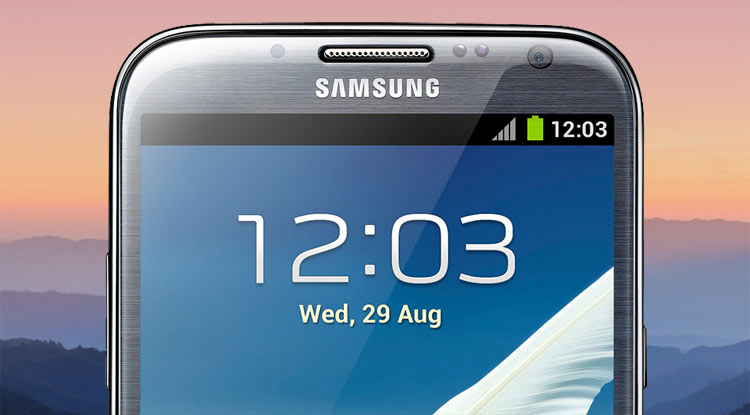
Samsung latest Note series flagship turned out to be a fiasco but the older devices of the series have been very successful in the past. The Galaxy Note 2, in particular, has been one of the most successful Samsung phablets and its great saga still continues. I can say that because of a number of comments on Note 2-related posts on the site. It shows that even after 4 years of its release, many people are still using it. If you own the AT&T variant of the Galaxy Note 2, this tutorial might prove to be a lifesaver. Anyway, today we’ll see how we can unbrick AT&T Samsung Galaxy Note 2 (SGH-I317).
As you know that the Verizon and AT&T models of Samsung devices come with locked and encrypted bootloaders and in many cases, these carriers tend to disable overwrite permission and bootloader downgrade. Even Samsung has blacklisted the bootloaders they released in or before 2012.
Usually, it’s very easy to find firmware and install them on Samsung Galaxy devices. However, if you own the AT&T Galaxy Note 2, you might end up in a void after looking for the latest firmware for your device. Suppose your phone is not working properly or it has got into a boot loop for some reason, what would you do. if you try to install a smaller version of firmware that the one present on your Note 2, it will fail to install. Today, we have the greatest version of the stock Android 4.4.2 firmware (I317UCUCNJ1) available for the AT&T Galaxy Note 2. If you have been getting errors while installing any other version of firmware on your phone, the provided firmware should just work fine for you.
Disclaimer
I have taken utmost care in describing the steps in the tutorial and if you follow them carefully the method should work for you. Although I have used “unbrick” in the title, the guide will help you only if your AT&T Note 2 is soft-bricked and by that I mean, you must be able to boot your device into the Download Mode. Also, you might not be able to flash the firmware if USB Debugging is not enabled on your device. In some cases, people have reported installing stock firmware successfully even when debugging was not enabled, so you can still give it a shot.
Preparations
- Download the Android 4.4.2 firmware for AT&T Galaxy Note 2: I317UCUCNJ1.zip or I317-ODIN-UCUCNJ1-Stock.zip
- Download Odin3_v3.10.7.zip.
- Download and install the latest Samsung USB Driver if you have not installed it on your computer already.
- If your Note 2 is booting normally, go to Settings> Developer options and enable USB Debugging.
Unbrick AT&T Samsung Galaxy Note 2 SGH-I317
Having made the preparations and downloaded the required files, head to our detailed tutorial on flashing stock firmware on Samsung devices using Odin and follow the instructions.
In case you have any question or doubt regarding this tutorial, please let’s know via comments.


Join The Discussion: