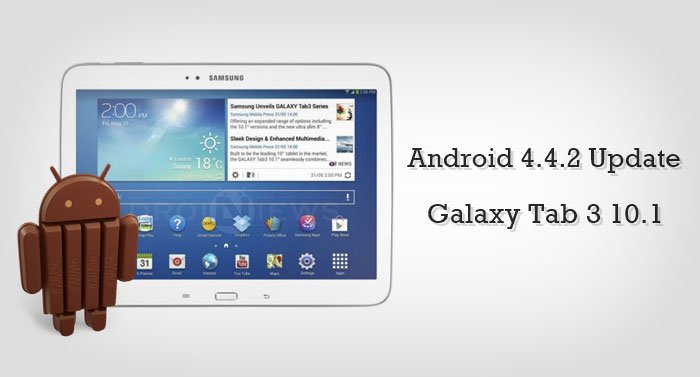
Samsung, the leading Korean smartphone manufacturer is never popular for its update-releasing strategy. Samsung releases a wide range of smartphones and tablets with its Galaxy branding and are most popular among the Android lovers. However, the updates for these devices come at a slight (sometimes far more than slight) delay after the official announcement of the update release from Google. But as a renowned brand, Samsung keeps its promise of releasing updates to its devices sooner or later via the OTA service or Samsung Kies.
The Galaxy tab 3 10.1 got the KitKat 4.4.2 update after a long wait in the world of jellies but with an upper count of about 20 markets, it may take a while for the update to reach your device. Android tinkerers who had already rooted their device and slaughtered their warranty might not see this update, so we are providing the download links for the official firmware and the procedure to install the update manually on your device. So get ready to do a little flashing work with the Odin tool and then you can savor the taste of KitKat on your Galaxy Tab 10.1.
Warning
This guide is intended only for the Samsung Galaxy Tab 3 10.1 with the model no. GT-P5210, not for any other device of Samsung. Be extra cautious when you choose the firmwares as flashing wrong firmwares might result in a bricked device. You alone are responsible for any consequences that might occur during the process, we shall not be held responsible for any damage to your device.
Prepare Your Device
- Charge your Galaxy tab 3 above 60% battery level to avoid shutdowns during the process.
- Enable USB Debugging: Link
- Install Required USB Drivers: Link
- Backup your device storage, Contacts, SMS etc. using Google Sync service or any third-party app.
Downloads
The KitKat update for the Galaxy tab 3 10.1 released in different build numbers for different regions. Download the firmware that is meant for your region from the Samsung updates page linked below:
Download Galaxy Tab 3 10.1 (GT-P5210) firmwares → Click Here
Update Samsung Galaxy Tab 3 10.1 to Android 4.4.2
- Download the 4.4.2 firmware package from the Download link provided above.
- The download file provided is in the form of a Zip package, so extract it to your PC. You should get a file with .tar.md5 format. Don’t extract the Zip file twice, you should use a .tar.md5 file for the guide.
- Now simply follow our dedicated Odin firmware flashing Guide → Click Here
Share your experience with the KitKat flavor on your Galaxy Tab 3 in the comments section below.



what’s region for china ?
0-0
Bro what fimerware is for my galaxy tam 3 P5210XXUAMK7 ? i need a kitkat update !! hel please send me a whatsapp +52 2224484870 for your answer !
hi!
one question, the firmware region is important if my tablet is from mexico?
It’s important only if your device is locked to a carrier. Otherwise, you can install any unbranded firmware.
What is the region code for USA?
In USA, Samsung have a different model. What’s the model number of your Tab?
GT-P5210 – 16 gb wifi version Galaxy Tab 3
Since it’s the unbranded WiFi model, you can install this latest KK firmware: http://samsung-updates.com/details/41347/Galaxy_Tab_3_10.1_Wi-Fi/GT-P5210/AUT/P5210XXUBOB1.html
Wrong. That’s the Belgium version. XAR is the region code for the USA. It’s actually for Cellular South which is the USA version. This is the direct link http://samsung-updates.com/details/36907/Galaxy_Tab_3_10.1_Wi-Fi/GT-P5210/XAR/P5210UEU0CNK1.html. All the different versions for XAR are listed on this page http://samsung-updates.com/device/?id=GT-P5210.
Thank you. I did try and root on kitkat with cf -Root but it failed. Maybe I did it wrong. Do you use odin with cf? And do you know anywere that would have a guide of the download file for cf..I know I ask a lot. Thank you for the help
Will I lose root access if I download kitkat? I have gtp5210 rooted on jellybean at the moment
Yes, you will lose root but you can root it again using CF-root.
Will I lose acess? I have rooted my gtp2510 on jellybean any help/advice would be be greatly appreciated
Hello, thanku you for your tutorial. I have a small problem. Looking for the firmware in you link, I can not find my region (Spain). I looked for SPA or something like that. Also, there are several region EUR… but I have no clear picture which one should I use. thank you in advance
Here’s the firmware for Spain: http://samsung-updates.com/details/38091/Galaxy_Tab_3_10.1_Wi-Fi/GT-P5210/PHE/P5210XXUBNK2.html
You can also try any other European firmware.
Thank you very much. I will try it!