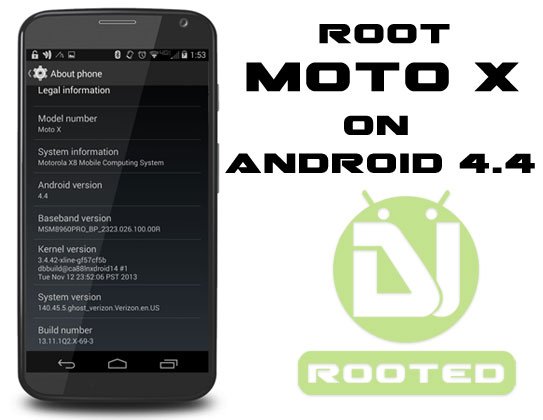
Who could have foreseen that a non-Nexus device will be fortunate enough to receive the Android 4.4 KitKat update just after 20 days of its very release? This is the first incident of its kind in the history of Android. The news of Verizon Moto X getting the latest version of Android a few days back was certainly not welcomed by many Nexus 4 users who considered it their right to get the privilege before any other device. The KitKat update for the Verizon Moto X was shortly followed by the AT&T and T-Mobile variants.
Well, the KitKat update for the phone was really surprising as nobody expected it to hit the scene so soon. However, keeping in mind the very fact that Motorola is now a Google-owned company, things do not look that queer. Anyway, we all love to have a new software update but as we receive it, the fear of losing root keeps hovering our mind. Once a person has tasted the joy of owning a rooted phone or tablet, cannot live a single day happily with a non-rooted device.
If you have the Verizon or AT&T variant of Moto X and you have lost your root by accepting the KitKat OTA, you must be looking for a way to re-root your phone. So here we are again with another rooting tutorial for the Moto X on Android 4.4 (KitKat) stock firmware. As it has been 2 times in the past, the new root method also comes from the same well-known developer Jcase who has released SlapMyMoto. The developer had released a similarly sounding rooting tool for the Moto X called RockMyMoto after the last camera update.
Warning!
Please note that Jcase’s new root method is still in BETA stage and being rather convoluted than his previous methods, might be way hard to follow for basic users. As you know, the more difficult a method, the more risk it involves. You are, therefore, warned not to proceed with the procedure described below unless you are ready to face the consequences.
In case you end up with a phone that does not boot normally, please install the Android 4.2.2 stock firmware back. If you do not know how to install official firmware on Moto X using RSD Lite, head over to our step-by-step tutorial.
And if you are able to achieve root access on your Moto X using SlapMyMoto method, please make sure not to accept any OTA update from your carrier, otherwise, you’ll lose root. So, if you are ready to follow Jcase’s instructions, visit the XDA thread.

Join The Discussion: