
Note: This ROM works on all Galaxy Note 5 variants including the T-Mobile, AT&T, Sprint and Verizon models of the device. You can install the Grace UX from the all-new Galaxy Note 7 on the Galaxy Note 7 with HydROM.
Galaxy Note 7 is right around the corner but the new UI which the Note 7 would be rocking has been in testing for months now. A few Galaxy Note 5 users have been testing the new UI as the beta testers. Although Note 5 may receive an official update to Grace UX, you can enjoy the Note 7’s TouchWiz UI on your Galaxy Note 5 right now by installing the HydROM by Xda developer SirHydarnes.
SirHydarnes has ported the Note 7’s Grace UI for Galaxy Note 5. The ROM is pre-rooted and Debloated. The ROM also includes few of the Galaxy S7 and S7 Edge features. Given below is the feature list of the ROM:
Features
- Based on the latest GRACE UX(N920SKSU2ZPFB)
- Debloated
- Deodexed
- Korean carrier bloatware, apps, and files have been removed
- Multi-user
- Support for all the Note5 variants (read notes)
- 5-Way reboot menu
- Galaxy S7’s Edge features
- Note7 Galaxy Apps(You can download the Note7 version of Samsung apps)
- Some S7 Apps ported(newer ones)
- S7 UI Sounds and ringtones
- De-Knoxed
- And few more
Follow the steps given below try out the latest TouchWiz UI on your Galaxy Note 5. Make sure you have enough juice left in your batteries before starting the installation procedure.
Note: You will have to perform a complete wipe as advised in the steps to follow or you will face some issues with your device. You may backup your applications using Titanium Backup to save their data. Also, you must make a Nandroid backup before performing the wipes, so that you can restore to your previous ROM without any hassle.
screenshots
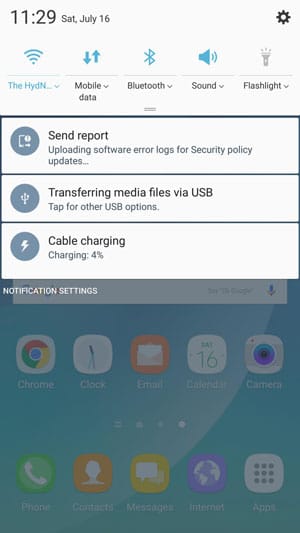
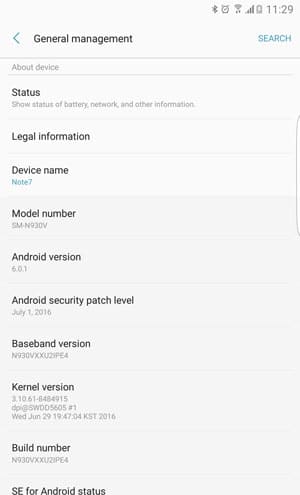
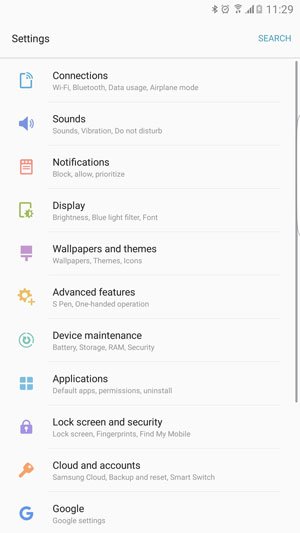
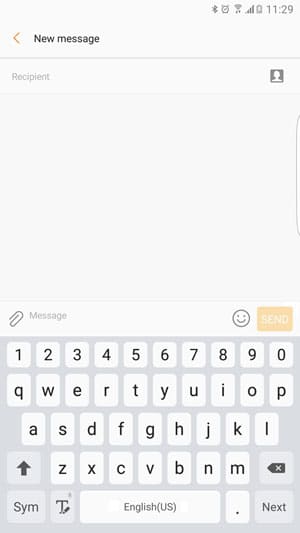
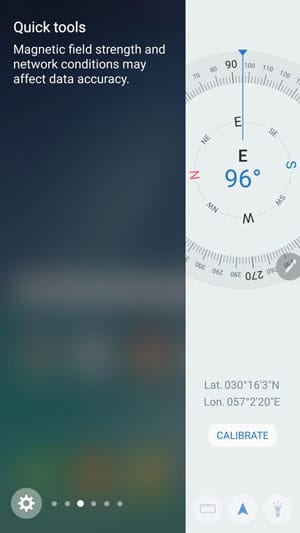
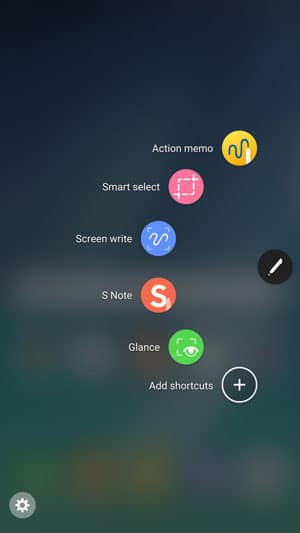
Things You Will Need
- Galaxy Note 5 with TWRP Custom Recovery installed
- The HydROM v1.0.3: [N920]TheHyROMv1.0.3-release .zip
- Root your Galaxy Note 5 and install TWRP
Steps To Follow
Step 1. Download the ROM from the link given above and transfer the zip file to your device’s storage. (Remember the location where you copy the zip file)
Step 2. Boot your device into Recovery mode to start the TWRP custom recovery. To do so, turn off your device then press and hold Power + Home + Volume Down key for few seconds.
Step 3. Once you are in TWRP select Backup and select all the partitions to backup. Then swipe to start the backup process.
Step 4. After the backup process completes, go back to the home screen of TWRP and select Wipe > Advanced Wipe and then select Data, System, Cache and Dalvik Cache partitions. Swipe to confirm the wipes.
Step 5. Now select Install option on the home screen of TWRP and then go to the location where you copied the zip file for the ROM. Select the zip file and swipe to start the installation.
Step 6. Reboot and Enjoy!
The first boot may take about 20 minutes, so be patient and let your device boot. In case your Note 5 doesn’t get past the Samsung splash screen even after 20 minutes, press and hold the Volume up+Home+Power keys together for 6-7 seconds to reboot into the TWRP recovery and restore the backed up ROM.
That’s All! You have successfully installed the Note 7’s Grace UX ROM port on your Galaxy Note 5. Enjoy the new look on your device and do share with us how to do you like the newer TouchWiz UI.
Feel free to drop down your queries in the comments section below.
Must Read: Install OTA Updates on via ADB Sideload & Recovery


im waiting for ur reply
plz tell me i have note 5 n920a i didnot see the root so how i install this rom if u have idea for root so plz give na
Hello friends! can some one help me,i have a SM-N920V (Verizon Note 5) i’m getting bored with my phone, i didn’t find a root metod and i’m stucked in with my stock firmware :(( does this Rom work for my phone? or if i try to flash it may brick my phone. Please Help
Well, for a ROM to work on your phone, you need to have root and a custom recovery too. Unfortunately, you got a Verizon Note 5. 🙁
Does it work on Note 5 AT&T (SM-N920A)?
Yes. Take a ROM backup and install.
Hi!
Does this ROM include the Secure Folder feature from the Note 7?
Nope.
And since the ROM is de-knoxified, am I correct to assume that I won’t be able to use Knox’s private profile feature?
Yes, you are right.
Does anyone of you own this SM-n9200 version?
Hello
I am an enthusiast series owner from Germany. Have noticed that there is a note 7 porting on the note 5, I find class and like it. I would like to flash on my note 5 synonymous. I have the following Note 5 model SM-9200 with 64GB and dual sim. Use a telecom D1 Sim with it. Is this Rome running on my device, I hope so? If not what I have yet for a possibility?
Mfg Frank
Take a backup of you current ROM and give it a try.
Hi, I’m having some issues with the theme store, I’ve installed the Rom from 0, twice, and every time I open the themes app it gets me an advise that my country isn’t supported. Any idea how to solve this, I’m in Mexico (Telcel)
How many hours mobile stay time on in this rom ??
im on sprint note 5 and no matter what i do i cant get it to boot after flashing this rom, it gets stuck on the samsung logo after rebooting. i even left it overnight and i woke to the same dark screen
The doesn’t have any compatibility issues with the Sprint variant of the Note 5. Try flashing SuperSU zip after installing the ROM.
can we get an answer on the calling issue? Im also on tmobile and phones calls are not working. Neither the mic or the speaker. No sound is heard on either end
Not yet. You’ll have to wait until the issue is fixed. Which model do you have?
Same issue with note 5 Tmobile .
I have already installed this Custom ROM. Its really nice really appreciate it. But I’m facing a lil problem with the app like S Health and private mode. The private mode always says “failed to turn on” and the s Health says “Unable to open device compromised due to KNOX 5.0”. I really need both the app and the feature.. PLEASE HELP!!!
Hi, download this zip: https://mega.nz/#!gUhEXKwQ!w9jN73dEe4Xg6GjPi9RY_sjs7bJd6MxrJC9rJTy9LJY
Flash it in TWRP to fix the Private mode issue.
Thank you for your help. Is there anyway I can use my sHealth as well?
No, but it should fix the private mode issue. Since it’s a ROM port, it’ll take some time before all issues are fixed.
anyways your help is really appreciated..
and for the above zip file, all i have to do is flash it right?
will it give me a bootloop??
had some nasty problem
Yes, you just have to flash it.
The ROM installed successfully, but I can’t make calls on it. I can’t hear them and they can’t hear me. Any idea what might be going on? Running on a T-Mobile Galaxy Note 5.
I can’t get it to boot up. Any help would be greatly appreciated. Thanks in advance
Did the installation go fine? Bot into the recovery mode and make a clean installation again.
I did that twice. I’ll try it again and see what happens. I don’t need to change the kernel or anything?
Please note that your phone might take about 20 minutes before it boots.(Has to be like 19 mins on Samsung logo and 1 on Note5 logo), be patient. If for some reason it didn’t boot, press and hold the home key, vol down and power for almost 7 sec until the phone shuts down, then boot into twrp and restore your backup.
I did everything correctly. And it still has not booted. The install goes well. But it just doesn’t boot past the Samsung logo.
Okay, then restore your backup.
Hi, try this: download this: https://mega.nz/#!vQ5H1JgQ!3lxg8CujotL-4Ymi014lT0pktEV-GhzurrhqTpEZ9cE
and flash the file after installing the ROM.
I got it to boot up using a sprint ux kernel. But no network. Saying no sim card or something. But the rom is buttery smooth. Very nice work. Efs data is working. No baseband. Thanks for assistance.
So, install it again and wait patiently for 20 minutes.
Will this work on the Sprint variant N920p?
Yes.
Oh god 🙁 i forgot to move the ROM zip file ,i did the backup and moved it to my pc and deleted it from the device then i did the wipe and realised i didn’t move the zip file so i reboot ow i’m stuck at the note 5 logo what to do????please help :'(
Does the sim network work properly after this update ?
Yes, it does.
Hello. I have a question again.
Would i be able to get the new Android N if i root my phone?
If Samsung releases the update for Android N for your device you will be able to install it. You will have to restore to stock ROM to install the update. Anyways don’t worry we will have the guide for updating your device as soon as Samsung releases the update.
Samsung won’t be sending Android N to the Galaxy Note 5.
If install the Grace UX in my note 5. Can go i go back to normal if i dont like it? Or it have issues?
Yes, you can easily do that. Just take a backup of your current ROM in TWRP recovery. You can restore the backup whenever you want.
Oh awesome.. thanks. One last thing. Will i be able to get system updates from Samsung and my carrier i install grace UX. Like if samsung sends a new update of the grace UX, can i still get it or no?. Thanks
Since it’s a custom port, you won’t get official updates. Moreover, I don’t think Samsung will send the Grace UX update to your device.
Oh okay. Well I’m going to give it a try then. Thank you so much
Btw.. do you have any page on FB?
Yes.
https://www.facebook.com/DroidViews
I won’t get updates but is it possible to just go back to normal (no root ,no rom) then i get the N update?
Yes.
You can also try this: https://www.droidviews.com/download-note-7-launcher/