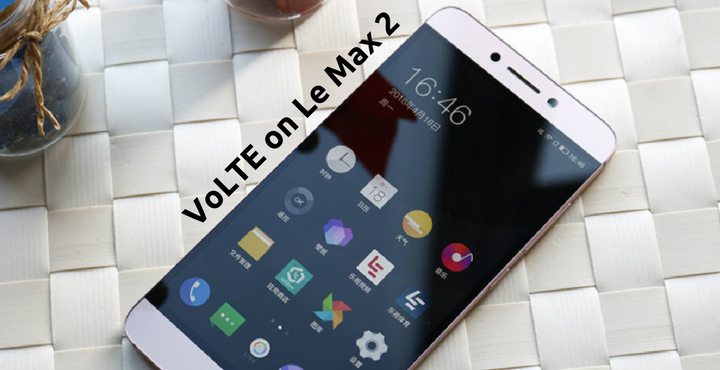
LeEco Le Max 2 is hell of a machine. It packs all the raw power to be a top performer. If it is not for their insane Android Skin, Le Max 2 would have been a winner in all areas. Still, Le Max 2 is by no means a bad phone. Powered by Snapdragon 820 and 6GB of RAM, the phone should take anything you throw at it and handle it pretty well. When the phone was released, a lot of fans were disappointed about the absence of VoLTE support. Today, we will tell you how to enable VoLTE on LeEco Le Max 2.
VoLTE on LeEco Le Max 2:
The Le Max 2 has all the hardware needed to support the VoLTE technology. All it needs is a software update which will enable the VoLTE on the device. Users have been asking for an update since a long time but there are no official statements regarding the same from the manufacturer. Apparently, that did not stop our fellow XDA Forum member shivatejapeddi from making a patch for himself. Better yet, he decided to share it with the world!
Compatibility:
According to the XDA Users, the patch works properly on the below networks so far:
- Reliance JIO, India
- T-Mobile, USA
- Orange, Romania
See the VoLTE on Le Max 2 in action in below screenshots:

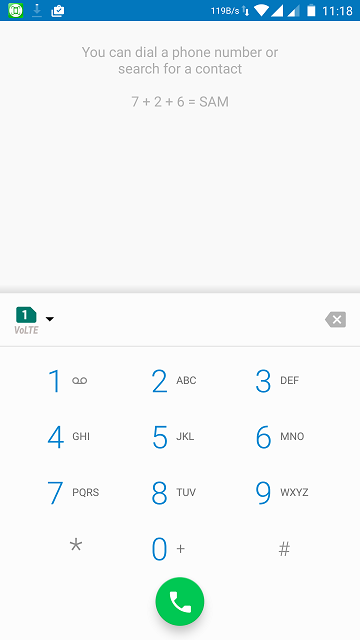
Please note that the ‘VoLTE’ icon does not appear on the status bar. Don’t get confused by it, this method is 100% confirmed to work.
The patch has been tested successfully to work on AOKP ROM for Le Max 2 and a few other users have reported it to be working on other ROMs too. Please make a complete Nandroid Backup of your phone before proceeding.
Must read: How to Install MultiROM on LeEco Le Max 2
Download VoLTE patch for VoLTE on LeEco Le Max 2:
This method needs Root and Custom recovery
Please click below to download the VoLTE Patch for LeEco Le Max 2:
- VoLTE Patch.zip | 386 KB
Enable VoLTE on LeEco Le Max 2:
Follow the below steps to enable VoLTE on LeEco Le Max 2:
- Place the zip file downloaded above on your phone.
- Switch Off your device.
- Reboot into TWRP – Press and hold the Volume Up and Power key until you see the screen lighten up.
- Once you are in the TWRP main screen, tap on ‘Install’. Now you will be asked to select the file. Navigate to the file and select it to install/flash it on your device.
- Reboot your device.
Now, your LeEco Le Max 2 has VoLTE capabilities and you can place voice calls over VoLTE!
If you have any queries regarding this, shoot them below in the comments section. We will look into it!
You may also like: How to Theme Your Android Device Using Substratum



not working on lineage 15.1