All your social media data are stored on the clouds is no hidden secret. But this poses a security risk as well. No matter how well secure your data is stored over the server, one never knows what might happen to the data in the near future. With cases of data leaks and danger of account getting hacked forever looming around, it’s always a safe practice to have your data backed up. Therefore, in this guide, we will be detailing the steps to download your social media accounts data. We will be dealing with Facebook, Instagram, and LinkedIn data. Also, do consider setting up 2-Step Verification for your Google Account on Android Devices.
Download Social Media Accounts Data
As far as LinkedIn data is concerned, its downloading is currently not supported on the Android app. We will, therefore, be heading over to its website to carry out the said task. On the other hand, Facebook and Instagram’s data could well be downloaded through their apps itself. With that said, here are the steps to download your social media accounts data on Android.
Download Facebook’s Account Data on Android
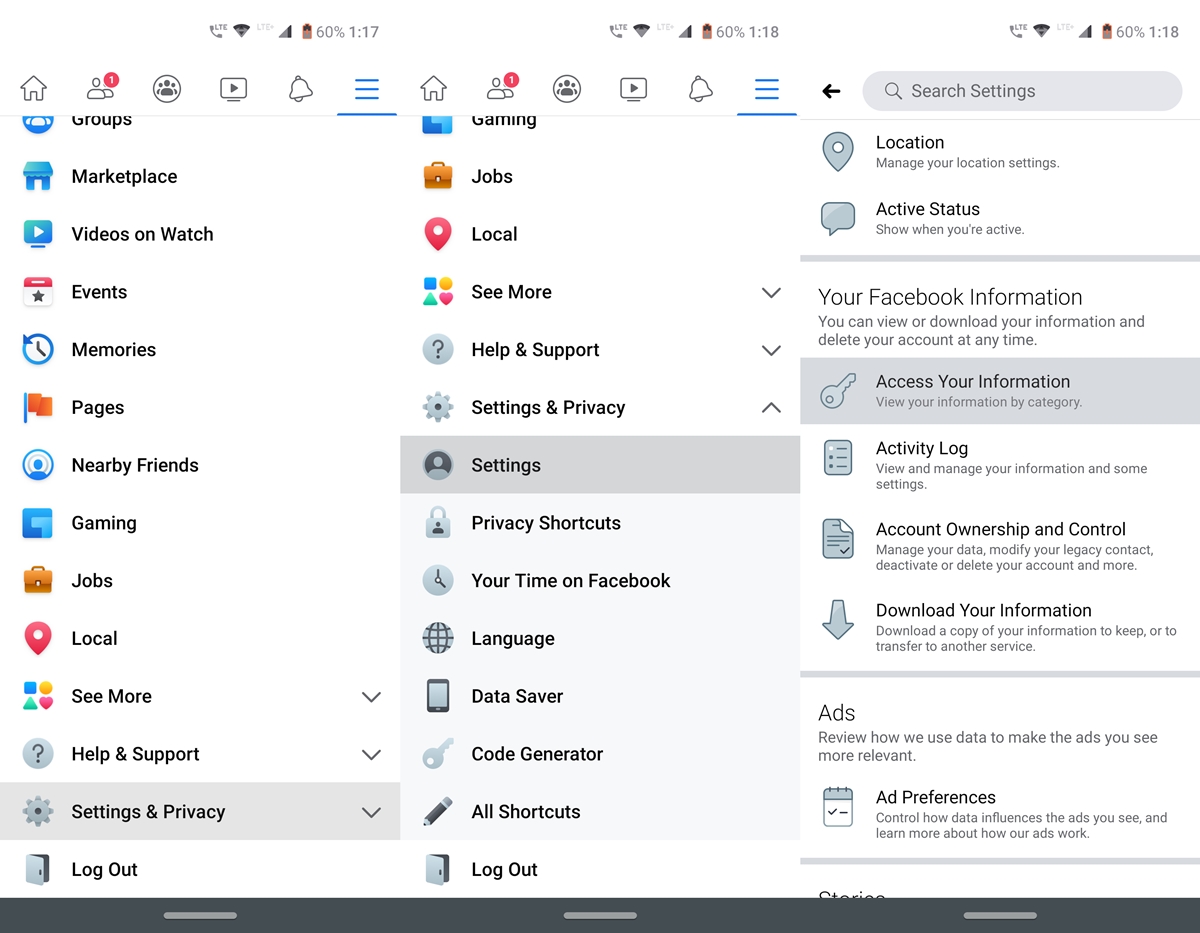
- Head over to the Facebook app and tap on the hamburger menu.
- Go to Settings and Privacy and tap Settings.
- Under the Your Facebook Information section, tap on Access Your Information.
- In the header section, tap on Download your information, as shown below.
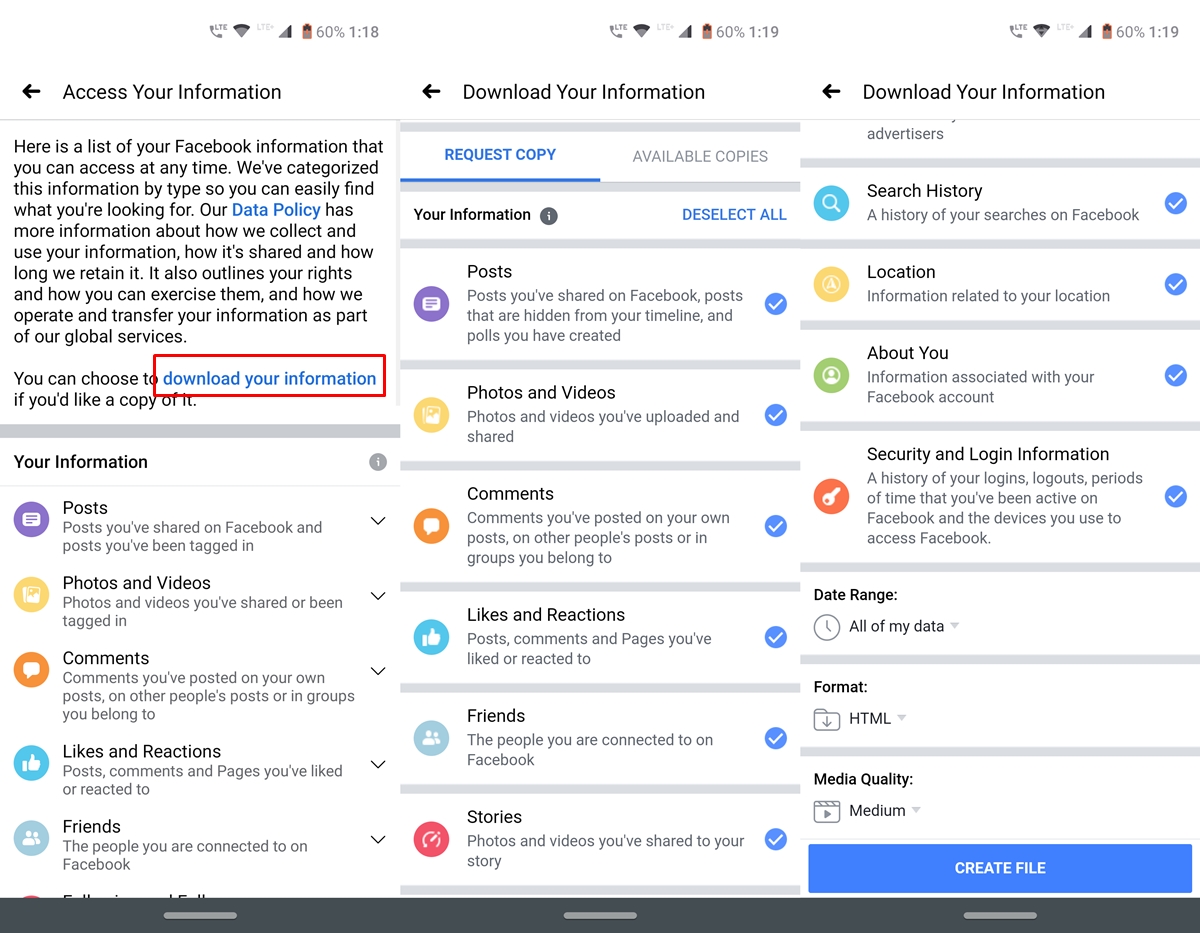
- Next, under the Request Copy tab, select the section for which you need to download the data.
- Scroll to the bottom in order to filter your selection like the date of data to be downloaded, it’s format and the media quality.
- Once you have made the choices, tap Create File. It will definitely take some time depending on the sections you chose for the backup and the backup quality you chose.
That’s it. These were the steps to download the Facebook account’s data. Let’s have a look at how to download other social media accounts data including Instagram and LinkedIn, starting with the former. Moreover, once you have downloaded your Facebook data, it’s time to make your account more secure. Refer to the steps to enable Two Factor Authentication on the Facebook App.
Download Instagram’s Data
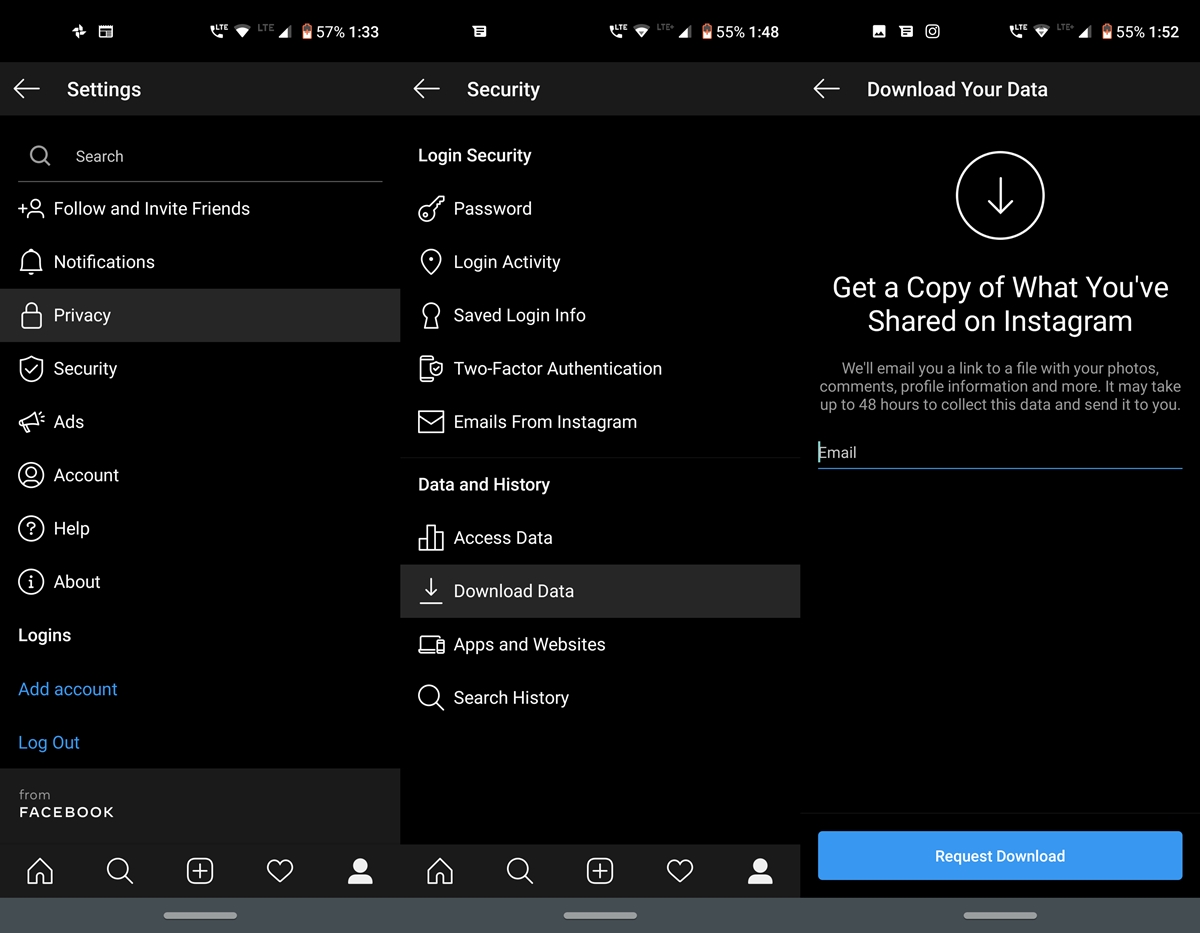
- Open the Instagram app and head over to your Profile.
- Go to Settings and tap on Security.
- Within that, tap on Download Data and enter the email ID.
- On this ID you will be receiving a link to a file with your photos, comments, profile information, and other information.
- Finally, tap on Request Download and enter your Instagram password.
You will now receive the link on your email, Simply open it and download the desired data. Now that we have covered two of the social media profiles, let’s end the guide on how to download social media accounts data with LinkedIn. On the other hand, consider securing your Instagram account by setting up Two Factor Authentication on the Instagram App.
Download LinkedIn Data
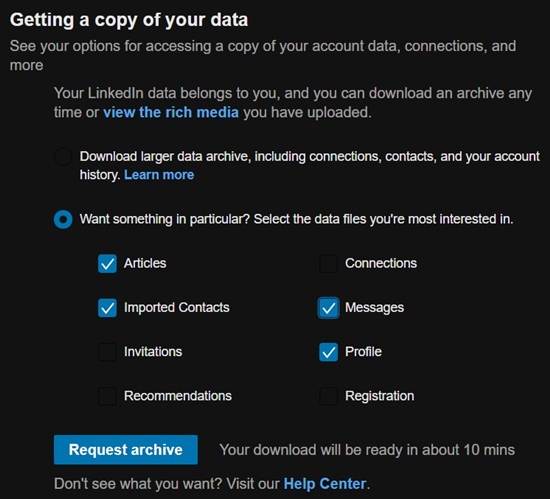
As mentioned, the Linked App doesn’t provide this provision of downloading your personal data. For that, you’ll have to visit its website. Here are the instructions to be followed.
- Open the LinkedIn website and tap on Me. This option should be situated at the top-right bar.
- From the drop-down menu, select Settings and Privacy under the Account section.
- Scroll to the section named How LinkedIn uses your data and click on Getting a copy of your data.
- You now have the option to download all the data at one go or choose the individual section’s data. Once you have made your choice, click Request Archive. That’s it. Now go ahead and enable Two Factor Authentication on LinkedIn App as well.
So these were the steps to download your various social media account data. In this guide, we have covered Facebook, Instagram, and Linked accounts. Do let us know if you wish to know the steps for any other social media platform.



Join The Discussion: