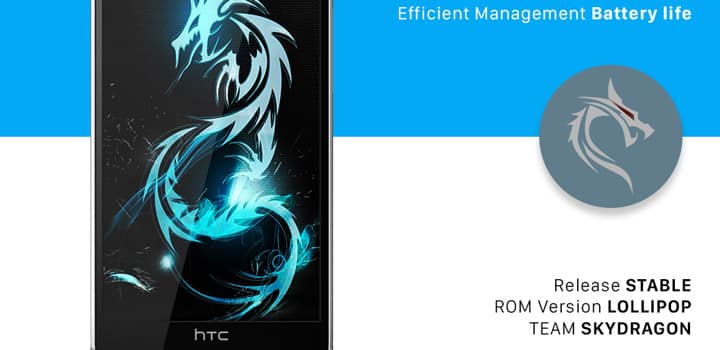
HTC One M8, the former flagship phone from HTC, has been very popular for its staggering specifications with Quad-core 2.5 GHz Qualcomm MSM8974AB Snapdragon 801 processor and comes with Android 5.0 Lollipop. It’s 2 GB of RAM makes it faster than any of its rivals. No doubt this has been a powerhouse from HTC. HTC One M8 comes with HTC Sense UI v6 and not Sense 7 which is found in HTC’s latest flagship phone HTC One M9. HTC brings new intriguing UI with every new flagship phone and this time its HTC Sense 7. It is faster, smoother and comes with attractive new features that make HTC One M9 worth every penny.
If you want HTC Sense UI 7 in your HTC One M8 then it is possible with the latest version of SkyDragon M8 ROM. XDA Forums Contributor Dragonesdenano, who is recognized for its SkyDragon ROMs built for many devices, has ported the HTC One M9 ROM to its latest project SkyDragon M8 Sense 7 Custom ROM.
SkyDragon ROM comes with all new features from the HTC One M9 Sense v7 firmware like Camera UI, icons, wallpapers, themes, Dolby Audio, and lots more. The developers of SkyDragon has made sure that all the features are covered from the Sense 7 UI. Hence, it’s updated all the time for bug fixes, stability, battery drain etc. It has been integrated with AROMA installation and so you can select all the features, apps etc you want and proceed to install. You can find all the projects of SkyDragon for HTC devices on their official website.
Features:
- Customization (themes, icon packs, wallpapers etc)
- Smart widget(out, home, work)
- All new camera UI
- All new picture editor fx
- 4th button option
- Dolby Audio surround
- TouchPal keyboard (to match HTC’s recent keyboard announcement)
- Peel Smart Remote – new TV app
- Restoration suggestion in BlinkFeed
- Peel Smart Remote – Control All
- Built-in BusyBox, AppOps, and Titanium Backup
- Modified Aroma to account for new Sense 7 features
Disclaimer
Rooting and Installing Custom ROM may void your device’s warrant. DroidViews or any of its community member shall not be held responsible for any damage to your device. Reader’s discretion is advised.
Downloads
Download | SkyDragon M8 Sense 7
Requirements
- Be S-OFF ( Security OFF ) and SupercCID. If you are S-ON, you will need to flash ROM boot.img via FASTBOOT commands using Windows CMD.
- Unlocked Bootloader. To Unlock Bootloader, Click HERE
- TWRP Recovery. To install TWRP Recovery, Click HERE
- HTC One M8 (GSM-models for T Mobile US, India, Asia WWE, Hong Kong, 3G UK, Rogers WWE And Bell)
- Backup Your Apps, Contacts, Logs, Messages And Settings
- Install HTC Drivers
- Take a Nandroid Backup of your Current ROM
Installations Instructions
- Download the ROM flashable zip file: SkyDragon M8 v xx Sense 7.zip
- Connect your device to the PC via USB cable
- Transfer the ROM zip file to the external storage
- Disconnect the device
- Power it off.
- Boot into HBOOT mode by pressing Volume down and Power buttons altogether. Using the volume keys highlight Recovery and select it using the power button.
- Your M8 will boot into TWRP recovery mode.
- Tap on Wipe > Advanced Wipe
- Check Dalvik Cache, System, Cache and Data. Make sure everything else is unchecked and swipe the button at the bottom to wipe. Do not check Internal Storage or SD Card
- Once done, go back to the TWRP main screen.
- Tap on Install, browse to the location where the ROM zip file was placed and select the SkyDragon M8 v xx Sense 7.zip
- Swipe the button at the bottom to start the flashing process.
- Once the process is complete. Tap on Reboot and then System.
Once Reboot, you can now enjoy your new ROM. If you have any queries then comment down below.
Bro when i was flash this rom then Gapps is important for the Htc m8 device ?