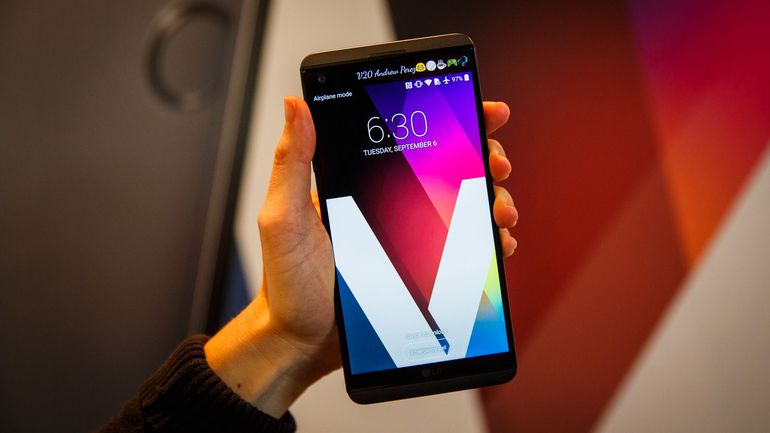
LG V20 the most underrated smartphone of 2016 is a device on which the devs love to work for. There are lots of mods, kernels, boot images, recoveries and ROMs that one can try on this device. However, the more the flashing and rooting stuff are involved, the more are the chances of the device getting bricked. So if your V20 is bricked then don’t worry we have got you covered.
Now, there are other posts and a few different methods to do this. Here I will mention the KDZ method which is the easiest and most reliable method. The information was just very scattered so we decided to step up and compile the information all at one place for you guys. So without any delay let’s get started.
KDZ Firmware are Available for LG
- H990
- H990DS
- H990T
- H910PR
- H990TR
- US996
- VS995
- H918TN
- H915
- H990N
- F800S
- F800K
Navigate to Settings» About Phone. The model number of the device will be mentioned there.
Prerequisites
- KDZ firmware for the LG V20 dual
- KDZ firmware for the LG V20
- Download LGUP_Store_Frame_Ver_1_14_3.zip and extract then install it on your PC
- Download the latest LGMobileDriver_WHQL_Ver_4.0.2 and install it on your PC
Steps to Unbrick LG V20 and Restore it to Stock
- Power off the device (To do so hold Power and click on Power off).
- Plug the USB end of the cable to your PC.
- Then, press and hold Volume Up.
- Next plug in the USB-C end of the cable to your V20 (The device will enter download mode. Now, you can release the Volume Up button).
- Now run the LGUP program (It will recognize the connected V20).
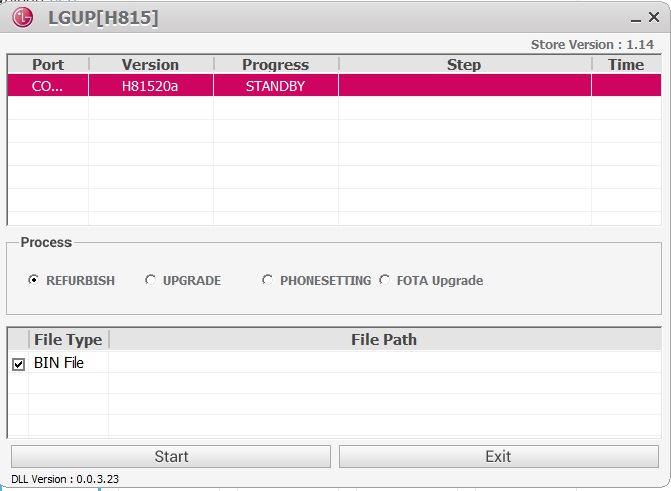
- On the file path click on the three dots and select the KDZ firmware for your device’s particular model.
- Next, select the UPGRADE option.
- Finally, click on Start and wait for the process to complete.
That’s it! The steps mentioned above are all that will be required to unbrick or revert the device to stock. However, if you have any queries or issues related to this post then do let me know in the comments section below. I will be happy to help.

I am trying to factory reset my LG V20 US996 but my 11 year old boy was using the phone last and he does not know his google account info so I’m needing help on either bypassing or disabling the FRP. Will flashing the stock firmware help me to accomplish this and if not do you happen to have any advice or can you help me with my problem? I’ve researched for days now and everything I’ve tried I’ve came up empty handed.
This erase the files in the phone? My phone is stuck in the boot logo
It may wipe your phone’ data.
It wouldn’t recognize my phone, so I had to use Uppercut to get it to work. After restoring the phone it goes through the boot screen and a dead android flashes every 10 seconds 🙁 HELP!
Flash the firmware again.
it didnt work, however the hard reset method fixed it
i plugged my lg v20 and the lg up wont recognize it its a us996 what can I do to fix it?
Have you enabled USB debugging on the phone?
I can’t get into the phone to enable it. Is there any way to bypass it?
So, is your V20 is stuck on the boot logo?
No I bought it off Craigslist and it’s locked up iv tried hard resetting but it ask for Google account info and the person I got it from won’t return my messages
It means that FRP (Factory Reset Protection) has ben enabled on your device. See this: https://www.droidviews.com/bypass-factory-reset-protection-lg-devices/
It may help.