“Beware of little expenses; a small leak will sink a great ship.” – Benjamin Franklin
As you enter adulthood, you realize that budgeting your money is very important. You must be aware of how much you are spending and what’s the requirement of that product or service.
I, being a student, am always short on cash and I am also a reckless spender, as a result, I usually run out of my allowance before the end of a month. Lately, I’ve been trying to control my expense. Therefore, I’ve created my monthly budget and I try really hard to stick to it. See, nowadays, money is just tighter than it used to be. Hence, budgeting is important. Enter Monefy.
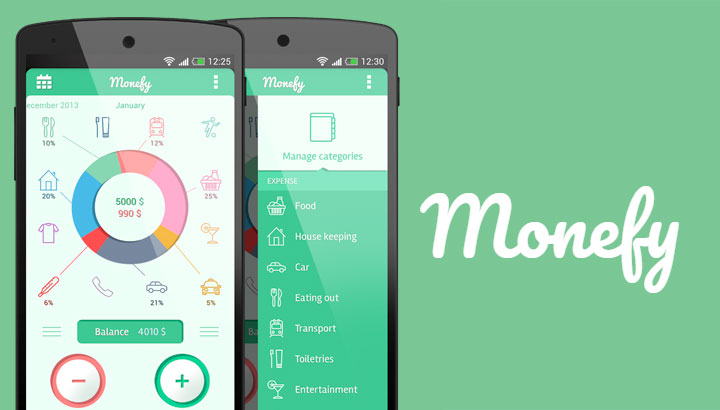
Monefy is a simple expense tracking app with intuitive and easy to use interface. The focus of this app is to make the entry of expenses as easy as possible. All it takes is just one click. Bought a coffee? Enter the amount as an expense. Bought clothes? Again, enter it as an expense.
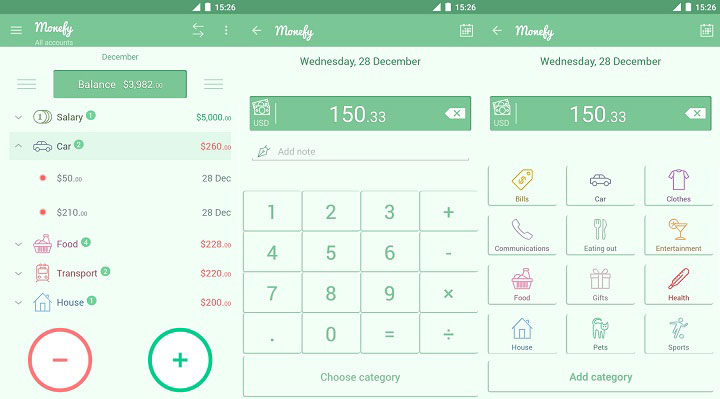
All the functions happen on the main page of the app. This page consists of all the categories of expenses – eating out, transportation, health and medical, food, toiletries, etc. Every time you make a transaction, simply tap the required category and enter the amount.
Also read: Increase Keyboard Height on Gboard Beyond Default Levels
Not only expense, you can also log in your incoming cash to help you sort out your budget more appropriately.
Monefy also lets you create a local backup of your data which can be restored again in case of malfunction or loss of the phone.
I’ve been using Monefy for more than 6 months now, and I feel more orderly and arranged than before when it comes to spending.
The data can be entered in daily, weekly, monthly, and yearly format. All your expenses are shown in a detailed distribution chart on the main screen in order to help you identify your biggest area of expense. If possible, try to cut down a bit in that area.
Monefy doesn’t come with any type of ads but it does have an In-App Purchase option to unlock some premium features. For a purchase of $2.50, you get features like customizable widgets for entering expense from the home screen, password protection, Synchronization of data on multiple devices with the help of Dropbox, creating new categories, and entering expenses in multiple currencies for managing different accounts.
Must read: How to Control Android Devices with Text Messages
[googleplay url=”https://play.google.com/store/apps/details?id=com.monefy.app.lite&hl=en”/]


Join The Discussion: