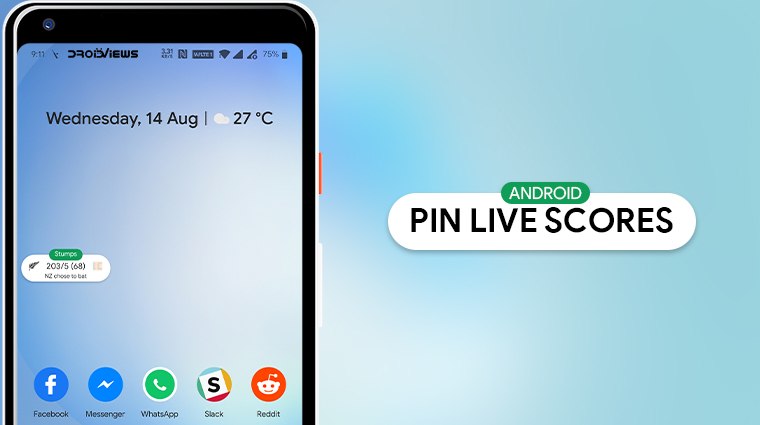
Smartphones are little gateways to a world of information but also much more than that. These days you can even watch live matches on your phone on the go. Sometimes though you really can’t because you’re busy, don’t have enough data, or some other reason. Usually, you’d end up installing a live score app or searching on google. But Google lets you pin live scores of games like football and cricket to your Android device’s screen too. And now, it can do that automatically for you as well.
If you’ve googled cricket scores, live scores for football matches, NBA, tennis, whatever you like, you are probably already aware of the pinning feature. Like floating chat bubbles or chat heads by Facebook Messenger, Google pins a little pill on your screen. This pill contains the live scores in a small, compact, space that you can keep an eye on no matter which app you’re using. Not just the live scores of your favorite sports, you can also pin your favorite websites to your Android’s home screen to access them easily.
Pin Live Scores to Your Android Screen
To get started, first, make sure there is a live match to see the scores for.
- If there is, google the live scores for the match.
- Just below the scores, you’ll see the option to Pin live score.
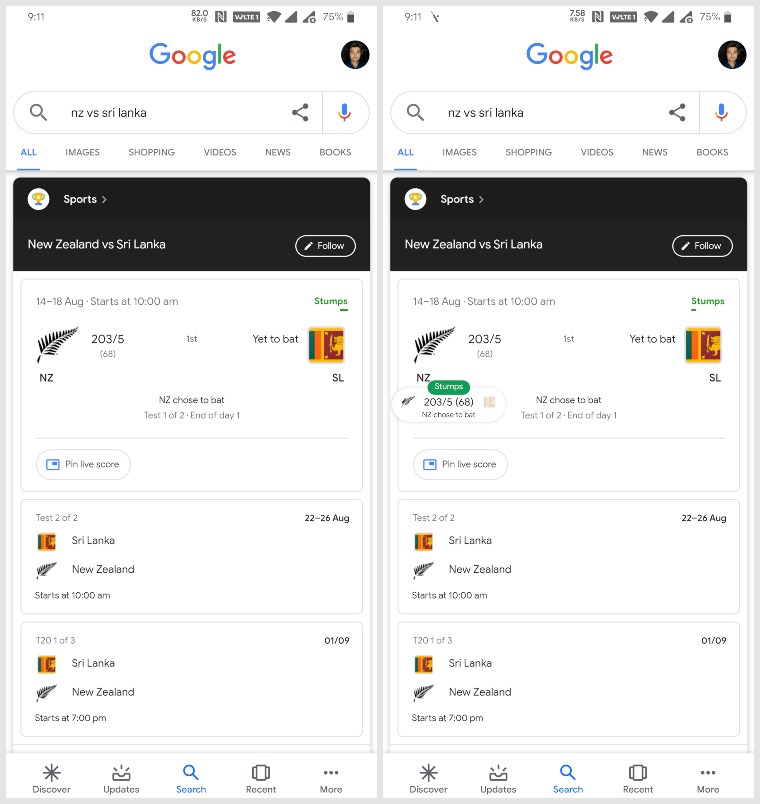
- Tap on it and you’ll notice a floating pill appear on top.
- You can then press home or back and the pinned live score pill stays there.
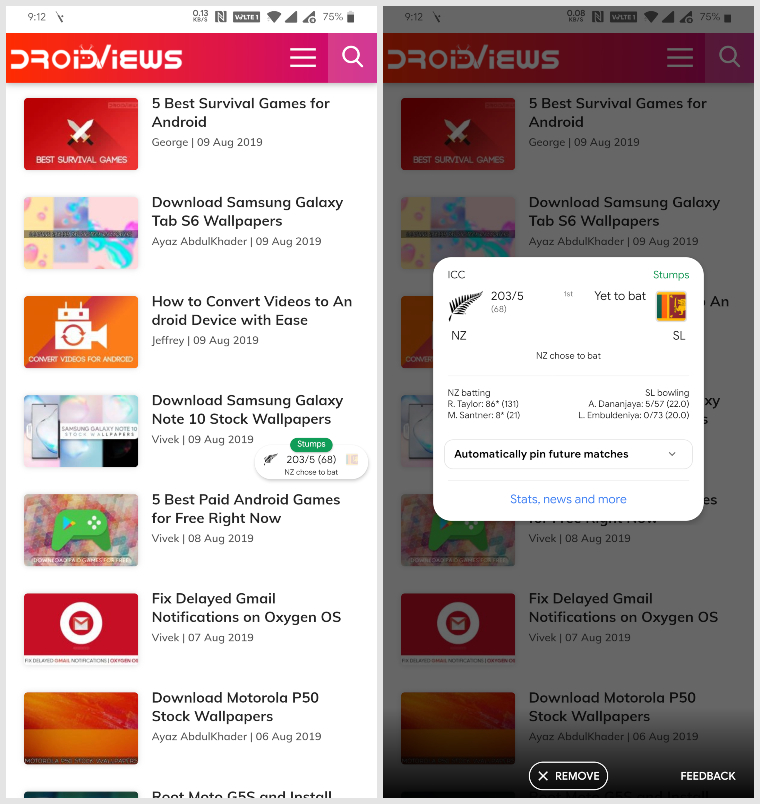
Like other floating bubbles or widgets, you can move the live score pill around to whatever position suits you best. Dragging it down all the way to the bottom of the screen will remove it. Tapping on it expands the pill into a card which carries a bit more info about the match. The expanded card also gives you the option to Automatically pin future matches. This is good for someone who frequently misses them.
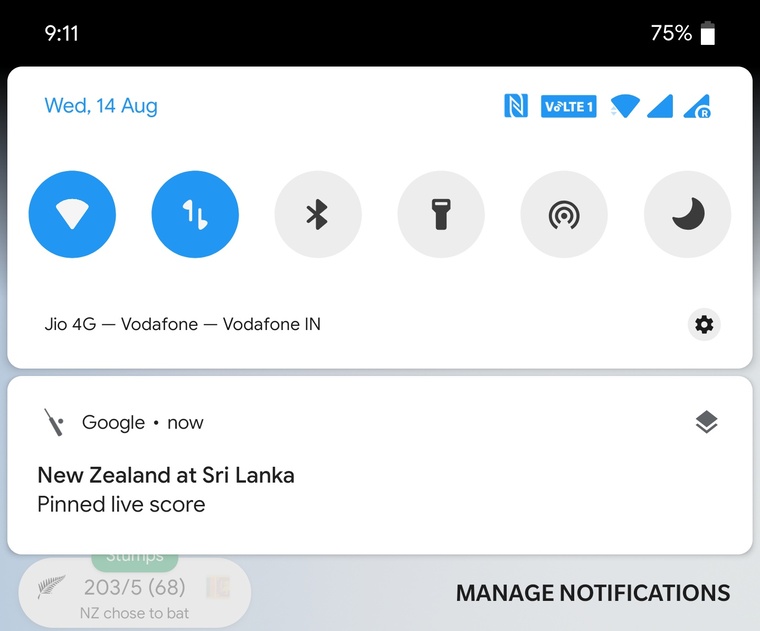
As long as it is pinned to your Android home screen, you will also see a notification about it in the notification drawer. The notification, however, contains no information about the live scores. This is simply an indicator that the live score has been pinned to your screen. Seems a bit unnecessary but it is what it is.
Football season has just started and Cricket season is never over. There are tons of live matches coming your way so make sure you keep up to date with all the football live scores you are interested in.
Read Next: 5 Best Home Screen Widgets for Android


Join The Discussion: