Samsung is known to be notoriously slow to release the latest Android versions for its smartphones. Just a couple of days ago, the South Korean giant released the One UI 2.0 beta for Galaxy S10 series users who signed up for the beta program via the Samsung Members app. The update brings forth a few UI changes and an improved gesture navigation system. Using the One Hand Operation + by Samsung, you can get One UI 2.0-like gesture navigation on any Samsung Galaxy device.
The gestures on Samsung smartphones running on Android 9 aren’t terrible by any means. However, certain gestures such as swiping from the bottom to go a step back aren’t intuitive. With the Android 10 beta update, Samsung has now switched things up with its gestures and users can opt to swipe in from either side of the device to go a step back.
This makes the gesture feel more natural and does not require you to stretch your fingers awkwardly to go back. Thanks to Samsung itself, you too can get the One UI 2.0-like gestures on your Samsung device using an app called ‘One Hand Operation+’.
Get One UI 2.0 Navigation Gestures with One Hand Operation+
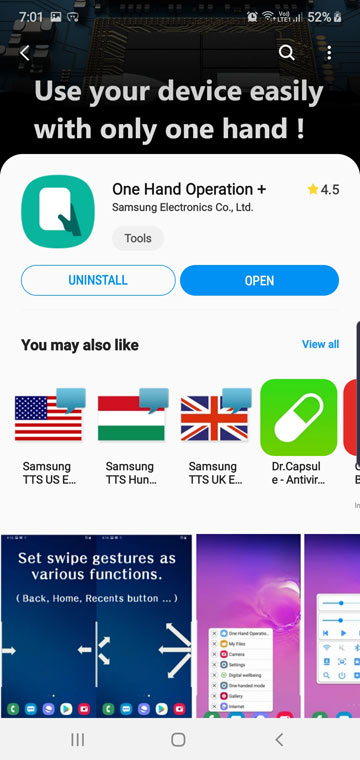
The One Hand Operation+ application is available to download as part of Samsung’s Good Lock app family. The download size is just 2.37MB and can be installed from the Galaxy Store.
- Download and install One Hand Operation+ on your Samsung device.
- Launch the app after installing it.
- Turn on the One Hand Operation+ gestures by tapping on the toggle at the top of the screen.
- You would now be able to see the settings for touch width, Swipe distance, Vibration level.
- Adjust the sliders to your preference by watching the changes to the triggers located at the side which should be highlighted in blue.
You could now use the swipe in for the left or right edge gesture to go back. Although, there’s a lot more you can do with this cool app. For example, you can fully customize both the left and right handle to trigger other gestures, launch the notification panel, open other apps, or each have floating navigation buttons and a lot more.
Don’t Miss: Best Samsung One UI Themes (2019)
Other One Hand Operation+ functions
To customize each handle, simply tap on the text that says Left handle to customize the left edge swipe actions or Right handle to customize the right edge swipe actions. You can even dig deeper and head into the Advance settings. Here you can set App exceptions to disable the gestures in certain apps. This is useful if you play games that require swipe actions from the edges of the screens.

We’ve just scratched the surface here with what you can do with the One Hand Gestures Opertation+ application. You need to check out the app for yourself to fully grasp its potential. Gesture navigation is the future and Samsung isn’t taking it lightly.
Nonetheless, its good to see Samsung release the new Android 10 beta update along with One UI 2.0. The Galaxy Note series is next in line for the beta update. It will receive the beta in the next few weeks if past update patterns are a hint.
Read next: SamFirm – Download Latest Samsung Firmware Directly



Join The Discussion: