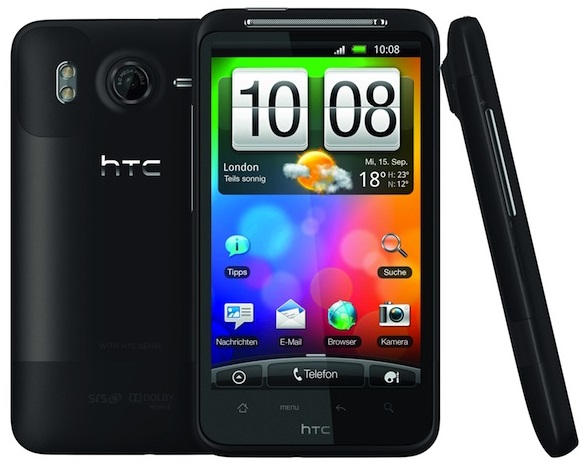
Right yesterday we posted about Jelly Bean 4.2.1 based codefireX ROM on HTC Desire HD which surely tuned up some heat and the Team was blazing fast that they bought two new rapid updates to the ROM; BR3 and BR4 within a 24 hours timeline. The major upgrades come up with BR3 which adds few new enhancements and bug fixes while BR4 adds some more bug fixes to the BR3 release. Perhaps, if you took out time to Install this marvelous ROM on your DHD, you might now want to put some serious upgrades to it.
Now, lets look into what unique innovations have been made recently to these new builds.
Change log for BR3 (Beta Release 3)
- BIG release for optimizations, updates, and fixes
- Fully merged with AOSP master (build ID OPENMASTER, version 4.2.1.2.4.8.16.32.64). TONS OF UPDATES
- Added Interface -> ThemePrefs with color pickers for navbar/status bar & a custom bootanimation install setting
- Added ability to enable power menu user switcher in Interface -> Power Menu
- CFXSettings French translations by pnoire
- QuickSettings: GPS fixes
- Clock: AM/PM fixes
- Better battery led support
- HTC Ace: updated kernel to v1.8 of KangBang-Kernel
- HTC Ace: fixed Settings -> Storage FC
- Jpeg neon optimizations
- Newer bionic cortex-a9 optimized string routines than the linaro-android routines (from the string library)
- ICU4 updated
- Tons of SELINUX updates
- Fixed init.d and ksm permissions/functionality
- Email: Added “Mark All Messages Read” button
- Email: Added Bluetooth PAN features
- Email: added option to use/unuse the LED for notifications
- Email: added security bypass for exchange
- Email: added more refresh intervals
- Better search icon
- Better copy gtalk text functionality
- tons of other changes/ modifications that you’ll probably notice due to the AOSP master merge.
- Didn’t add status bar/navbar transparency due to a major performance hit even while disabled
While BR3 shows some vast diversity in features, BR4 brings a little bug fix to the same.
Change log for BR4 (Beta Release 4)
- Email: reverted clear all button commit to fix Email FC
- Bugs: analog clock widget doesn’t display properly
Doubt on how to Install this update? Don’t worry, we are always here for you. Just follow these simple instructions.
How to Install the updates
- Download the Beta Release 4 (BR4) flash able .zip package.
- Connect your HTC Desire HD to your PC via USB data cable.
- Enable USB Mass Storage mode, this will mount your device’s SD storage to the PC.
- Copy and paste the two downloaded .zip packages; cfx_ace-4.2-BR4.zip to the root of your device’s SD storage (not in any folder).
- Disconnect the device from the PC.
- Power off your device. Now press the volume down + power buttons simultaneously until you see the white bootloader screen.
- Use the volume buttons to highlight “Recovery” and select it using the power button.
- Your Desire HD will now boot into ClockworkMod Recovery.
- Select “wipe cache partition“.
- Go to “install zip from sdcard” > “choose zip from sdcard” > select the ROM package “cfx_ace-4.2-BR4.zip“. If prompted, select “yes” and flash it.
- Select “reboot system now“.
- You have now successfully upgraded your codefireX BR2 to the latest available release; Beta Release 4 (BR4).
To sum up, the Team performs its best to bring you earliest possible and worthy updates. So, you might want to donate the developer for his outstanding work and snappier development.
Further, if you are interested in contributing to the Team’s source code, then you shall visit here.
For more information & tips and tricks for this ROM visit the XDA Thread.
Happy with the new update? Do provide us with your worthy feedback. If you are stuck anywhere during this update or if you have got any queries, comment it out!



maybe silly question but do you need to have jellybean installed to use the above updates?
Well, this is a custom ROM, and can be flashed on GB, ICS or JB. However your phone must be rooted and have CWM recovery installed on it.
I am switching over from ICS to JB. I can download and use this safely ?
Yes, undoubtedly. This ROM shall provide you the best JellyBean experience on your Desire HD.
my phone donot show zip file while selecting zip from sd card
Your recovery might not be able to mount the storage properly.
Have you tried placing it in Internal Memory?
ok i will try but recovery shows all other files on sd card except zip file
Copy the ROM file to the main drive of internal and external memory both and try again.