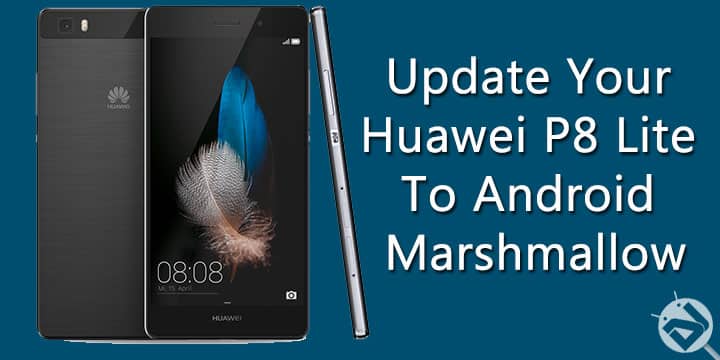
Huawei has become a well-known smartphone brand with many great devices it has launched in recent years. Huawei has become one of the top seller smartphone brands in China and has also increased the share in the smartphone industry globally. Thanks to the Nexus 6P and other budget level smartphones introduced by Huawei in the recent past.
Huawei P8 Lite is a decently specced device, it is a slightly degraded version of Huawei P8. It comes with a with a 5-inch 720p display, 13MP rear-facing camera, a 5MP secondary camera, and a micro SD card slot. The phone is powered by an Octa-core 1.2 GHz processor with 2Gb of RAM. Being released last year the specifications may not too exciting as compared to today’s standards but are decent enough in its price segment. But the exciting news here is that Huawei has released an update for Android Marshmallow.
The update comes with all the new features and changes introduced in the Android Marshmallow. You now get App permissions, Screen recording, new settings, do not disturb mode, etc. Also, Doze mode introduced in Android Marshmallow helps to significantly increase the standby time. The EMUI version has also been updated to EMUI 4.0. The new update feels smooth to use and performs very well, so go ahead and install on your Huawei P8 Lite.
Things You Will Need
-
Huawei P8 Lite ALE-L21
You will need Huawei P8 Lite Dual SIM variant for the update process. Also, you should have the stock unrooted firmware on your device. Also, check the firmware version before starting the update process, you need to be on one of the following firmware version:
- ALE-L21C432B524
- ALE-L21C432B188
- ALE-L21C432B194
- ALE-L21C432B170
- ALE-L21C432B010
- Update.app| Link
Download this file to update you Huawei P8 Lite to Android Marshmallow
Steps to Follow
Step 1. Download the update from the link given above. Now make a folder named “dload” in the root of your internal storage or on your SD card and copy the “Update.app” file you downloaded to this folder.
Step 2. Now open Settings app and go to Update option. Then press the menu key and chose Local update.
Step 3. If you copied the file correctly you should see the file, tap on it and begin the update process.
Step 4. Wait for the process to finish, the phone will Reboot automatically to the latest firmware.
Congrats! you have successfully update your Huawei P8 Lite to the latest Android version, i.e. Marshmallow. Enjoy all the sweetness of Marshmallow on your Huawei P8 Lite.
Stuck somewhere? Leave us your queries in the comment section below, we will try our best to resolve your issues. Also, tell us how well do you like the new update on your phone and how does it perform.



Olá pessoal, tenho um Huawei P8lite e baixei muito bem o ficheiro, mas vem erro na hora da instalação a que se deve?
i have ALE-L21C02B130,what should i do???
Does this work for phones bought in the UK?
Build : ALE-L21C432B183
ALE-L02 ?