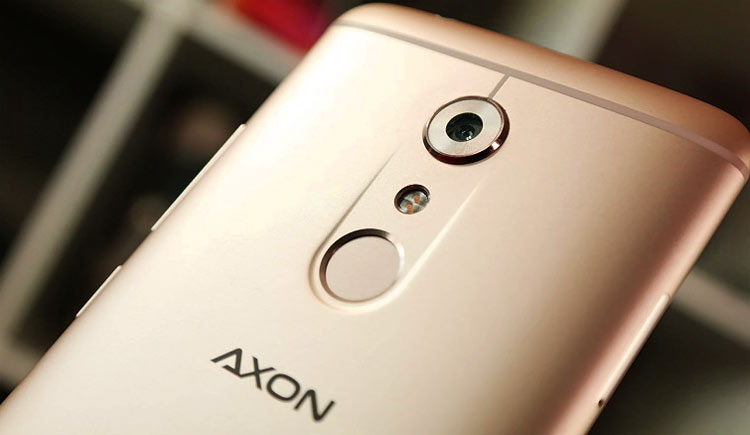
ZTE Axon 7, when launched in June of 2016 was based on Android v6.0.1 Marshmallow. On February 7, 2017, ZTE started rolling out official Android 7.0 Nougat update with firmware Version A2017UV1.1.0B15. Now, those users who have rooted their devices won’t get these over the air (OTA) updates for Android 7.0 Nougat on their ZTE Axon 7. So, what they can do is, to install Android 7.0 Nougat based Lineage OS 14.1 on ZTE Axon 7. But before going to that, let us discuss what actually is Lineage OS?
What actually is Lineage OS?
We all know CyanogenMod is dead. Well, in simple terms Lineage OS is a continuation of what CyanogenMod was. Lineage OS is based on Android open source project with extra contributions by many developers.
The Lineage OS 14.1 ROM which we are going to use here is developed by recognized XDA developer unjustified Dev and is based on Android 7.x Nougat. The ROM Kernel is Linux 3.10.x and the ROM is based on CyanogenMod. The thing which you need to remember here is, this ROM requires Universal Bootloader and Modem packages for flashing this ROM. Now, let us continue with the procedure.
Install Lineage OS 14.1 on ZTE Axon 7
Disclaimer
The procedure described here have been tried and tested by the developer, as well as many other users. By following our post, you agree that you understand the risks involved and will take full responsibility for whatever happens to your device. We have been extremely careful in describing the procedure below and we hope you follow it carefully. We, at DroidViews, are not responsible for anything that happens to your device as a result of following the procedure incorrectly. If you are okay with this, then go ahead with the tutorial. Do remember that this procedure will void your warranty.
Prerequisites
- This method works for ZTE Axon 7 A2017, A2017G, and A2017U.
- Do Charge your device up to 50-60% before starting the procedure.
- Enable USB Debugging and OEM Unlock from Settings-> Developer Options.
- Backup all your important data to your SD Card or PC.
- Make sure you have an Unlocked Bootloader before getting started with the procedure.
- Make sure you have TWRP installed on your ZTE Axon 7.
Downloads
- Universal Bootloader and Modem Packages for your ZTE Axon 7 A2017, A2017G, and A2017U.
- Lineage OS 14.1 ROM based on Android 7.1.1 Nougat for ZTE Axon 7
- GApps for ZTE Axon 7
Installation Instructions
- Download the above-given files and place them in the internal storage of your device.
- The first thing which you need to do is to make sure that your Bootloader is unlocked and you have TWRP installed. If it isn’t, then we recommend you to go through the Unlock Bootloader section of the below-given guide.
Unlock Bootloader, Install TWRP and Root ZTE Axon 7 - Next, turn off your device.
- Boot into the TWRP mode by pressing Power + Volume Down buttons together.
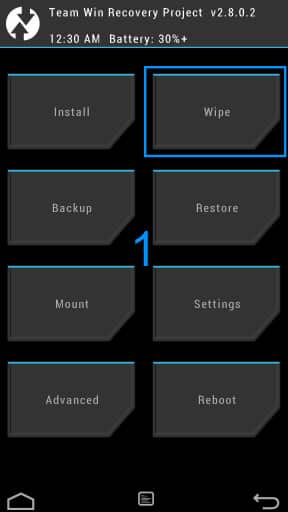
TWRP Wipe - First of all, tap the Backup button and take a backup of your current ROM on an external SD card.
- In the TWRP mode, wipe all data by pressing Wipe-> Advanced Wipe and selecting data, system, Dalvik, and cache as relevant from the below screenshot.
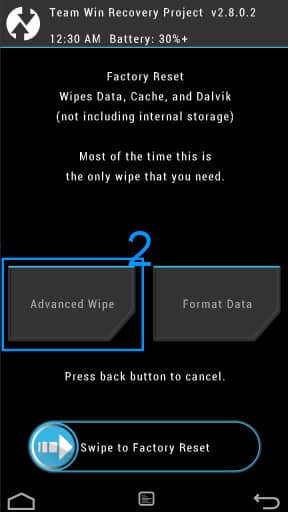
TWRP Advanced Wipe - Swipe to Wipe. This will erase all your data.
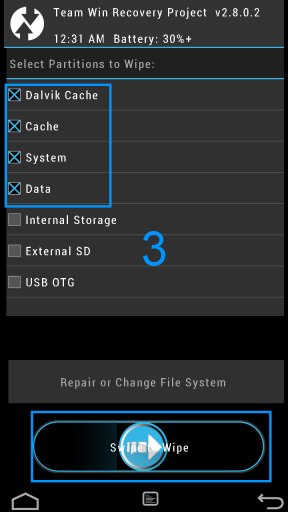
TWRP Wipe all Data - Go back to the main menu of TWRP.
- Click on Install.
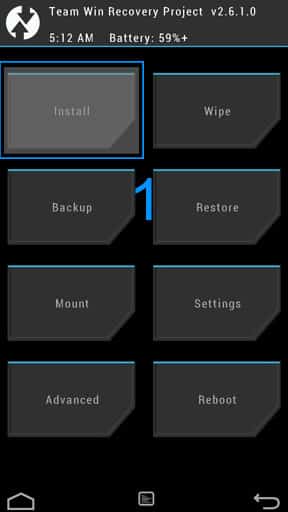
TWRP Install - Select the Lineage OS 14.1 ROM from the internal memory of your device.
- Swipe to install.
- After the ROM installation finishes, again go back to install and choose Gapps from the internal memory of your device.
- After Gapps installation finishes, reboot your device.
- The first boot will take about 10 minutes.
That’s it! Enjoy Lineage OS 14.1 ROM based on Android 7.1.1 Nougat on your ZTE Axon 7.



tried it, but when I installed Lineage OS 14.1 ROM,
I get error:
TZ version TZ.BF.4.0.1-00315 assert failed: axon7.verify_trustzone(“TZ.BF.4.0.1-00315”) == “1”
Anyone know how to fix it?
I faced same issue yesterday. In my case, with a A2017G, I downloaded only the “A2017G_N_Modem” but I was forgotting the “A2017X_B15_Universal_Bootloader”; preventing from patching “lineage-14.1-XXX” with this error 7
I guess it’s too late for you but hope will help others