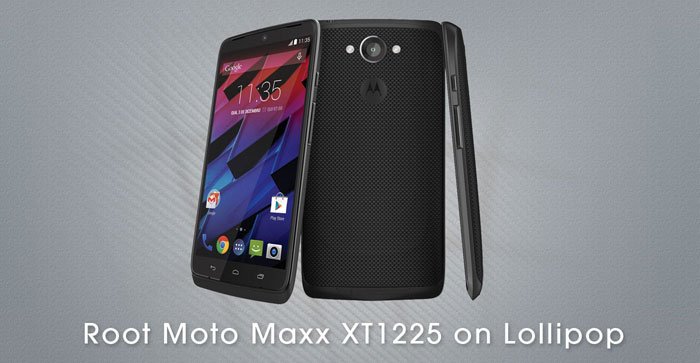
The Moto Maxx was originally launched as the Motorola Droid Turbo exclusively for Verizon users. The device came with an unlockable bootloader due to which it did not receive a working root method for about six month. Just a few months later, Motorola came up with a variant of the phone with unlocked bootloader with a different name. The Moto Maxx is definitely one of the most powerful smartphones that exist at the moment. Let’s see how we can root Moto Maxx XT1225 on Android Lollipop firmware and install TWRP on it.
As it goes in the world of Android, a device with an unlocked bootloader is open to new possibilities. Since such devices are easy to root and ready for custom recovery, you can enjoy the real advantage of the Open Source nature of the OS. By using root apps, Xposed Framework, custom mods and ROMs, you can enrich your mobile experience manifold.
Also see: Install Android 5.0.2 Lollipop on Moto Maxx XT1225
The Moto Maxx has already received the Android 5.0.2 Lollipop update. The old root method that worked on the KitKat firmware does not work anymore. Having updated to Lollipop, you must have lost root access. The good news is that you can still gain root privilege on your Moto Maxx running Android 5.0.2 and install the TWRP recovery on it.
Please note that rooting and installing a custom recovery will void your phone’s warranty. Besides, the procedure described below might prove to be a bit risky. Proceed at your own responsibility. The method has been tested successfully by many users and if you follow the instructions carefully, you will gain root access on your Moto Maxx XT1225 on Android 5.0.2.
Flash TWRP and Root Moto Maxx XT1225 on Lollipop
- Download the Minimal ADB and Fastboot tool: mfastboot-v2.zip
- Download SuperSU root package as flashable zip: UPDATE-SuperSU-v2.46.zip
- Also download the TWRP image file: moto-maxx-twrp-recovery.img
- Download and install the latest Motorola USB Drivers if you don’t have it install already.
- Enable USB Debugging on your Moto Maxx.
- Copy the SuperSU zip file to your phone.
- Extract mfastboot-v2.zip and copy moto-maxx-twrp-recovery.img in the extracted folder.
- Now connect your phone to the PC and launch a command window. Type the following command and hit the Enter key to reboot your Moto Maxx into the Bootloader Mode.
adb reboot bootloader
- When the device is in bootloader mode, open the mfastboot-v2 folder and launch a command window. You can do so by placing the mouse pointer at an empty space in the folder window and then by pressing Shift key+Right-click on the mouse and by selecting the Open command window here option.
- In the command window issue the following command:
mfastboot flash recovery moto-maxx-twrp-recovery.img
- Having flashed TWRP, reboot the device into the recovery mode.
- Tap the Install option in TWRP, navigate to UPDATE-SuperSU-v2.46.zip and install it.
- When SuperSU is flashed, return to the main menu in TWRP and select Reboot> System option.
When your Moto Maxx XT1225 boots up, it’ll have root privilege and TWRP recovery installed on it. Enjoy rooted Lollipop on your Maxx.
Read Also: How to Hide Root on Android and Pass SafetyNet Check

what if i don’t want twrp? can i root using stock recovery?
To flash the SuperSU zip, a custom recovery is required.
can i revert to stock recovery later without losing root?
Yes.
how do i unroot without flashing a stock firmware?
could you please upload the stock recovery?
How to revert to stock recovery after rooting??
for me too, it just shows android in distress icon. If I press power and then Vol UP it goes to moto recovery.
It still boots in to stock fine but even after referring multiple solutions, I could not get it working.
If I do
mfastboot boot moto-maxx-twrp-recovery.img
I could get twrp and flash the root which works.
But TWRP does not get flashed. But I can live with this one time recovery 🙂
any idea whats going wrong?
mine didn’t bricked but going recovery shows nothing but the android icon with an exclamation symbol
quickly press power and then volume up for about one second then release
This worked, thanks noble sir.
🙂
ok it bricked, wont start now, it gets a black screen after the booting image, help…
Restore it to stock: https://www.droidviews.com/install-stock-firmware-on-moto-maxx-xt1225/