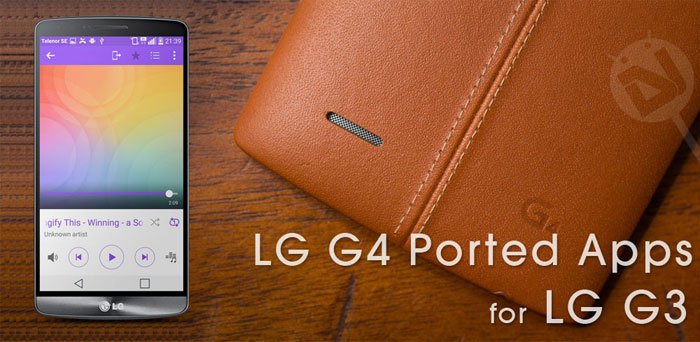
With the incredible launch of the LG G4, it’s no big surprise that the G3 users might feel a little bit uncomfortable. Nobody expected the new LG G4 to have such a rock-solid software, with tons and tons of features to play with. The new LG G4 Home provides the user with a seamless interface. The camera software of the G4 is not only clean, but lets you have access to some astonishing settings, like ISO, and Exposure Settings, all DSLR-like features. The new Music and Video players also bring about a whole lot of changes to the look and feel of the overall UI. If you own an LG G3, you can install the LG G4 ported apps on your old device.
However, this doesn’t mean that the development of the LG G3 has slowed down or stopped. With the coming of the LG G4, the G3 users now have a huge advantage. This advantage is the fact that LastStandingDroid, yet another developer at XDA managed to port the G4 apps to the good old G3. This isn’t the first time we’ve seen anyone porting applications from one device to another. The reason why this port suddenly caught our attention was due to the amazing features that the G4 holds, and now can the G3 users too. So, without any further delay, let’s get right into the guide.
Pre-Requisites
- You need a Rooted LG G3 for this job. Follow the given link for a detailed procedure on how to root your LG G3.
- Also, as you will be required to access the root directories of your G3, you need a root explorer. We recommend File Explorer Root Browser.
- Ensure that you are running on top of the v20L Lollipop firmware of the G3.
- Because installing these ported applications will require you to swap them with the stock ones, we strongly recommend you take a backup of the stock ones first. To do so, navigate to System> App, and rename the applications which you would like to backup to “<appname>.apk.bak”. Also, do the same with the lib folders.
Download LG G4 Ported Apps
Here are all the downloads for the LG G4 ported apps. Once extracted, you will acquire two files, the .apk file, and the lib folder. More on that later.
Instructions to Install LG G4 Ported Apps
- Download the desired app(s) from the above list, and extract them on your computer.
- Open the extracted folders and copy the APK files to your phone.
- Install Root Browser app on your LG G3. Open the app and grant root access when prompted.[googleplay url=”https://play.google.com/store/apps/details?id=com.jrummy.root.browserfree”]
- Go to the APK files you transferred earlier to your device. Tap and hold the APK file and select Copy option.
- Then navigate to system/app/ directory and Paste the APKs one by one.
- Having copied the apps to system/app folder, don’t forget to set/fix the file permissions to rw-r–r– (0644) for each app.
- Repeat this process for each of the applications that you’ve downloaded carefully.
- This might take a while, so grab your coffee while this process finishes.
- Once done, reboot your LG G3 for maximum performance.
Enjoy the ported applications on your LG G3! If you have any queries regarding this guide, feel free to hit us in the comments section below.
Read Next: ApkTool – Decompile and Edit APK (Windows, Mac & Linux)
Credits | LastStandingDroid



hii ,
ive got lg g3 D855 running on stock marshmallow rom ! will these ported apps work on 6.0 ?
They should.
thanks for the reply .. im gonna try the lg cam now !
just one question ( since im new to all this) should we use the camera _config with lg camera app ?
will this work on custom rom running marshmallow?
Yes, they may work.
Does anyone knows if this apps would work on a custom ROM? I just got a G3 but I’ve never been a fan of stock ROMs, so I installed Cyanogenmod right away. Works great but for what I’ve read, the camera app rocks.
After you do all these, how do you run these ported apps? I did follow the procedure and it seem to be okay since I see the changes in the icon but when I clicked on it, nothing happens. Any help…?
Can I use LG G4’s LG home on non LG devices??
What’s the name of the lg camera app in the system folder
i need help i have a lg g3 and a lg l bello d331 i wont to install lollipop o bello but i dont have custom recovery, can u help me ???
I can help you with the G3 but not with Bello.
Can we use the lgg2? Thanks for the help guys
If you got Lollipop, you can try the G4 apps.
See this tutorial: https://www.droidviews.com/how-to-setfix-file-permissions-on-android-devices-a-beginners-guide/
you forgot to say to set the permissions to rw–r–r
Sorry, it was there in the steps but looks like it got removed accidently while editing the guide. The mistake has been corrected. Thanks for pointing it out!