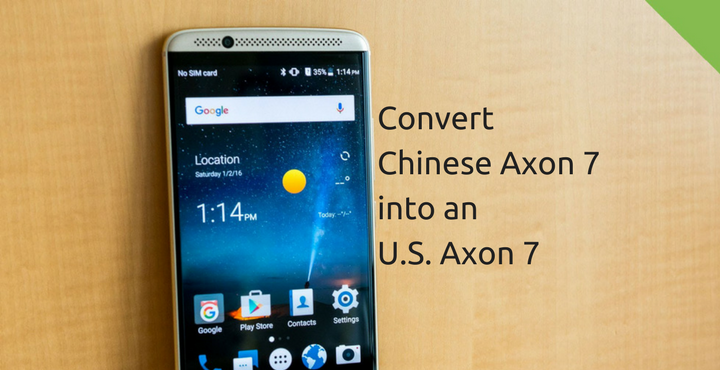
Chinese smartphone makers have been making some impressive smartphones at unbelievably affordable prices. These phones are by no means lesser to the well-known brands such as Samsung, HTC, LG, etc. And these phones should never be called cheap because the term is quite misleading. These phones are very competitively priced and that’s about it. Most of these powerhouses are exclusively available only in China and even if they are released outside of China, it is done on a much later time period. So people tend to buy phones from online Chinese stores. The problem with these phones is the software that comes with that and in this post, we intend to fix this issue in at least one of such phones, the ZTE Axon 7, thanks to the XDA Forum member danromania. If your Axon 7 is a Chinese one and you are looking for a way to convert it into U.S. version, you are in the right place.
Related post: How to Enable Theme Store on ZTE Axon 7
Why Convert Chinese Axon 7 into a U.S. Axon 7?
I know, this question would have popped up in some your minds and it’s all right. I’ll tell you what are the benefits of doing this and you be the judge of whether or not you want to do it. The benefits are:
- Native Google Apps: The Chinese phones does not come with any sort of Google Services due to the long standing issue between Google and the Chinese Government. So you will have to install from 3rd party sources. In U.S. version you’ll get it right out of the box.
- My Voice app in the English language.
- Stock Launcher with app drawer. No app drawer in the Chinese version, sorry!
- No Chinese bloatware. *sigh of relief*
- Much more!
Prerequisites:
- Bootloader Unlocked.
- Root Privileges.
- Custom Recovery.
If you don’t have even one of the above, do not proceed.
Don’t miss: How to Unbrick ZTE Axon 7 and Install Android Nougat Firmware
How to Convert Chinese Axon 7 into a U.S. Axon:
Now that you have more than enough reasons to make this transition, follow the below guide carefully:
- Download the below files:
- Copy the above files to your phone memory.
- Reboot into TWRP Recovery.
- Turn off the device.
- Press and hold Volume Up key and Power key about a few seconds (10 seconds).
- Release all key when Android logo appears on the screen.
- Press and hold Power key for a short while to enter Recovery mode.
- Select ‘Backup‘ and then select Boot, Recovery, Modem, Bluetooth, and EFS.
- When the back is successful, go to Wipe > Advanced Wipe. Select ‘System’, ‘Data’ and then ‘Swipe to Wipe’.
- Go back to TWRP home. Tap on ‘Install‘. You will be asked to choose a file to flash/install. Navigate to and select the file we downloaded above, A2017UV1.1.0B19_StockSystem_by_DrakenFX.zip and flash the same.
- DO NOT REBOOT. This is very, very important.
- Go back to TWRP home and tap on ‘Restore‘ and select the most recent backup (the one we took a while ago). You will be asked the things to be restored. Choose only the following: Boot, Recovery, Modem, Bluetooth, and EFS. Wait for the restore process to finish.
- Go to TWRP home and select ‘Wipe‘ again. Select ‘Dalvik/ART Cache’ (Only that) and ‘Swipe to Wipe’.
- Reboot your phone. It will take 2-5 minutes for the first boot, wait patiently. If the phone boots up successfully, go straight to step 12.
- On the other hand, if your phone is stuck in boot loop, do not worry. Press and hold power button till the phone switches off and the boot into recovery mode. Flash the file ‘no-verity-opt-encrypt-5.1.zip’ which we downloaded earlier and reboot. The phone should reboot just fine.
- Once the phone boots up successfully, reboot again into TWRP recovery and flash the file ‘UPDATE-SuperSU-v2.79-20161211114519.zip’ to get root privileges on your phone.
- Go to TWRP home and select ‘Wipe‘ again. Select ‘Dalvik/ART Cache’ (Only that) and ‘Swipe to Wipe’.
- Go to TWRP home and select ‘Advanced‘ and then tap on ‘Terminal Commands’. Write ‘reboot disemmcwp’ and run it. The phone will now reboot twice.
Congratulations, your Chinese Variant Axon 7 is now a U.S. variant Axon 7, inside and out!
Did this guide work out fine for you? Which one do you like better, the Chinese variant or the U.S. Variant? Let us know in the comments below!
Also read: Unlock Bootloader, Install TWRP and Root ZTE Axon 7 (A2017G)

The chinese version has incorporated the ability to RECORD a phone call.
It can do so either automatically or manually, pressing the button REC during a conversation.
Does the US version has this characteristic?