The security options and features available for android have risen by some noticeable numbers. The fingerprint sensor is the latest and regarded as the best of them for security purposes. However, every android device doesn’t have a fingerprint scanner. Other security options like password, pattern or pin require people to remember it while the fingerprint sensor doesn’t. This is why it is loved so much and is most common among the masses.
Read the newer tutorial: Bypass or Remove Lockscreen on Android without Root
However, there are apps like AcLocker, Next Lockscreen and much more that offers a more customizable lock screen. The app lets the user choose a grid of more than 3×3 in pattern and more than 4 digit pin code. This might give good security but it gets harder to remember them.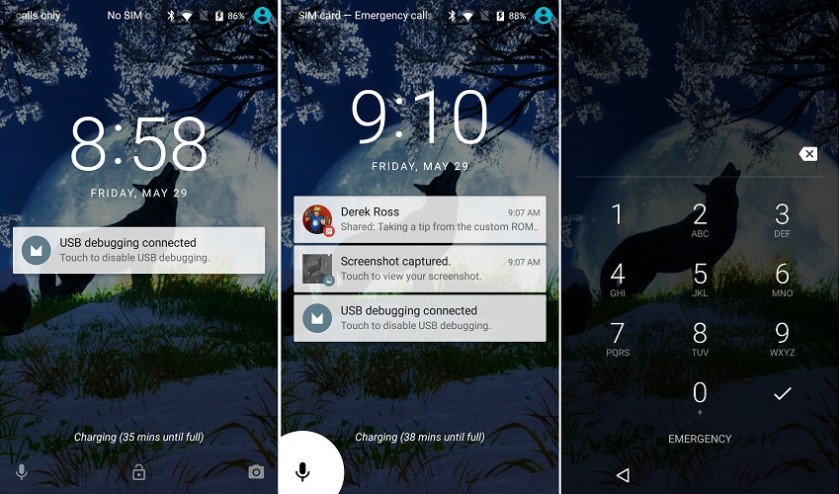
So what if someone forgets his phone’s password? Does this mean that the phone remains inaccessible? Is factory reset, flashing ROM’s, the only option. Well till now it was yes. But I’m glad to say that no need to factory reset and lose important data. Thanks to HMJ-q8 of XDA for finding and developing such a useful method. We can now bypass and unlock any android device without format or any modification of data (settings, media, apps, ROM data, etc). The best part is that this does not require root. I see a smile on the face on non-rooted users.
Lock Screens that can be Bypassed
- Pattern
- Pin
- Face
- Password
Prerequisites
- Make sure you have CWM recovery installed on your device.
- Make a backup of your data.
Warning- We at DroidViews won’t be responsible for any bricked devices, dead SD cards or boot loops. It is totally the reader’s responsibility to do some research before flashing the zip file. However, we ensure that if the reader follows the steps correctly then there will be no issue. These procedures have been tried and tested before posting and works fine.
Steps to Bypass Lock Screen Security on Android
- Download the Lockscreen Fixer.zip file.
- Paste it in your SD card (Use OTG cable, Pendrive or transfer through PC using SD Card Reader).
- Turn off your phone (To do so hold the Power Button long enough).
- Then, boot into CWM recovery (To do so hold Volume Down + Power Button until the logo appears).
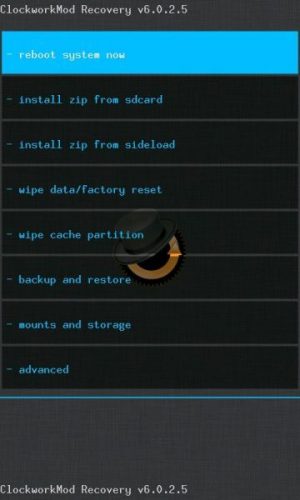
- After that, select Install zip from SD Card (Use Volume Buttons to navigate and Power Button to select).
- Wait for the zip file to be flashed and reboot from the CWM recovery main screen.
First Boot may take a while. This is definitely one of the better methods of unlocking any Android device. After completing the procedure, the lock screen will be set to slide or swipe to unlock. If you face any problem let us know in the comments section below. We will be happy to help.


Join The Discussion: