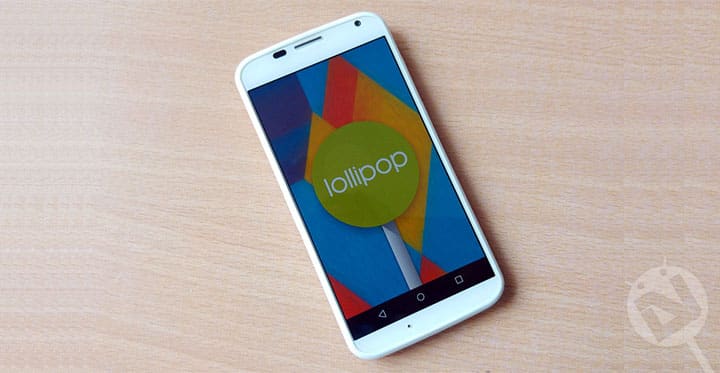
When Moto X was released back in 2013, it completely changed the what we should expect from a mid-range smartphone. With Stock Android experience, decent performance and the Moto Maker, it became the choice for many smartphone buyers.
Motorola had promised quick Android updates to all its smartphone, but unfortunately, Motorola was unable to do so for the Moto X 2013. Motorola didn’t even roll out the Android Lollipop 5.0.2 update for this device. But now the wait of thousands of Moto X users is over as OTA for Android 5.1 has started rolling out for the Asia retail version. Here’s the simple guide for you to flash the OTA if waiting for your device to receive the update is not your thing.
Prerequisites:
- This update is for model XT1052 Asia version
- Your device should have a stock recovery
- Your current System version should be 212.44.26
- Before proceeding make sure you have at least 50% battery on your device
Steps to be followed:
- Download the zip from the link given below.
- Copy the zip file to your phone. Make sure you remember the location of it.
- Now boot into Fastboot mode:
- Switch off your device.
- Now press Power and volume down buttons simultaneously for about 4 seconds, then release them, you will boot into Fastboot mode. This is the Fastboot mode.
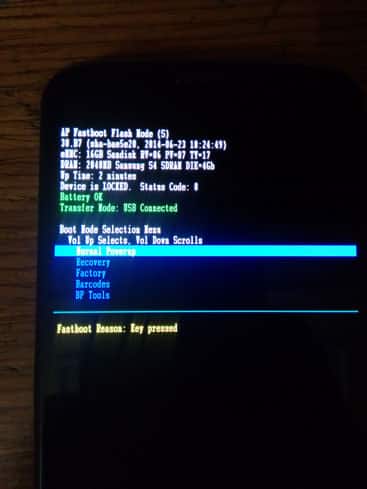
- Now select Recovery using volume down button and then press volume up button to boot into Recovery. (Remember in Fastboot Mode volume Down button is used to scroll down and volume Up button is used to select the highlighted option)
- The following screen will appear.
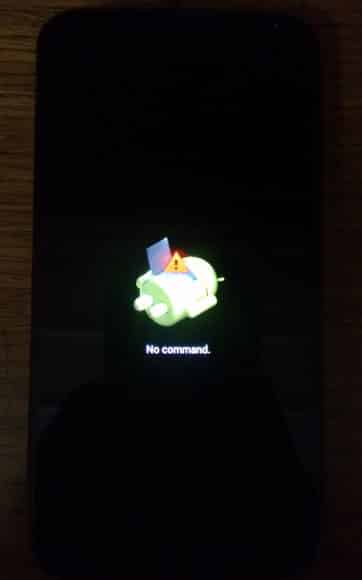
- Now you must press and hold Volume up and Volume down buttons for about 15 seconds followed by pressing the Power button once. Now you will see Recovery options as shown below.
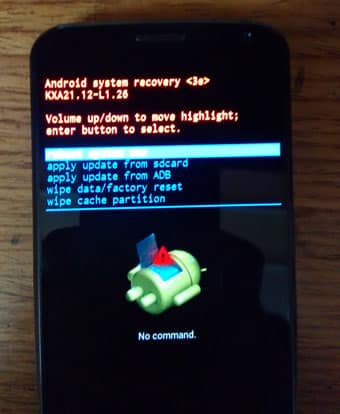
- Now choose the ‘Apply update from sdcard‘ option in the recovery using the Volume Up and Down keys to scroll and Power button to select the option.
- Navigate to the zip you copied and confirm to install.
- Wait for the process to finish and Reboot your device.
That’s all you have successfully installed Android Lollipop 5.1 update on your Moto X 2013. Do ask your doubts in the comments section below.
Downloads:



hello there, i have a Motorola Moto X, XT1058 (AT&T) can any one tell me how to up date my phone to 5.1 lollipop?
Download this OTA zip for your phone:
http://138.201.13.27/direct-download-link/Blur_Version.212.44.26.ghost_att.ATT.en.US.zip
Link added to the tutorial too.
After flashing, it stuck on fastboot logo, i can’t reboot, it always came back to fastboot mode.
hi,i have an imported XT1060 verion unlocked but using it in India now. will flashing this cause any issues or brick the device
Yes this could brick your device. Only flash firmware files meant for your device model only.