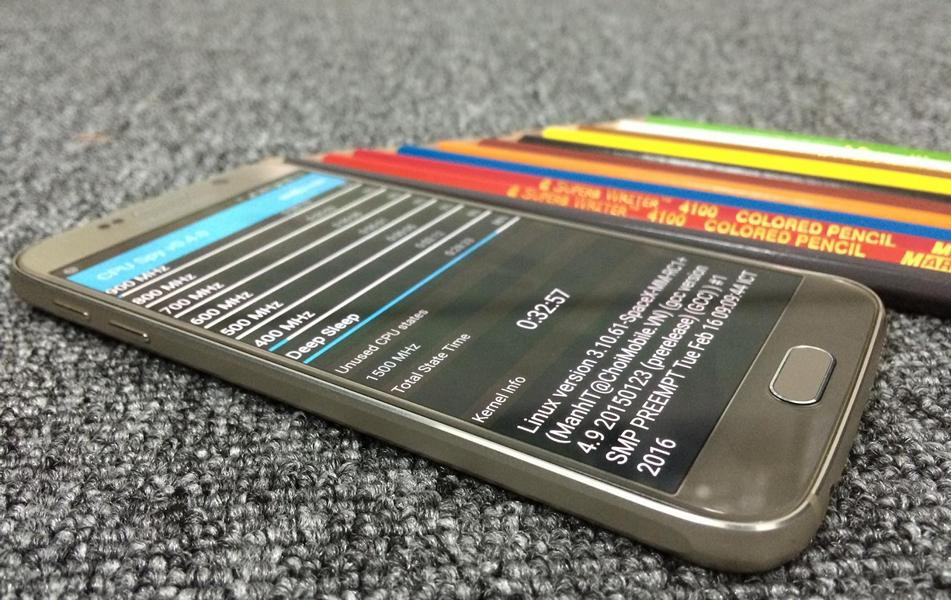
Samsung has started rolling out the much-awaited Android 6.0.1 Marshmallow update to the Galaxy S6 and the Galaxy S6 Edge recently. If you were among the first wave of users who received the update, congrats! For others who cannot wait, we posted a simple tutorial to update the Galaxy S6 or S6 Edge to Marshmallow. If you have updated and want to root your Galaxy S6 or S6 Edge on Marshmallow, we have another simple tutorial for you.
Samsung took a while to update the Galaxy S6 and S6 Edge to Android 6.0.1 Marshmallow. The Korean company had been beta-testing the update over the last few weeks now, but the final release is here at long last. The Marshmallow update brings several new features and performance improvements, including improved battery life and security fixes. If you are still on Android 5.1.1 Lollipop, we recommend you to check for the Marshmallow update manually. Go to Settings -> About Device -> Software Update to initiate an update check. If Samsung has made the update available for you, go ahead and download it. Otherwise, you can follow this tutorial to flash the Marshmallow update manually.
Now that you are on Marshmallow, you can use apps like SuperSU or Superuser to enhance your experience. Note that this is a fairly complex thing to do – if you do not understand what root or SuperSU is, we recommend you to stay away from it. If you are still interested, make sure you read our article about benefits and risks of rooting.
Root Galaxy S6 And S6 Edge Android 6.0.1 Marshmallow Update
Supported devices
- SM-G920F/FD
- SM-G920I
- SM-G920S
- SM-G920L
- SM-G920K
- SM-G925F/FD
- SM-G925I
- SM-G925S
- SM-G925L
- SM-G925K
- SM-N920C
Pre-requisites
- Odin 3.10.7 – download here
- SuperSU 2.65 – download here
- SpaceX kernel – Galaxy S6 | Galaxy S6 Edge
We cannot stress this enough – make sure you have backed up all your data before you proceed any further. Additionally, rooting or modifying your phone’s system will void your warranty.
Root Galaxy S6 & S6 Edge Marshmallow Update
Extract Odin from its zip and install it on your computer. From the above links, download SuperSU 2.65 on your phone to root it after flashing the custom kernel.
- Now, turn off your Galaxy S6 or S6 Edge.
- Press and hold these three buttons – power, volume down and home. This should boot your phone in Download mode.
- Now, connect your phone to the computer and start Odin.
- In Odin, click on AP and select the appropriate kernel file depending on your phone – S6 or S6 Edge.
- Click on Start to flash the kernel on your phone.
Once the process is complete, your phone will reboot. After it’s done booting up, install the SuperSU 2.65 APK to enable root.
Source: XDA


Hello guy’s.. any idea how to fix “Kernel is not seandroid enforcing” for S6 Edge+ SM-G9287c. please i really need help.
See this: https://www.droidviews.com/fix-recovery-is-not-seandroid-enforcing-error-on-samsung-galaxy-devices/
can you send me a download link how to root S6 edge + “(SM-G9287C)” Thank u very much to you help 🙂
If you are using Odin, try a different version of Odin.
I followed all of the steps but i got a message “Custom Binary(BOOT) Blocked by FRP Lock….please help. I have a SM-G920T if thi method doesnt work for my phone, could you show me the steps?
same here
i have !!!How to Root Samsung Galaxy S6 Edge SM-G925P on Android 6.0.1 Marshmallow!!! can i use this root
I have G920P, can I use this root?
No.
hi Rakesh. How can i install TRWP on my s6 edge canadian version?
how to check if i have a locked bootloader and if so, how to unlock it?
you seem to know a lot so any help will be appreciated
Thank you
Can I use for G920A?
No, it works only on the folowing models: SM-G920F/FD
SM-G920I
SM-G920S
SM-G920L
SM-G920K
SM-G925F/FD
SM-G925I
SM-G925S
SM-G925L
SM-G925K
SM-N920C