
Motorola has started rolling out the Android 6.0 Marshmallow update for the Moto E 2015 edition. Users in India have been reporting that the update is now being seeded to users. This update brings several important features to the Moto E, like Doze and App Standby that improve battery life to a great extent.
The Moto E 2015 is the second generation of the highly popular entry-level smartphone from Motorola. It comes with a 4.5-inch display, quad-core Snapdragon 410 processor, and 1 GB RAM. It also has a 5 MP camera on the back and a VGA camera on the front. The phone is powered by a 2,390 mAh battery. Motorola launched it with Android 5.0 Lollipop, so it is good to see the company releasing such a major update in a timely manner.
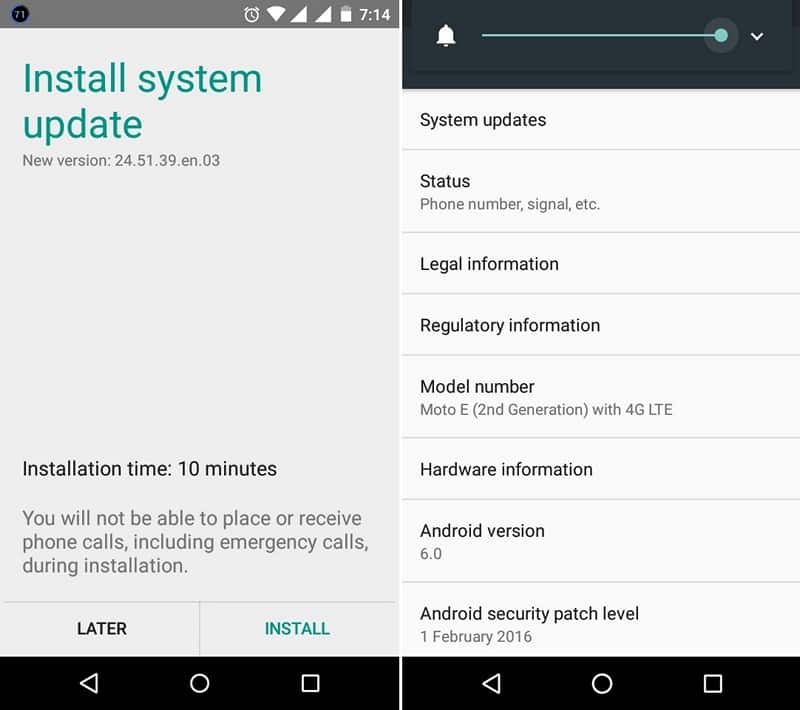
The Moto E is receiving the Marshmallow update in a phased rollout, so if you don’t see the update just yet, don’t worry. Our step by step guide will help you install the update easily. The full image is nearly 700 MB in size, compared to the OTA which is 454 MB.
Install Marshmallow OTA Update on Moto E
Prerequisites
- Moto E Android 6.0 Marshmallow update – download here or here.
- Motorola Drivers – download here.
- Motorola Fastboot – download here.
- Minimal ADB – download here.
Additionally, we recommend you to backup any and all data you have on your Moto E to your PC.
Installation
There are two approaches to installing the Marshmallow update. We are going to list them both, so choose any one of them to install the update.
- Turn your Moto E off.
- Now press and hold these two buttons – Power and Volume down. Keep holding them until the phone vibrates and boots into the bootloader.
- Extract the Minimal ADB zip downloaded above.
- Extract the downloaded Marshmallow firmware to the same folder as Minimal ADB.
- Hold down Shift and right click on empty space in this folder. Select “Open Command Prompt”.
- Now enter the following commands
mfastboot oem fb_mode_set
mfastboot flash partition gpt.bin
mfastboot flash bootloader bootloader.img
mfastboot flash logo logo.bin
mfastboot flash boot boot.img
mfastboot flash recovery recovery.img
mfastboot flash system system.img_sparsechunk.0
mfastboot flash system system.img_sparsechunk.1
mfastboot flash system system.img_sparsechunk.2
mfastboot flash system system.img_sparsechunk.3
mfastboot flash system system.img_sparsechunk.4
mfastboot flash system system.img_sparsechunk.5
mfastboot flash modem NON-HLOS.bin
mfastboot erase modemst1
mfastboot erase modemst2
mfastboot flash fsg fsg.mbn
mfastboot erase cache
mfastboot erase userdata
mfastboot erase customize
mfastboot oem config carrier vzw
mfastboot oem fb_mode_clear
- Alternately, you can use a .bat file to automate it. Place the MotoEFlashAll.bat file in the same folder as the firmware and run it.
Once the process is completed, your Moto E will reboot automatically.



Does it work for xt1526 ??
Does this work for xt1524?
Download and install this file: https://firmware.center/firmware/Motorola/Moto%20E%20%282nd%20gen-2015%29/Stock/XT1524/XT1524_SURNIA_VFEU_6.0_MPI24.65-39_cid7_subsidy-DEFAULT_CFC.xml.zip
Thanks buddy gonna try it now will get back to you
just tried with the method outlined and device stuck on the moto loading screen :/ there wasnt a sparsechunk 5 btw in the file
Dude so sorry, massive brainfart moment, rebooted phone and all is sorted running marsh 6.0 you are literally a legend keep up the good work
does it works for a verizon model?
No, it’s only for the XT1521 model.
any way to bypass limits and upgrade Verizon Moto E 2nd Gen to Marshmallow / Android M ?
Download and install this: https://firmware.center/firmware/Motorola/Moto%20E%20%282nd%20gen-2015%29/Stock/XT1521/XT1521_SURNIA_RETASIA_DS_6.0_MPI24.65-39_cid7_subsidy-DEFAULT_CFC.xml.zip