If you’re an Android enthusiast, you’ll definitely know the importance of having a stock firmware at hand. The prime reason is to restore a bricked device or to perform a clean installation on your device. In case of Samsung devices, finding stock firmware is very easy and flashing them is much easier. Samsung users can obtain stock firmware from many trusted sources like Sammobile & XDA-Developers. Once you have the stock firmware, you can simply flash it using the famous Odin tool for Samsung.
Samsung stock firmware comes in the form of either .tar or .tar.md5 packages and can be flashed simply. However, you need to be very careful with the tiny little PIT file if present in the firmware package. The PIT files are very dangerous but sometimes they’re the last resort for your miseries. The PIT file in a Samsung firmware contains the partition information of the device and Odin uses it to map the partitions while flashing the firmware.
Most of the times, the PIT file is not required for flashing the stock firmware through Odin tool. However, in some special cases, you need to use the PIT file to re-partition your device during the firmware flashing. In case if you’ve messed up with your device’s partitions, you’ll need a correct PIT file to recover your device. Finding a correct PIT file is not easy unless you got it in a stock firmware package. If you’re willing to get your hands dirty, you can extract the PIT file from your device (or from someone with the same device) using the below guide.
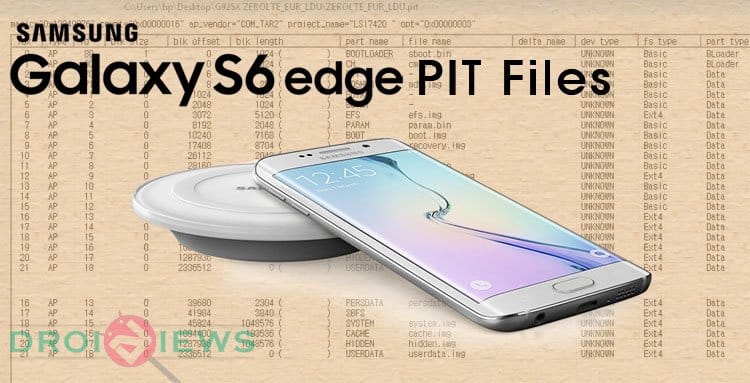
If you’re a proud Galaxy S6 Edge owner, you’re at luck as danieldmm of XDA has shared a wide range of PIT files for Samsung Galaxy S6 Edge variants. Download the appropriate PIT file for your Galaxy S6 Edge device based on the model number of the device. PIT files are available for following variants of S6 Edge:
-
International S6 Edge
- SM-G925F
- SM-G925I
- G925i_ZEROLTE_AUS_XSA.pit
(Would work with S6 Edge units for Latin America, Singapore, India and Australia)
- G925i_ZEROLTE_AUS_XSA.pit
-
USA S6 Edge variants
- AT&T (SM-G925A)
- Sprint (SM-G925P)
- T-Mobile (SM-G925T)
- Verizon (SM-G925V)
- US Cellular (SM-G925R4)
-
Canada S6 Edge (SM-G925W8)
-
Korean S6 Edge (SM-G925K/L/S)
- ZEROLTE_KOR_OPEN.pit
Would work with all three S6 Edge variants in Korea.
- ZEROLTE_KOR_OPEN.pit
-
China S6 Edge (G9250)
These PIT files will supposedly work with any storage capacity unlike in olden days where we have to choose the PIT file according to the internal storage capacity. So, as long as the model number of your S6 Edge is same, it doesn’t matter if you have a 32GB/64GB/128GB device.
Once you’ve downloaded the appropriate PIT file for Samsung Galaxy S6 Edge, download the latest version (3.10.x) of Odin from here. In the Odin tool, load the firmware in the AP column or choose the appropriate files in each column if you’re using a multi-file firmware. In the PIT tab, load the PIT file and start the flashing process.

If you’re new to Odin, check out our exclusive guide on flashing firmware using Odin tool from here.


I soft bricked my phone with a bad kernel and i am trying to reflash to stock but i keep getting a fail so i tried the pit file but it still wont work.
Please help
you should flash the exact stock
firmware.