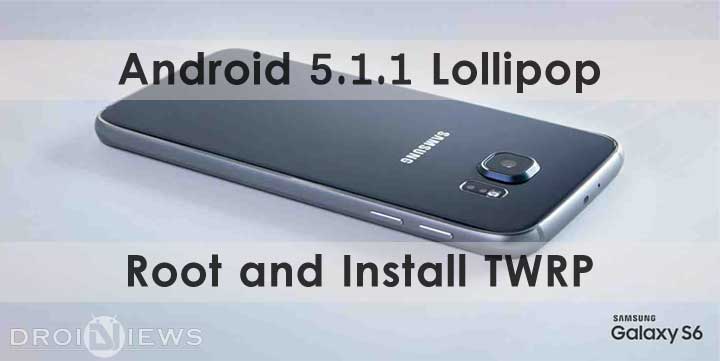
The Samsung Galaxy S6 which is the latest flagship device from the Korean giants has been receiving firmware updates for an Android 5.1.1 upgrade. This has been a huge step for the company who has often been criticized for delaying firmware updates for its flagship devices.
The 5.1.1 update which was first released by T-Mobile in the US, is now officially being seeded to almost all the other variants as well as the international models. The 5.1.1 update brings you the ability to remove some of the toggles from the Notifications drop-down panel such as Quick Connect and S-Finder which weren’t that frequently used. Along with RAW support, lower ISO values and manual control of the shutter speed to the camera sensor there is also a huge improvement in the TouchWiz interface. A lot more emphasis has been given on Material Design in the elements. And most importantly Samsung has fixed the RAM leak.
But one of the many drawbacks of the 5.1.1 during the time of the release was that it wipes away the root and custom recovery installed on the device. But after extensive efforts by xda developers bigbiff and g.lewarne, we finally have a working method to obtain root privileges using the S6 UniKernel. It has a built-in auto-root which grants you permissions to use root applications such as Titanium backup etc. Along with root you also get the ability to install TWRP on the Galaxy S6 running 5.1.1 Lollipop.
Mind you there are a few kinks here and there, so follow this guide to every word and you shouldn’t have a problem.
Preparations
Before we begin as usual you’ll need to ensure a few things first.
- Confirm you are using Samsung Galaxy S6 (SM – G920XX, XX changes depending on carrier/location)
- Enable USB-Debugging from Developer Options in the Settings menu.
- Make sure that you have at least 80-85% of battery.
- Ensure you have all the necessary USB Drivers installed on your PC (Download from here).
- Download the Odin flashing tool and extract the downloaded zip to your PC, so now you have 10.6 folder: Odin3 v3.10.6.zip
- Ensure you have a backup of all your personal data.
- For Contacts, Calendar and People details use Google Accounts Sync to backup
- For Apps and App Data check out our detailed post.
Downloads
Downloads these Odin flashable flies and keep them on your desktop.
S6 UniKernel: Download
TWRP 2.8.7.1: Download
How to Root and get TWRP
Using our detailed guide on How to Install Stock Firmware on Samsung Galaxy Devices Using Odin
First, flash the S6_UniKernel_v2-0003-ODIN.tar file and let the device boot up.
Next repeat the same steps for the twrp-2.8.7.1-zeroflte.img.tar file.
IMPORTANT: Don’t allow your phone to reboot into system after the Odin flash. TWRP is being overwritten. Boot to recovery immediately ( by holding Volume Up + Home + Power key) after the Odin flash.
First Boot Issues
You have to wait, during the first time the phone will boot loop for like 3-10 times and then boot normally. Just let it do its thing. This is a minor kink in the procedure at the moment which will be resolved in the
And you are good to go, you have successfully achieved root access and installed TWRP recovery on your Samsung Galaxy S6 running Lollipop 5.1.1!
If you faced any problems during boot up or flashing do let us know in the comments section below.
Can you post a video demonstrating this? I got the kernel to flash successfully, but after flashing the TWRP recovery, it would get stuck at the S6 logo with the red line at the top left “Recovery is not seandroid enforcing”. I had to use KIES to recover my phone