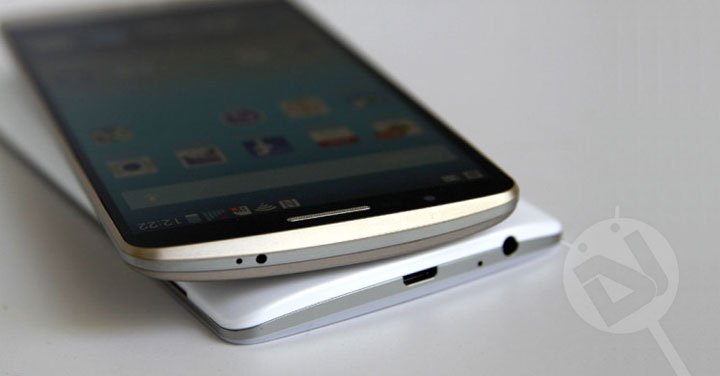
In this digital arena, we all tend to love the gadgets which allow you to connect to Internet and make things easy for you. Internet connectivity has become the epicenter of the smart devices development over the past decade. With the exponentially growing technological trends, many gadgets are popping up like crazy with Internet connectivity as one of the major targets. So, now you’ve got a bunch of devices that can connect to the Internet and make you feel like you’re on top of the world. However, no one is dumb enough to buy separate data plans for each and every device.
In most cases, all the devices are connected to a WiFi network either at home or at the office but the main issue comes when you’re on the move. Every smartphone is capable of acting as a portable hotspot to share mobile data when you’re on the move and believe me, it’s a lifesaver. However, the carrier locked device owners can do nothing but cry when they come to know for the first time that they can’t freely share his data pack to other devices. It’s not that you can’t share your data pack to other devices, you have to pay for the tethering charges separately if you want to enjoy this feature. Corporate greed, Isn’t it?
I firmly believe that ‘Data is Data, no matter how you use it as long as you pay for it.’ We have covered many tutorials on how to enable WiFi hotspot on carrier locked devices and today we will cover the AT&T LG G3 D850. So, without any further ado, let’s see how we can enable the native WiFi hotspot feature on AT&T LG G3 using these simple workarounds. The only catch is that you need to root your device before proceeding with the below tutorial. (although nhusby of XDA claims it will work without root) So, if you haven’t rooted your device yet, follow the below link to root your AT&T LG G3:
Prepare Your Device
- Charge your AT&T LG G3 above 60% battery level to avoid shutdowns during the process.
- Enable USB Debugging: Link
- Install Required USB Drivers: Link
- Set up ADB drivers on your PC or download and extract the Minimal ADB and Fastboot tool on your PC: mfastboot-v2.zip
- Backup your device storage, Contacts, SMS etc. using Google Sync service or any third-party app.
Enable WiFi Tethering on AT&T LG G3 D850
- Navigate to the folder where you’ve extracted the ADB and Fastboot files and open a command prompt by pressing Shift + Right click on any empty space inside the folder, and select Open command window here from the context menu.
- Connect your device to the PC using a USB cable and make sure the device is detected by the PC. If not, reinstall the drivers on your device and try again.
- Enter the following command in the command prompt and press Enter. Grant root permissions if prompted.
adb shell settings put system tether_entitlement_check_state 0
- That’s it, WiFi tethering is enabled on your device. To check if the tethering is enabled, you can search it using a simple grep command
adb shell content query --uri content://settings/system | grep tether
- To enable/disable the WiFi tethering on your device, go to Tethering & Networks in your phone’s settings and enable Mobile Hotspot.
So, enjoy your mobile data on other devices as well without any restrictions. Let us know of any queries in the comments section below.

Will this trick work for zte maven3 at&t unlocked phone?
Confirmed, Phone doesnt need to be rooted. Works on unrooted as well
thanks for above trick,For me i checked in rooted at&t G3 D850 working fine with no issue in first attempt and again i would say thanks to developer team.
This works on unrooted phone as well. LG G3 D850 AT&T version. Confirmed working, just install both USB drivers for your phone and the Google USB drivers when prompted in adb set up. All will work like a charm. Thanks man! you brought my phone to life!
Thanks for your feedback! Glad to know it worked for you.
Confirm this works on unlocked LG G3 D850 without rooting (running 4.0.1). Had to use adb-setup-1.3. To clarify for future users, you need to install both the USB drivers for your phone and the Google USB drivers when prompted by adp-setup. Great guide. Thanks!
Thank you done and working on my G3 running @ 4.4.2 🙂 farazalipk@gmail.com Good Work
Glad to know! 🙂
Naveen,i have an AT&T LG G3 D850,I have to run the hidden menu through shortcut master app,then in the lte rat selection start playing with the options gsm,wcdma,wcdma/gsm etc…I can make it run on 3g and 4g after a while,but when I turn it off,starts in Edge mode and have to start all over again for connecting it…my carrier Movistar Venezuela works with the same bands on my d850…..can you help me with this little problem?
This actually worked. This is THE ONLY thing that worked. His instructions are a little weird and unclear for someone not familiar with this, but this is incredible. It works perfectly. He left out a lot, I had to combine it with a video from Youtube about how to install drivers on a G2 believe it or not, and that helped me figure it all out. I did the last step and got an error. Somehow, the phone had turned USB debugging back off. I reenabled it, copied and pasted his little tag line and nothing happened visibly on the screen. But then I installed portable wifi hotspot and it worked perfectly!! No more “call 611” ATT error!
Thanks for the appreciation, Brandon!
thanks!!! 😀 it work great
Is there any way to enable this native hotspot in Sprint LG G3 with Stock Lollipop??
Graet solution! I did it and work
Thanks!
Whenever I try to turn on “Hotspot and USB Tethering on my LG G3 phone, it returns with
this message “Authentication was unsuccessfull. There is a temporary network problem that prevents the
enablement of the Mobile Hotspot function.please try later.”
Don’t know what to do. Can anyone help me out?
When I saw this on a video, it was because the guy didn’t have a SIM card installed.