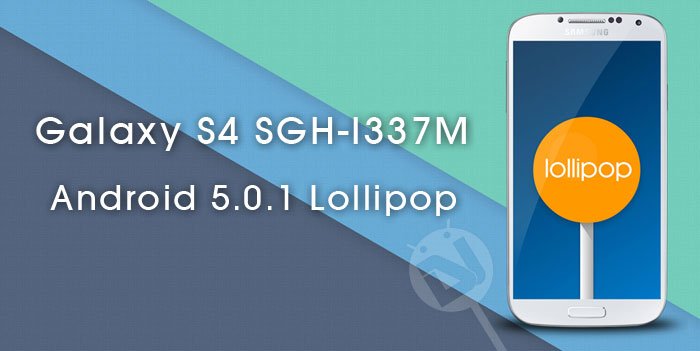
Having the privilege to enjoy a specific version of Android that’s available to only 3% users of the OS might certainly make you feel like belonging to the classes rather than masses. The Android Lollipop, the biggest update the OS has gone through yet, is enjoyed by the smallest userbase.
The new update brings a complete overhaul in terms of the user interface and features. The UI has now been upgraded to the new Material design from the old Holo one. Eye-catchy and cool animation, use of bright and soothing colors, and the perfect blend of ease and performance make Android Lollipop a thing desired by all.
Because most Android OEMs ship their devices with customized versions of the OS, it sometimes takes much time before they integrate the new iterations of the OS into branded UXs. Anyway, It really feels good when the manufacturers release new updates for the older devices. Having pushed the Lollipop update for it newer flagships, Samsung has finally grown serious about the Galaxy S4.
Yes, if you own the Canadian variant of the Galaxy S4, that is SGH-1337M, you should not be alarmed with the news of the Lollipop OTA release for your device as it’s already being rolled out for quite some days now. If you have not been able to receive the OTA update notification yet, you can request it manually by going to Settings> About> Software update. Please note that if you reside outside your country or have installed custom software on your devices, you might not receive the OTA. In that case, you’ll have to install the Lollipop firmware on your Galaxy S4 using Odin.
The Lollipop update that’s is being served at the moment bears the build number I337MVLUGOC4 and you can download the new firmware for carrier-branded devices from Bell, Rogers, Telus, Virgin Mobile, Sasktel, Koodo Mobile and Fido Mobile.
Warning
The firmwares provided below are strictly for specific Galaxy S4 models from the mentioned carriers only. Flashing it to other devices might brick your device. We shall not be responsible for any damage caused.
Download Lollipop Firmware for Galaxy S4 SGH-I337M
Fido Mobile Galaxy S4 SGH-I337M
Virgin Mobile Galaxy S4 SGH-I337M
Koodo Mobile Galaxy S4 SGH-I337M
How to Install:
Installing the stock firmware on Samsung Galaxy devices is pretty easy. If you have ever used Odin, you probably don’t need any tutorial for the same. However, if you are new to Android or not so techy, follow our detailed tutorial to flash the Lollipop firmware on Galaxy S4 SGH-I337M.

you have to send me the link of CyanogenMod 13 for Galaxy s4 I337m Model jfltecan Please if meajudarem will be very grateful!
Same here..
is this international version
No, it is for the Canadian model.
How about S4 i337M Claro
Not available! 🙁
I flashed a custom ROM by synergy.. Cyanogen 13.. For S4- SGH-i337M.. It worked.. It has 6.0.1 Marshmallow.. 🙂
what about the life battery, is it ok?
Yes. It has rather improved.
i have a galaxy S4 i337M , how i can instal the lollipop ?
Search for Cyanogen 13 for s4 i337M canadian, and you will get the details.
how i can do it
Le 29 nov. 2016 19:36, “Disqus” a écrit :
Can you tell the name of the carrier?
As for CyanogenMod ROM, you must have root and a custom recovery to install a custom ROM.
My carrier is Claro, Yes, it requires root and custom recovery to install the ROM.
Thank you for this, Rakesh. I didn’t even realize that Lollipop was available for my device until I stumbled on this. “Optimizing app 144 of 239”. Yeah, I hope I don’t end up geeking out for very much longer… it’s Friday night!
Will have to Telcel-México?
It’s not out for your carrier yet.
Very bad phone frd be careful
Hey quick question. Will I have to root my phone again, after updating with Odin, or will it retain root access?
It won’t retain root.
I bought my phone unlocked in Canada, and I rooted it. I want to unroot using one of these firmwares but I am not sure which carrier the S4 was with originally. Does it matter which carriers firmware I use?