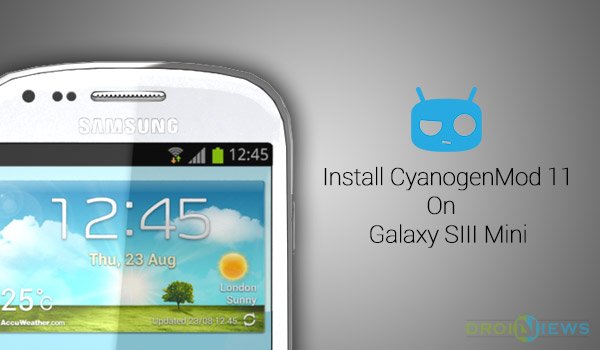
One of the major aspects that every user considers while buying an Android-based smartphone is the support of future updates. The S3 Mini is a miniature version of the Samsung Galaxy S3, supporting a decent hardware of 1GHz Dual-Core Cortex-A9 processor, Mali-400 GPU, and a 4-inch super-AMOLED screen. The device is a complete package of features at an affordable price.
Unfortunately, due to dropped support by Samsung, the S3 mini won’t be receiving any update for Android’s latest firmware version a.k.a KitKat 4.4. We can’t claim the OEM, yet we’re not behind to get our device supported with the latest software. The question now is “How?”, we will Install KitKat 4.4.2 on Galaxy S3 Mini using CyanogenMod 11 ROM. The CM11 ROM for the Galaxy S3 Mini is brought to you by NovaFusion. The developer releases daily nightlies containing the latest and updated code from the CyanogenMod Github, as well as a few additions of his own to make the ROM the better and the best for the S3 Mini.
ROM Features:
- Complete CM11 features
- CPU Sleep Mode
- MTP Support
- Bluetooth 4.0 with LE support
- Graphical tearing fixed
- Camera and Video working
- BLN (Backlight Notification)
- Offline charging
- WIP OTG Support
- HW/SW Acceleration
- Accelerometer
- Gyroscope
- 3.0.101 Linux Kernel Support
- Functional Audio
- Wi-Fi
- GPS and A-GPS tweaks
- Glonass Navigation
These are the few features that are outlined, apart from these you will find several other unmentioned features in the ROM.
Disclaimer
Rooting and Installing Custom ROMs breaks your device warranty. Perform every action at your own risk. DroidViews or any of its community member shall not be held responsible for any damage to your device.
Get Your Device Ready
- Backup your device’s storage, SMS, Contacts, Calenders etc.
- Charge the device above 60% battery level to avoid any shutdowns during the process
- CWM Recovery Installed: Link
- Install Proper USB drivers for your Galaxy S3 Mini: Link
Download ROM & GApps
Grab the latest available nightly or older ones from the NovaFusion servers. View the changelog here.
Install KitKat 4.4.2 on Galaxy S3 Mini
- Connect your S3 Mini to the PC via USB cable and transfer the downloaded ROM and GApps zip files to its root (not in any folder), for your convenience.
- Disconnect the device and power it off completely.
- Press the Volume Up, Home and Power buttons altogether and your device will reboot into CWM recovery mode.
- Go to wipe data/factory reset and select Yes – Wipe all user data.
- Go to mounts and storage and tap on format /system and select Yes – format.
- Go to Install zip > Choose zip from sdcard and select the ROM zip file.
- When prompted, select Yes to start the flashing process. It will merely take a minute.
- Following step 6, flash the GApps zip too.
- When everything has been installed, tap on Reboot System Now.
Your device will boot into the updated KitKat 4.4 interface with CyanogenMod 11 ROM. You can now do a lot more than expected with CM ROM features. Had any issues during the installation or post that? Comment down here and we shall help you with it. Until then enjoy the extraordinary features of the latest Android version on your S3 Mini.
Visit the XDA thread for more information and direct user support.



when i start installation i got error that unable to verify package?
plzz help me