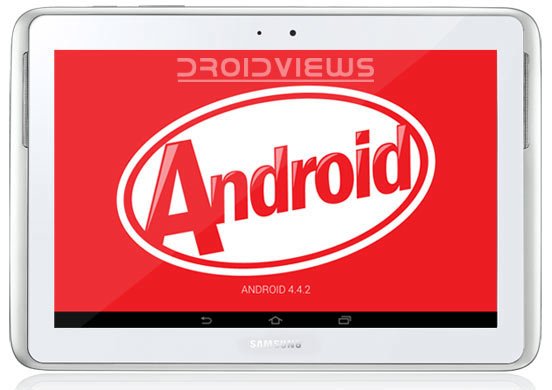
The Samsung Galaxy Note 10.1, the first 10-inch tablet device from the OEM, was launched way back in August 2012. This tablet device with an awesome S-Pen became a big hit and is still one of the most popular tablets devices. The tablet series was relaunched by Samsung with added features and new software the last year.
The Galaxy Note 10.1 came with Android 4.0.4 Ice Cream Sandwich out of the box and was later updated to Android 4.1.2 Jelly Bean. It has now been a very long gap since this device received any major software update from its maker. For some mysterious reasons, Samsung did not roll the Android 4.2.2 or even 4.3 for the device. As owners of this costly tablet, we’re just about to lose all hopes of receiving any new official update unaware that a pleasantly shocking news was just waiting.
Luck seems to have finally turned its face to the Galaxy Note 10.1 as a new leaked Android 4.4.2 KitKat firmware for the Galaxy Note 10.1 GT-N8000 has been caught up and shared by an XDA user. The leaked firmware is just enough to tickle us with the very feel that the official KitKat update for the tablet is just around the corner and could be unleashed any time by Samsung.
izap from XDA has shared the leaked test firmware with build version N8000OXADND5 for the Note 10.1 GT-N8000. You can download it and install the leaked Android 4.4.2 KitKat Firmware on Galaxy Note 10.1 GT-N8000. If you own some other variant of the tablet like GT-N8010 or N8020, you’ll still have to wait till the update rolls out for these devices.
Android 4.4.2 KitKat is definitely a big jump from the older Android 4.1.12 Jelly Bean and brings many new features, such as camera shortcut on the lockscreen, transparent status bar, while icons in status bar, default app feature in settings, faster performance, etc.
Please note that installing the leaked Android 4.4.2 KitKat firmware on Galaxy Note 10.1 GT-N8000 will not void its warranty. The firmware is meant for Open Europe and it means that it can be installed on any carrier unbranded Note 10.1 N8000. If you are willing to taste the new KitKat flavor of Android ahead of the official release, just grab the firmware from below and flash it using Odin.
Warning!
Installation the leaked firmware on your Galaxy Note 10.1 might prove risky. Install it at your own risk!
Screenshots:
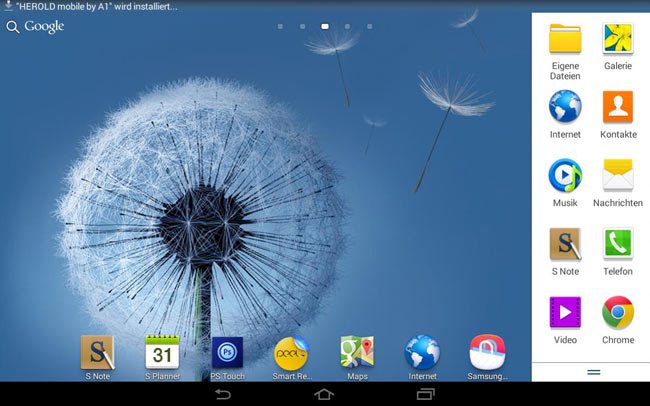

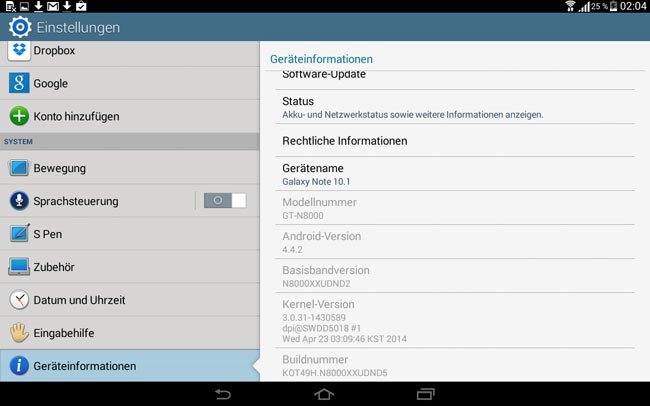
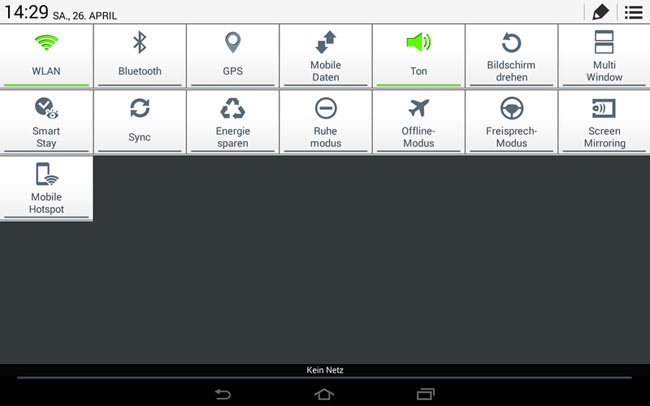
Firmware Details:
- Model: Galaxy Note 10.1 GT-N8000
- OS Version: Android 4.4.2 KitKat
- Build date: April 2014
- Product Code: OXA (Open Europe)
- PDA: N8000XXUDND5
- CSC: N8000OXADND5
- MODEM: N8000XXUDND2
Download:
Download Odin: Link
Install Android 4.4.2 KitKat Firmware on Galaxy Note 10.1
Having downloaded the KitKat firmware, just unzip the the firmware zip and install the file by clicking the PDA/AP button in Odin. Here’s is a screenshot of the Odin screen with multi-file firmware. For detailed guide on installing official firmware on your Galaxy Note 10.1, read this.


Can I install this rom however my GN-8000 from Emirates not Europe ?
It’s leaked firmware. Get the official 4.4.2 firmware here: https://www.droidviews.com/galaxy-note-10-1-gets-android-4-4-2-kitkat-update/
Hi! After I upgrade the default Android version (Samsung Galaxy Note 10.1) to Android Kit Kat 4.4.2, my whatsapp application didn’t work anymore =( ~ It said “Your device isn’t compatible with thus version.” 🙁 I already asked the staff which work at Samsung outlet at Avanue K, but he said to me to installed the software for make it whatsapp application normal again, it need RM30! Who knows how to solve this problem others than take ur money out?
Try a factory reset and try again. Also try this, update WhatsApp to the latest version, go to Settings> Application> WhatsApp and clear app data. Reboot device and then try again. Make sure you have a good internet connection while you do the WhatsApp setup.
I already clear app data before. But still my whatsapp doesn’t work. Factory reset? May I know how
Go to Settings> Backup and reset and select reset option. Make sure to backup your apps and data before doing that.
just finish doing factory reset, but my whatsapp still doesn’t work at play store, it said “Your device isn’t compatible with this version.”
Itz saying itz not compatibleon play store, and its recognized as tablet instead of note
Wats app doesnt work, itz not compatible
Open Application manager and clear Whatsapp app data and try again!
email server not working
Perform a factory reset.
I’ve done it several times … I’m trying to go back to 4.3 but bootloader from Samsung is locked in kitkat .. I’ve done the hard reset .. Have spent re rom and nothing
Can I install this on Galaxy tab 3 10.1 ?
Hi, eventually does this ROM work, has some one used it, any short comings. . .
this rom it isn’t work and u can see photo in above number 3 of photos there opreator network by right , and by left there’s icon sim card so it is need sim card WTF
the tablet has no sim card!! idiotas
eat shit
does there for galaxy tab 2 10.1 p5100?
No.
this update will work in note n8010????
According to a user, it worked on his device but I won’t recommend you to install it if you aren’t an advanced user.
Can someone reseed pls, all link are dead 🙁